 Coupled
In this guide 5 steps
-
Overview
To change your account's email address, use the following steps.
-
Step 1
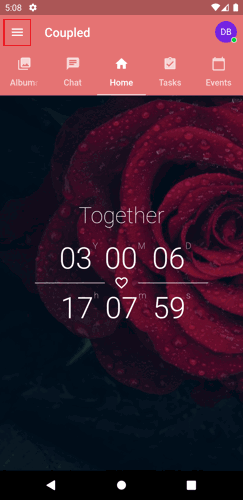
Open the main menu button on the page's top-left corner.
-
Step 2
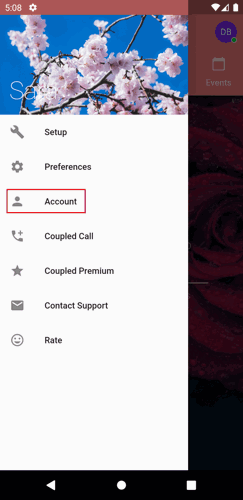
Tap Account.
-
Step 3
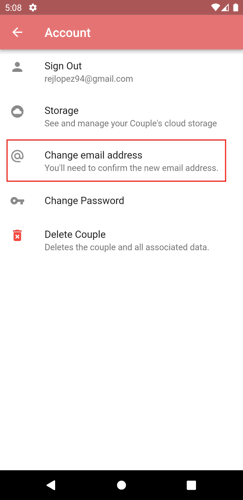
Tap the change email address option.
-
Step 4
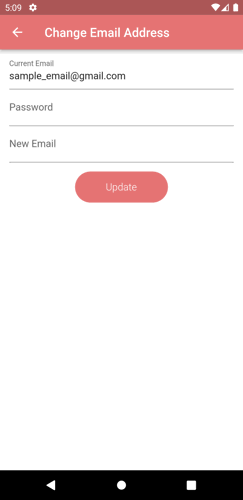
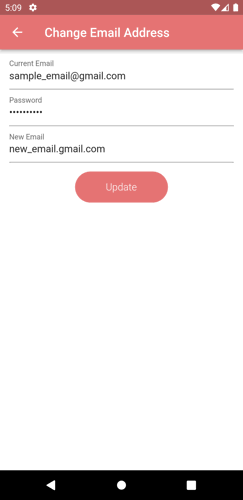
Type your current account password and your new email address.
-
Step 5
Tap the Update button.
To change your account's email address, use the following steps.
1. Open the main menu button on the page's top-left corner.
2. Tap Account.
3. Tap the change email address option.
4. Type your current account password and your new email address.
5. Tap the Update button.