 Coupled
In this guide 3 steps
-
Step 1
Tap the Chats tab or slide the Coupled screen to start using the chat feature.

-
Step 2
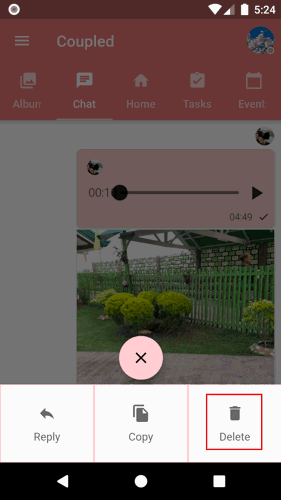
Tap and hold the message that you want to delete until the action menu appears.
-
Step 3
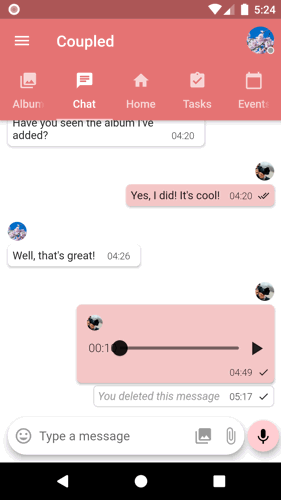
Tap the Delete button.
-
Note: Deleting a message will delete the message on both you and your partner's device.
1. Tap the Chats tab or slide the Coupled screen to start using the chat feature.
2. Tap and hold the message that you want to delete until the action menu appears.
3. Tap the Delete button.
Note: Deleting a message will delete the message on both you and your partner's device.