 Fasting Time
In this guide 4 steps
-
Step 1
Tap the bottom menu button to open the fasting menu options.

-
Step 2
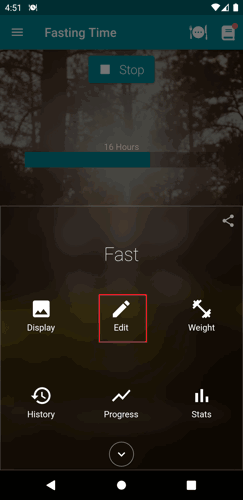
Tap the Edit button.
-
Step 3
Tap the delete button on the top right of the page.

-
Step 4
Confirm the action.

-
Note: Deleting a fast will be unavailable if you only have one activated fast.
1. Tap the bottom menu button to open the fasting menu options.
2. Tap the Edit button.
3. Tap the delete button on the top right of the page.
4. Confirm the action.
Note: Deleting a fast will be unavailable if you only have one activated fast.