 Fasting Time
In this guide 4 steps
-
Step 1
Tap the bottom menu button to open the fasting menu options.

-
Step 2
Tap the Display button.

-
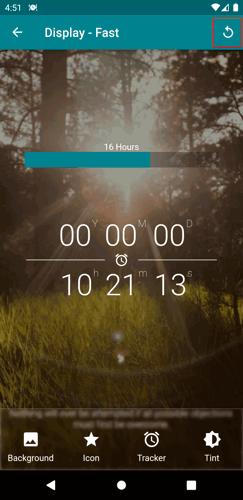
Step 3
On the top right corner, tap the reset button.
-
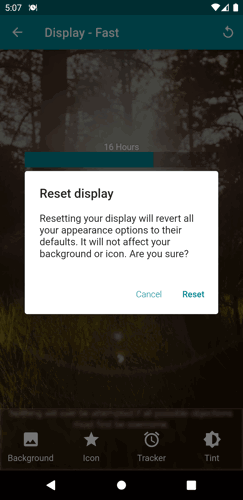
Step 4
Confirm the action.
1. Tap the bottom menu button to open the fasting menu options.
2. Tap the Display button.
3. On the top right corner, tap the reset button.
4. Confirm the action.