 Sober Time
In this guide 4 steps
-
Overview
Personal milestones are your own goals, such as 100 days. You're notified when you reach them, but they don't give badges.
-
Step 1
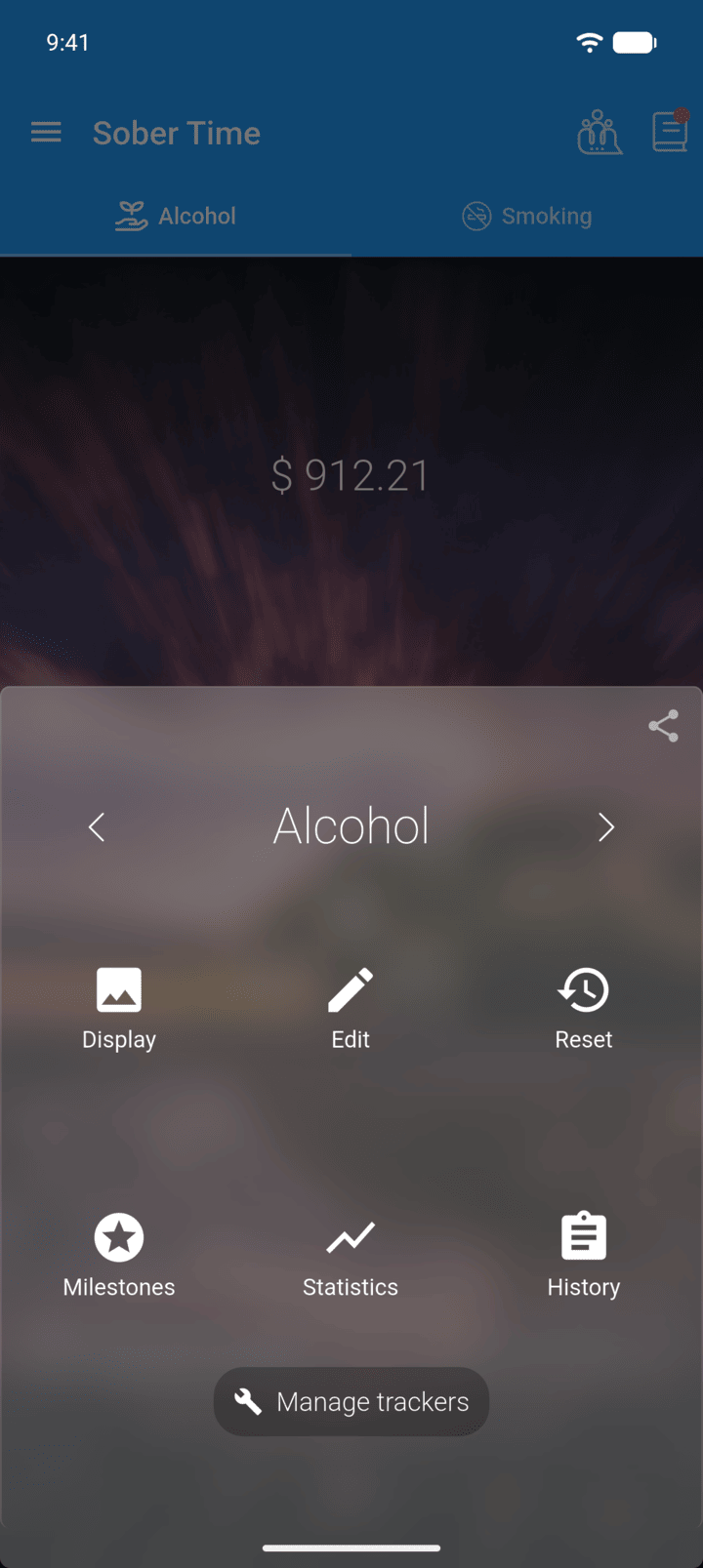
On the Home screen, swipe to the tracker you want. Tap the round arrow button at the bottom of the screen to open its options. Tap Milestones.
-
Step 2
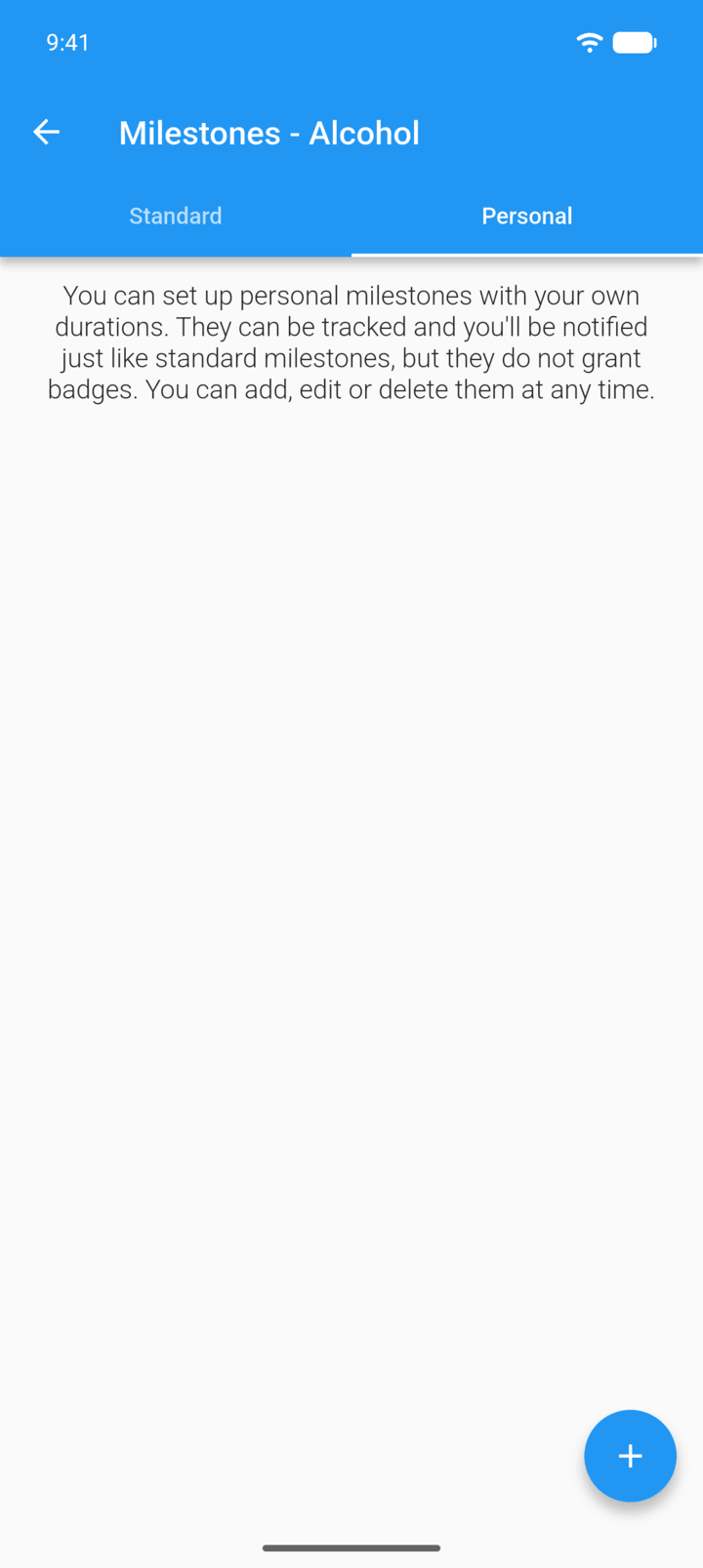
Tap the Personal tab, then the + button.
-
Step 3
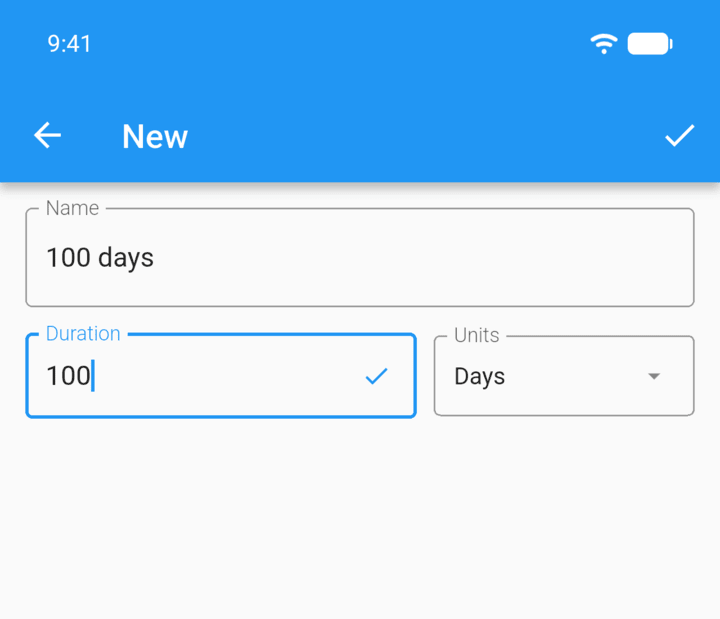
Enter a Name and Duration, then tap Units to choose days, weeks, months or another unit.
-
Step 4
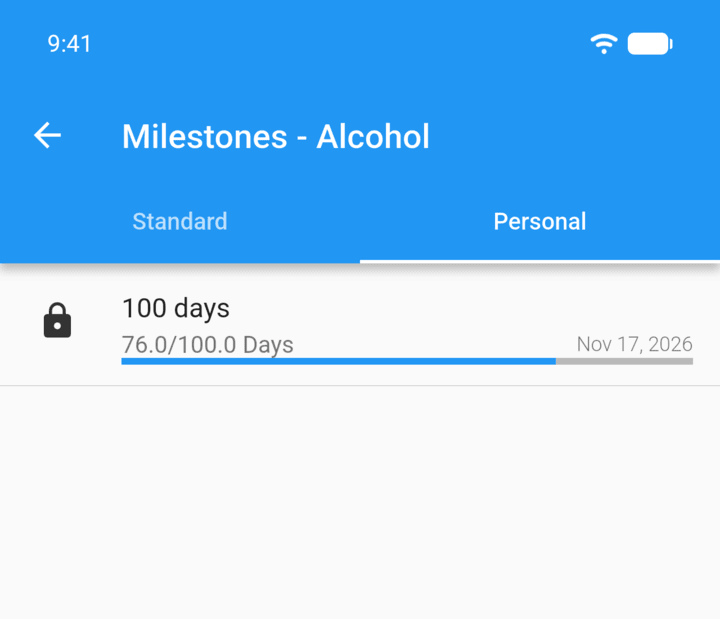
Tap the check mark in the top-right corner to save. The milestone shows your progress.
-
To change or delete a personal milestone, tap it. Use the trash icon to delete it.
Personal milestones are your own goals, such as 100 days. You're notified when you reach them, but they don't give badges.
- On the Home screen, swipe to the tracker you want. Tap the round arrow button at the bottom of the screen to open its options. Tap Milestones.
- Tap the Personal tab, then the + button.
- Enter a Name and Duration, then tap Units to choose days, weeks, months or another unit.
- Tap the check mark in the top-right corner to save. The milestone shows your progress.
To change or delete a personal milestone, tap it. Use the trash icon to delete it.