 7Z
7Z
In this guide 5 steps
-
Overview
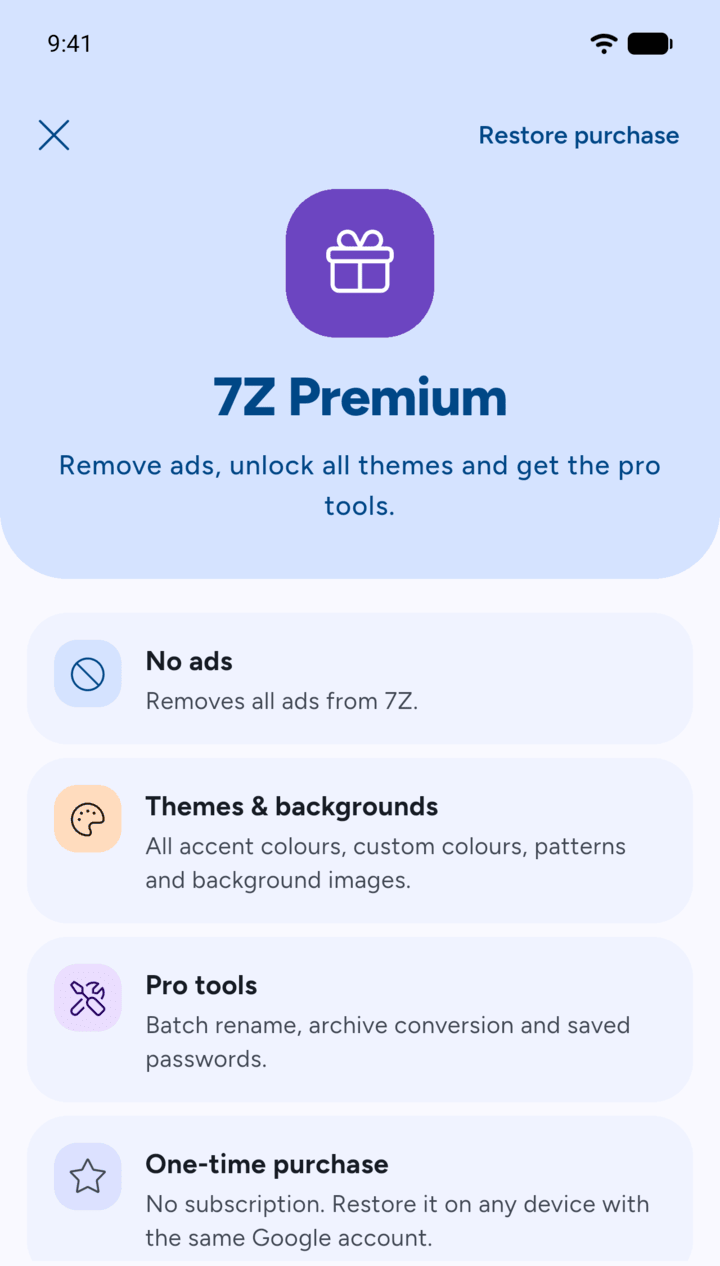
7Z Premium is a one-time purchase through Google Play, with no subscription. It removes ads, unlocks all themes and backgrounds, and adds the pro tools: batch rename, archive conversion and saved passwords.
-
Step 1
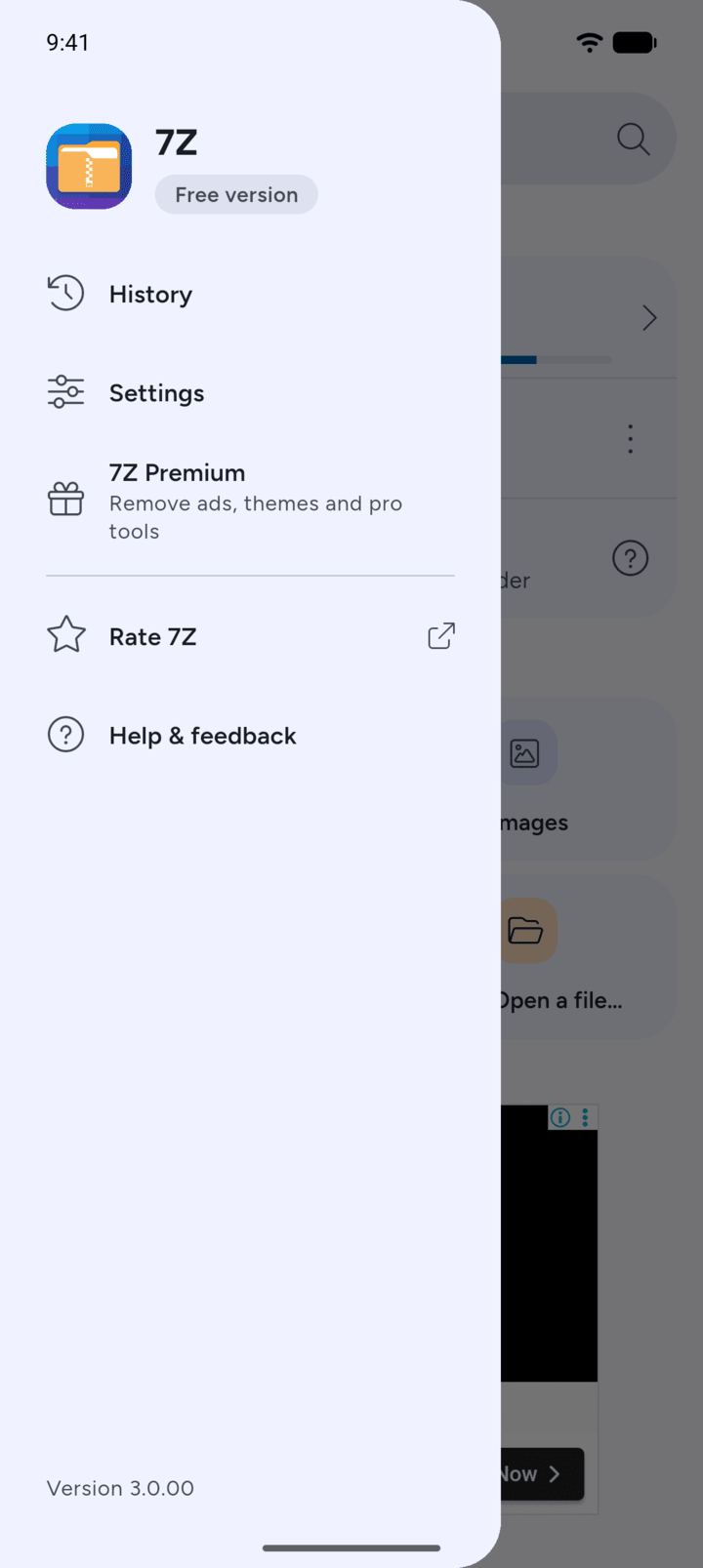
On Home, tap the menu button at the top left, then tap 7Z Premium.
-
Step 2
Check what's included and tap Get Premium. The button shows the price.
-
Step 3
Google Play opens. Confirm the purchase there.
-
Step 4
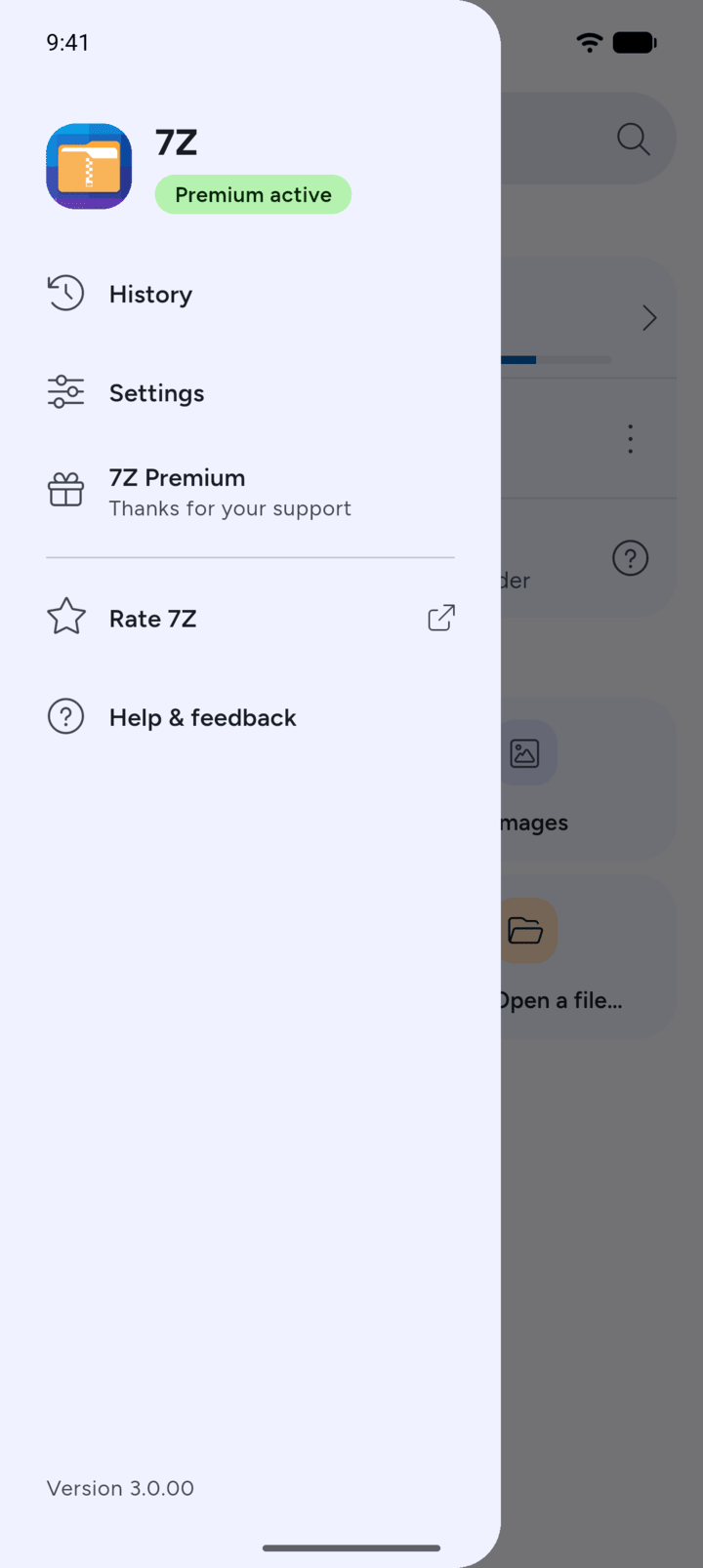
When Google Play confirms the purchase, Premium is active right away and the menu shows Premium active.
-
Step 5
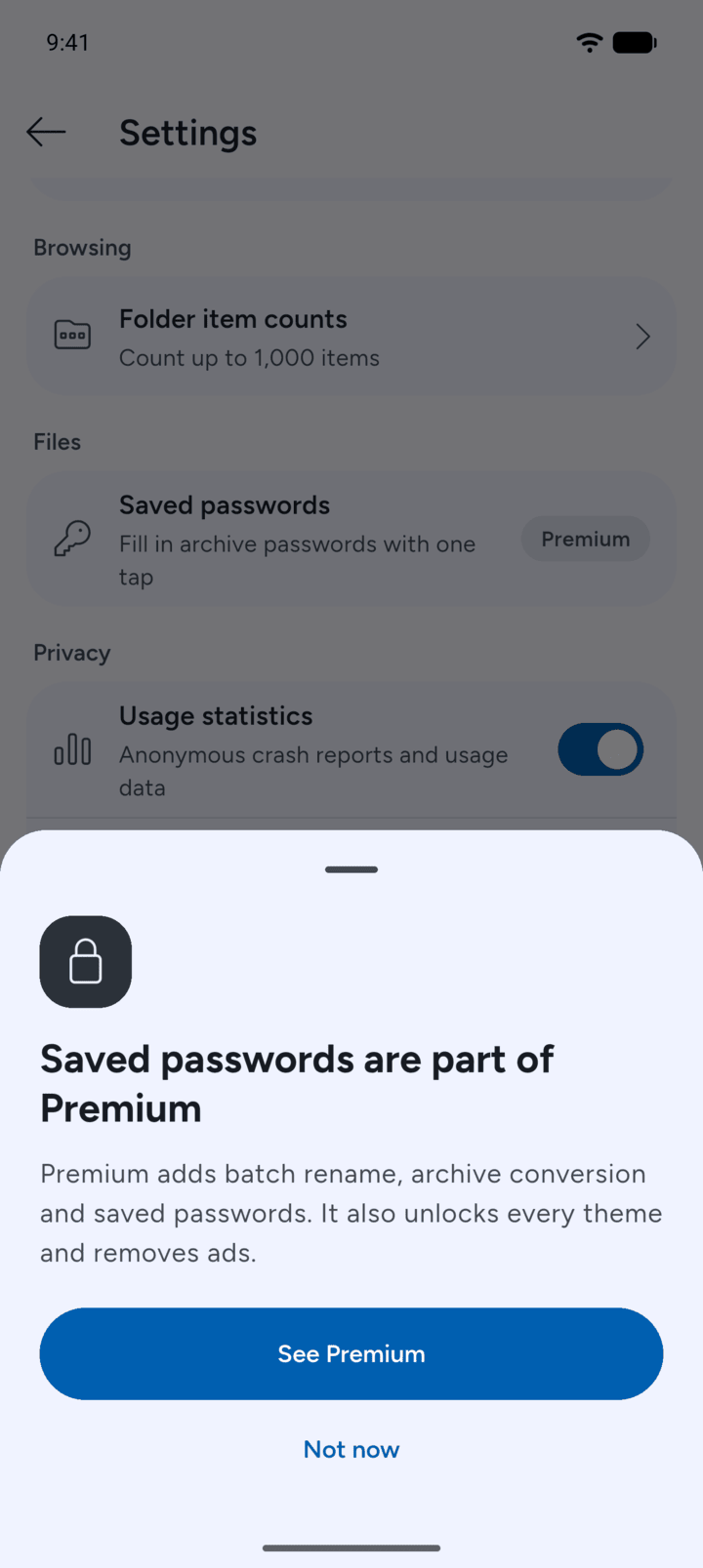
Without Premium, features that need it show a Premium label or a lock. Tap one to see what Premium includes, then tap See Premium.
-
If your purchase is pending, Premium unlocks as soon as Google Play confirms it.
Premium is linked to your Google account. On a new phone, see the guide Restoring a purchase.
7Z Premium is a one-time purchase through Google Play, with no subscription. It removes ads, unlocks all themes and backgrounds, and adds the pro tools: batch rename, archive conversion and saved passwords.
- On Home, tap the menu button at the top left, then tap 7Z Premium.
- Check what's included and tap Get Premium. The button shows the price.
- Google Play opens. Confirm the purchase there.
- When Google Play confirms the purchase, Premium is active right away and the menu shows Premium active.
- Without Premium, features that need it show a Premium label or a lock. Tap one to see what Premium includes, then tap See Premium.
If your purchase is pending, Premium unlocks as soon as Google Play confirms it.
Premium is linked to your Google account. On a new phone, see the guide Restoring a purchase.