 7Z
7Z
In this guide 4 steps
-
Step 1
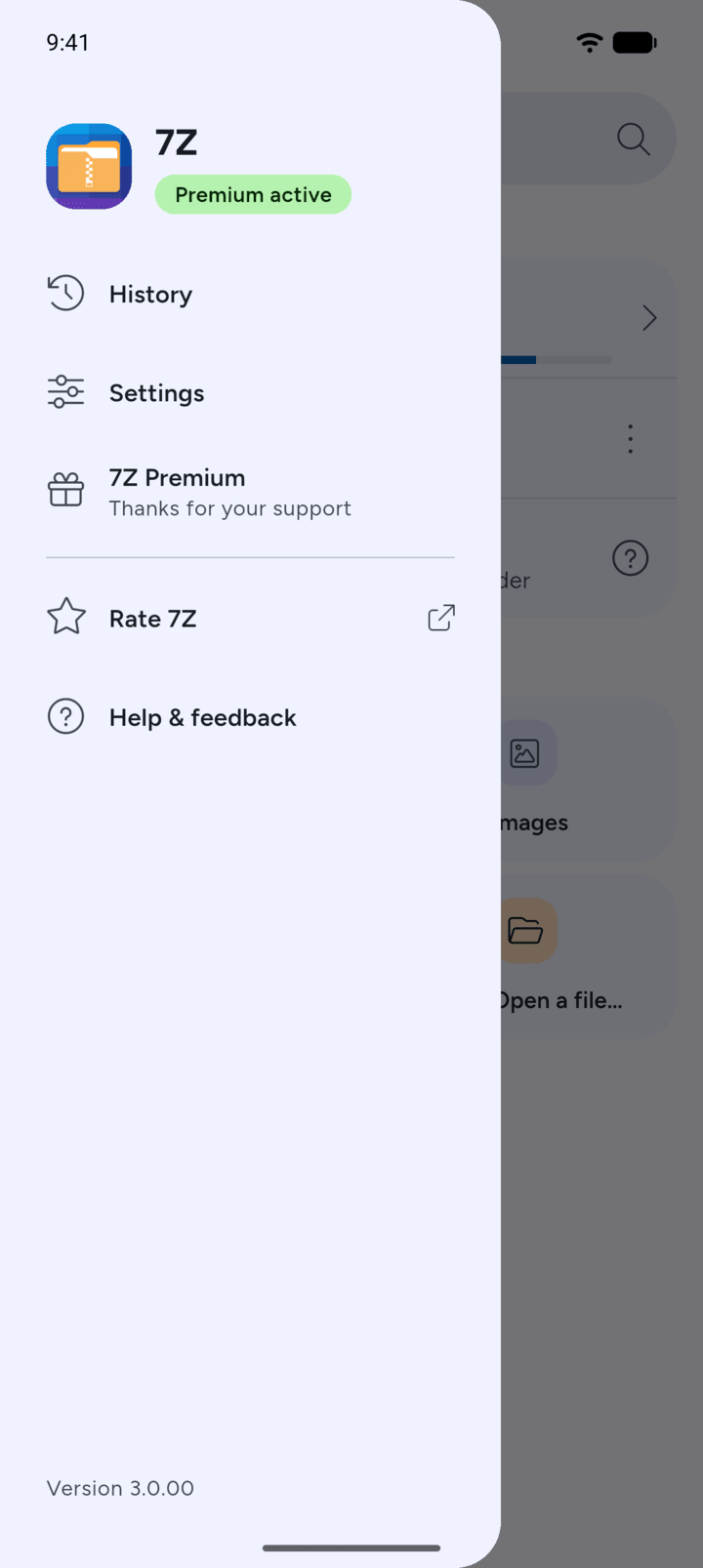
On Home, tap the menu button at the top left, then tap History.
-
Step 2
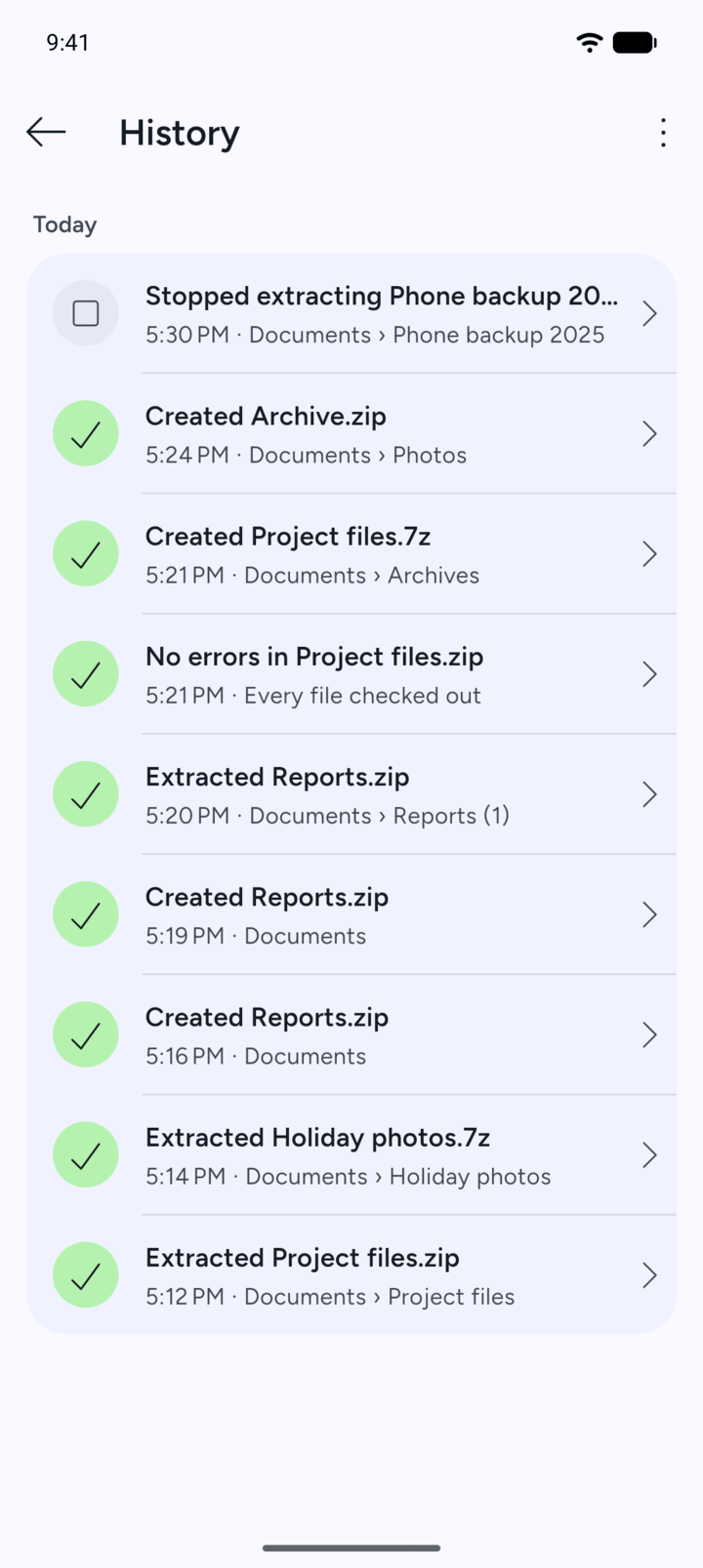
History lists your recent tasks with the time and the folder. Tap a task to see its details.
-
Step 3
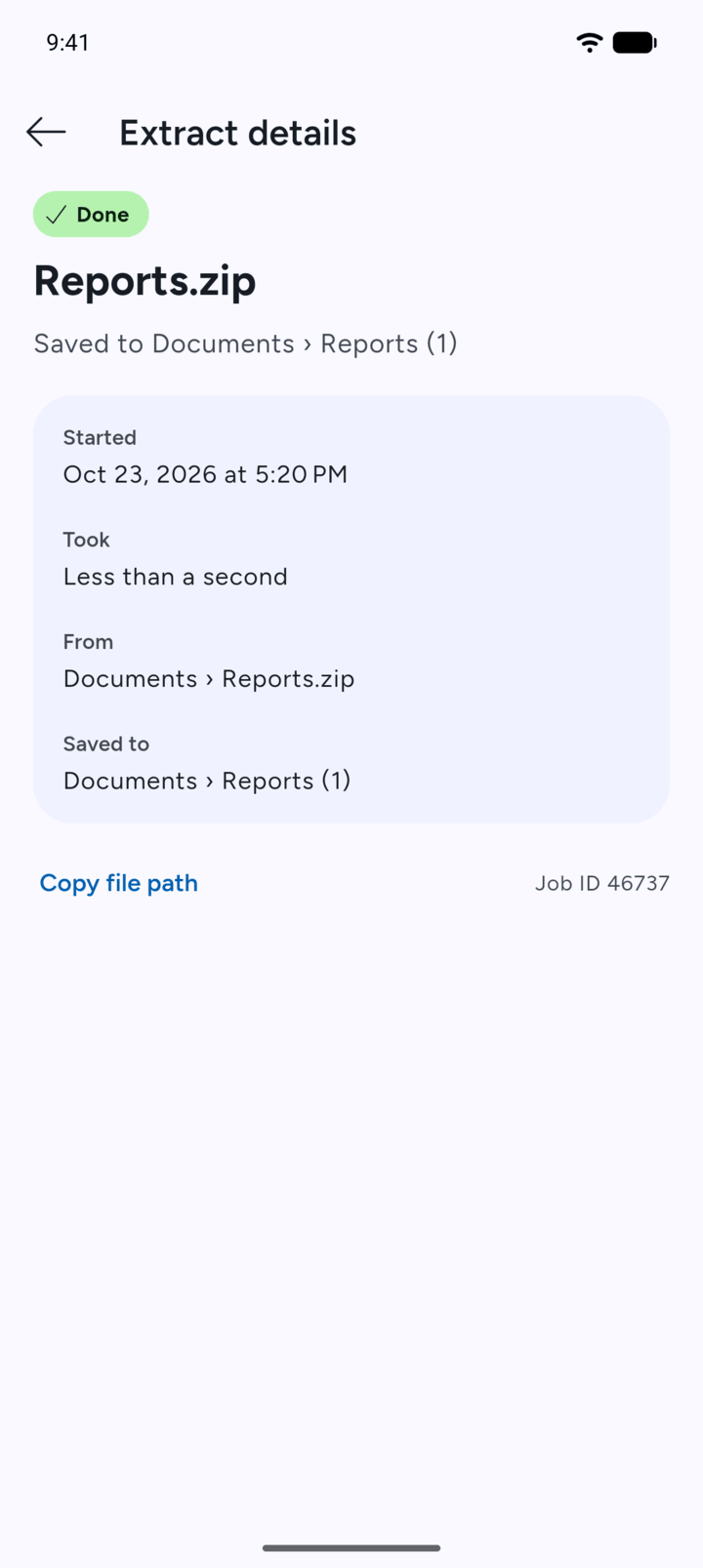
The details show when it started, how long it took, where it came from and where it was saved. Tap Copy file path to copy the location.
-
Step 4
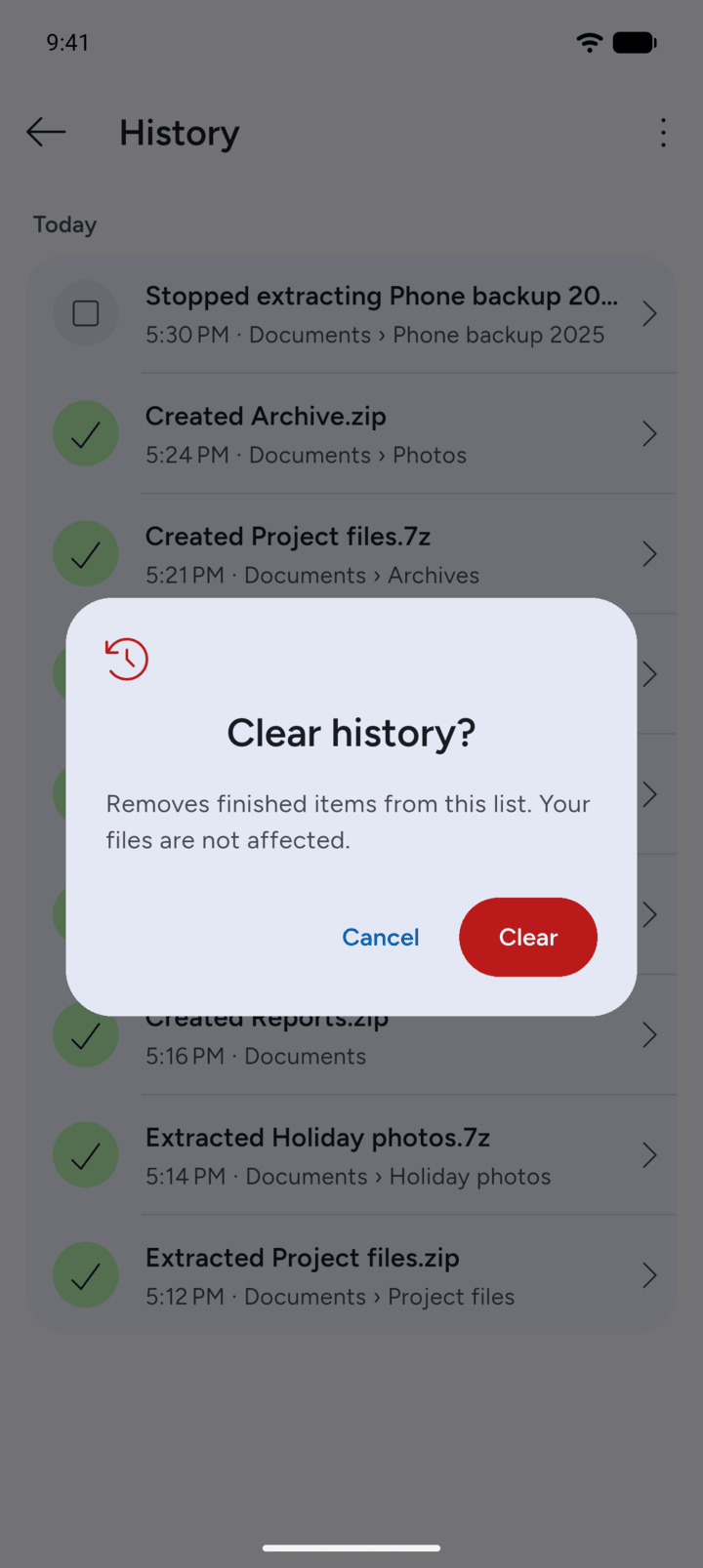
To empty the list, tap the three dots at the top right, tap Clear history, then tap Clear. Your files are not affected.
- On Home, tap the menu button at the top left, then tap History.
- History lists your recent tasks with the time and the folder. Tap a task to see its details.
- The details show when it started, how long it took, where it came from and where it was saved. Tap Copy file path to copy the location.
- To empty the list, tap the three dots at the top right, tap Clear history, then tap Clear. Your files are not affected.