 7Z
7Z
In this guide 4 steps
-
Overview
7Z shows how many items each folder holds. Counting very large folders can slow browsing down.
-
Step 1
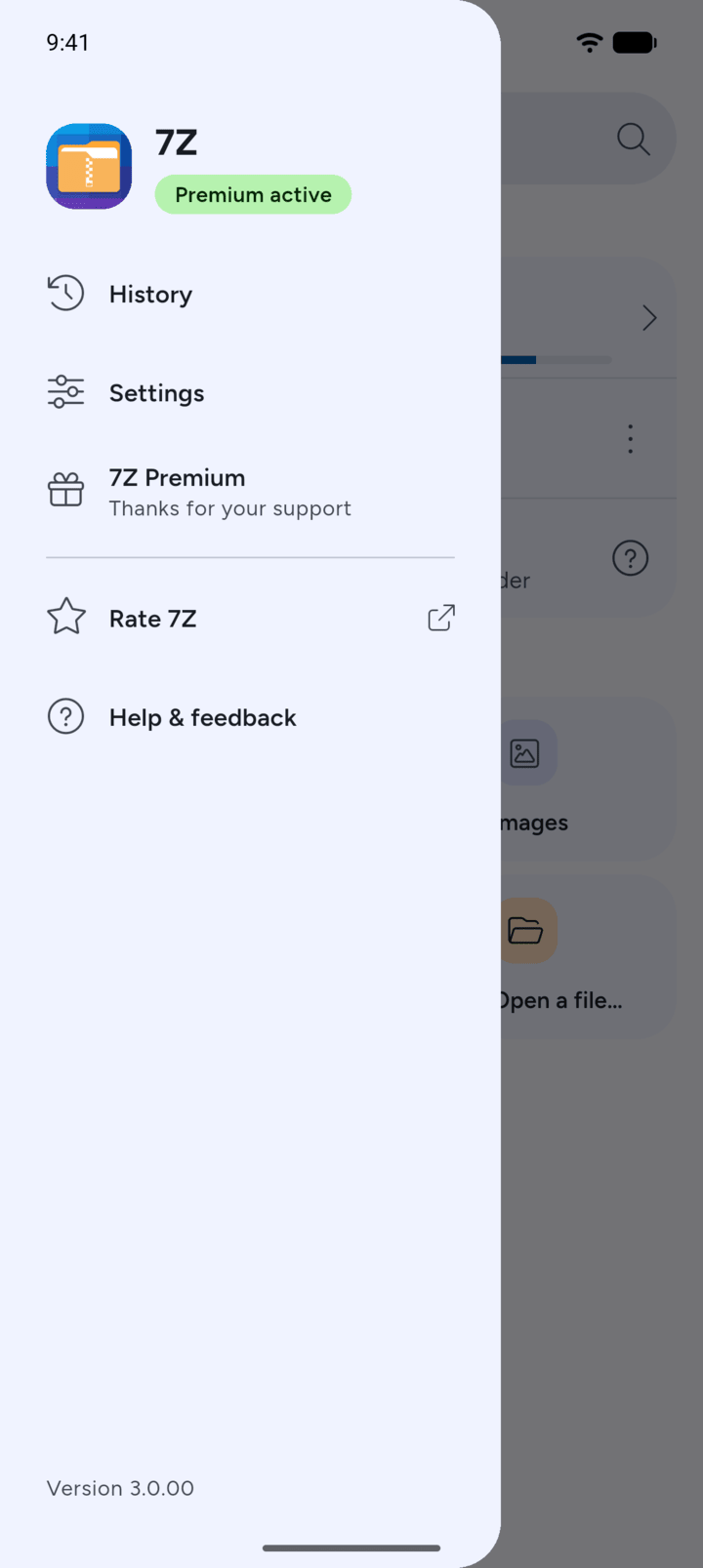
On Home, tap the menu button at the top left, then tap Settings.
-
Step 2
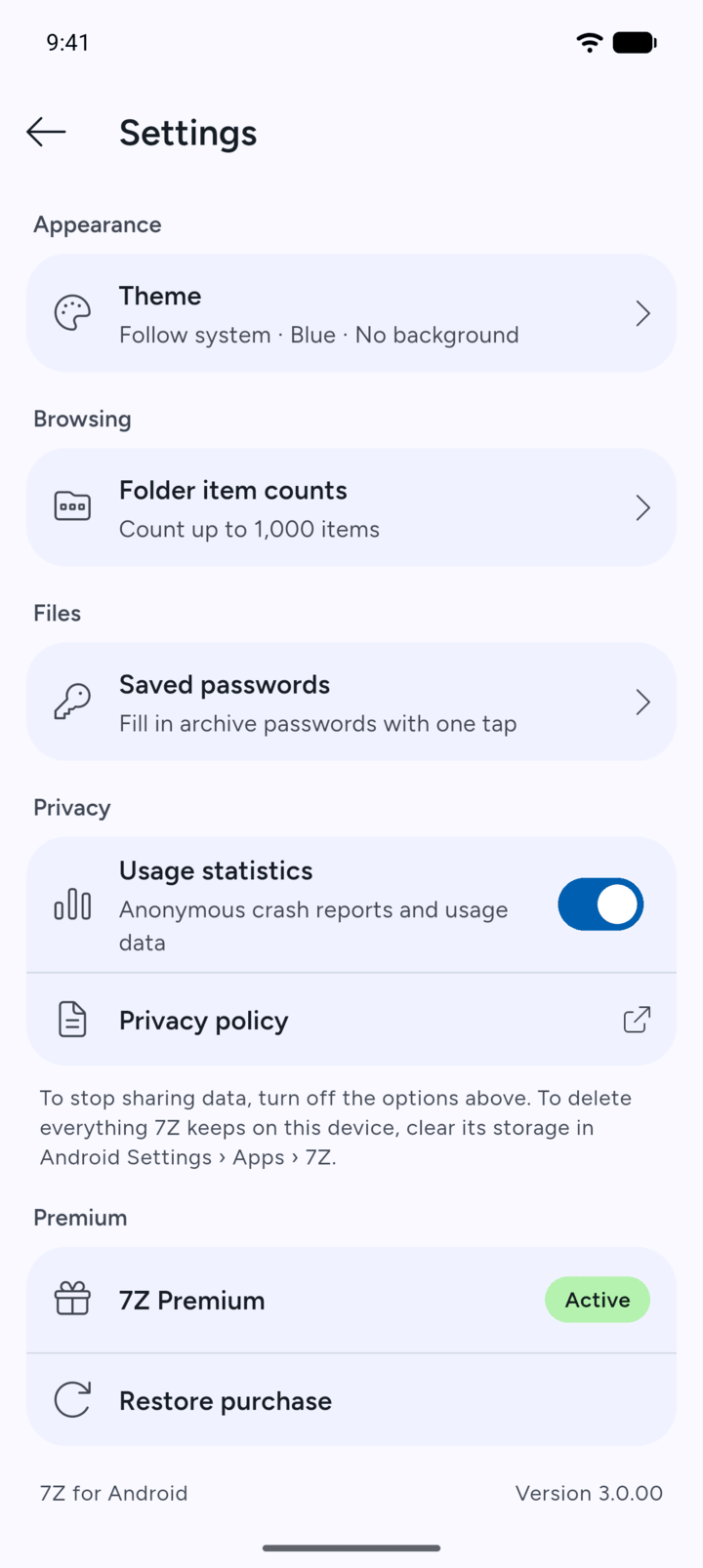
Tap Folder item counts.
-
Step 3
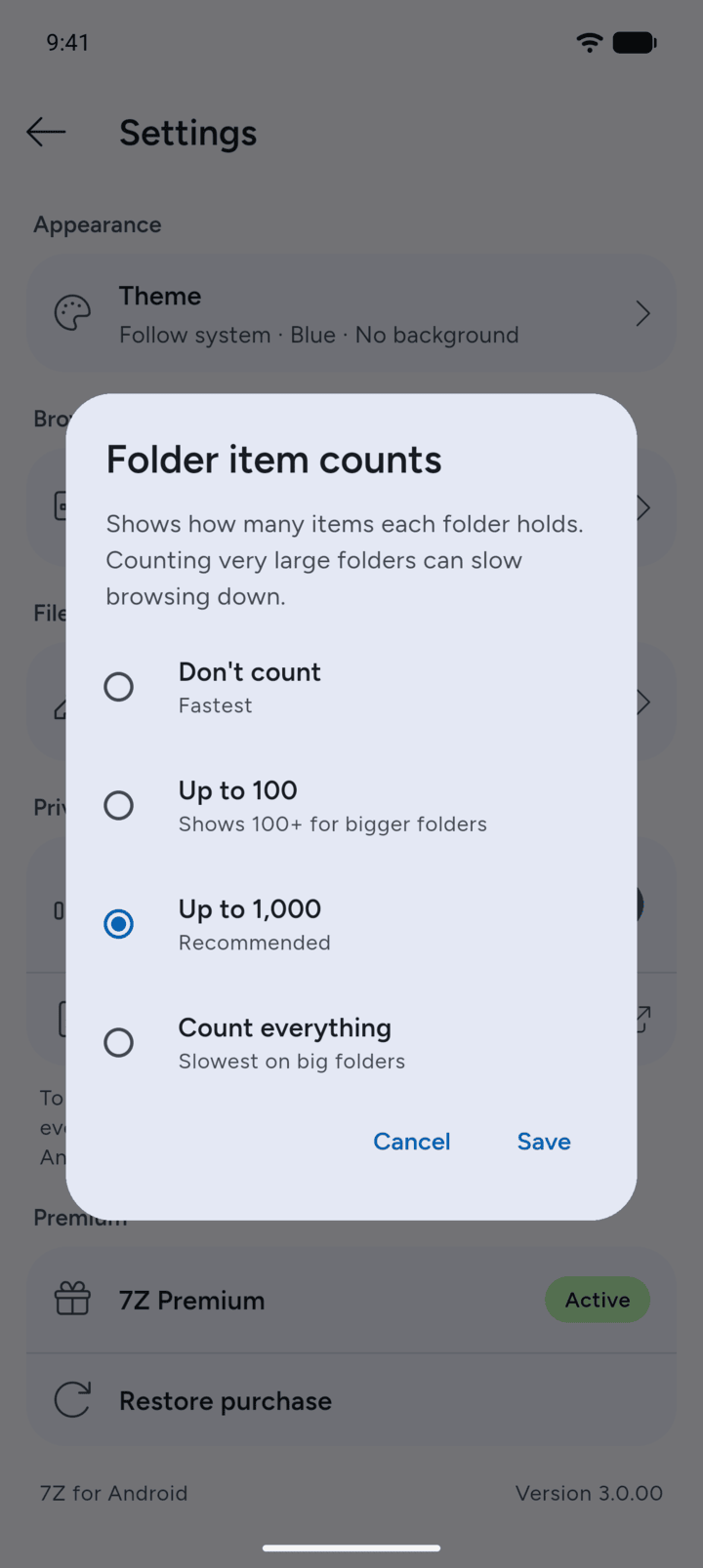
Choose Don't count (fastest), Up to 100, Up to 1,000 (recommended) or Count everything (slowest on big folders). Tap Save.
-
Step 4
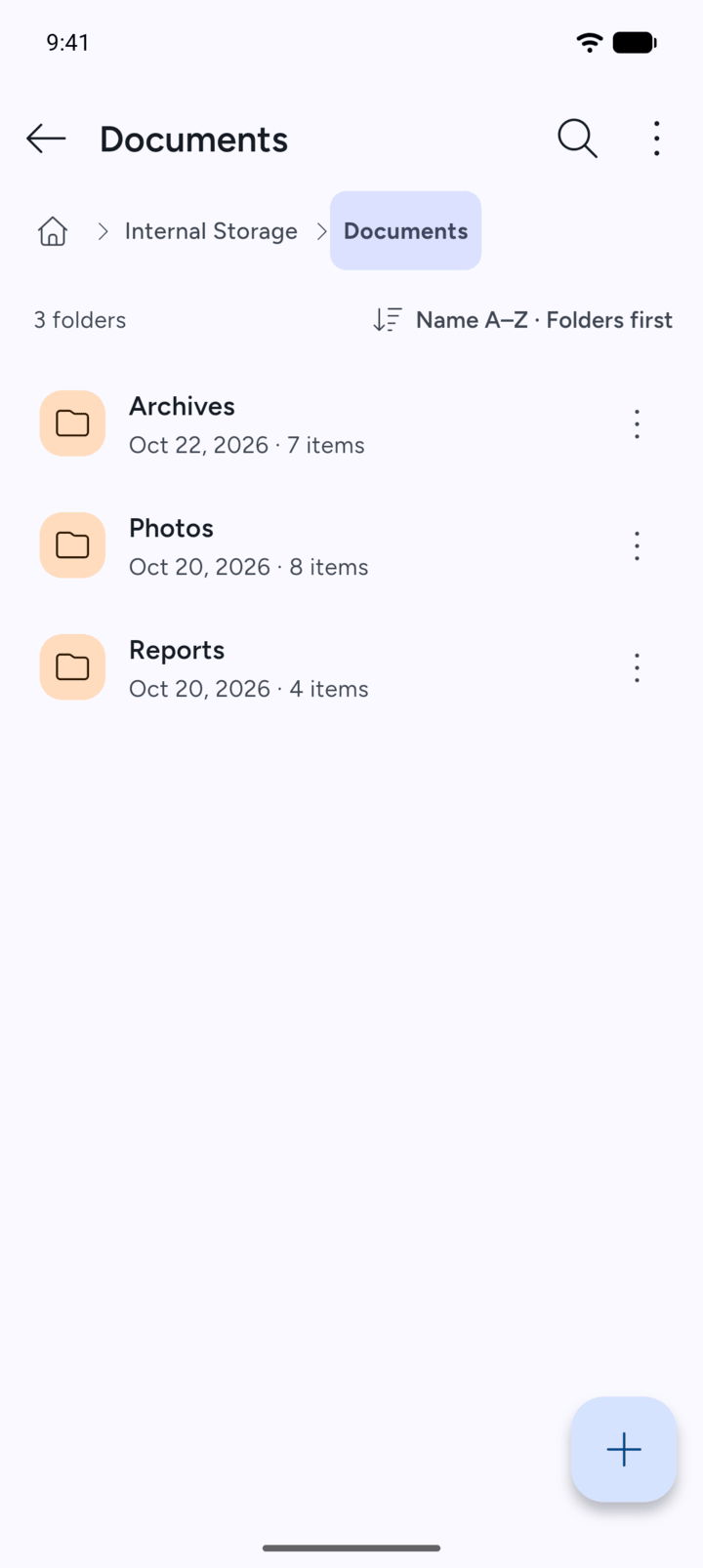
Folders show the count under their name, for example 7 items.
7Z shows how many items each folder holds. Counting very large folders can slow browsing down.
- On Home, tap the menu button at the top left, then tap Settings.
- Tap Folder item counts.
- Choose Don't count (fastest), Up to 100, Up to 1,000 (recommended) or Count everything (slowest on big folders). Tap Save.
- Folders show the count under their name, for example 7 items.