 Sober Time
In this guide 3 steps
-
Step 1
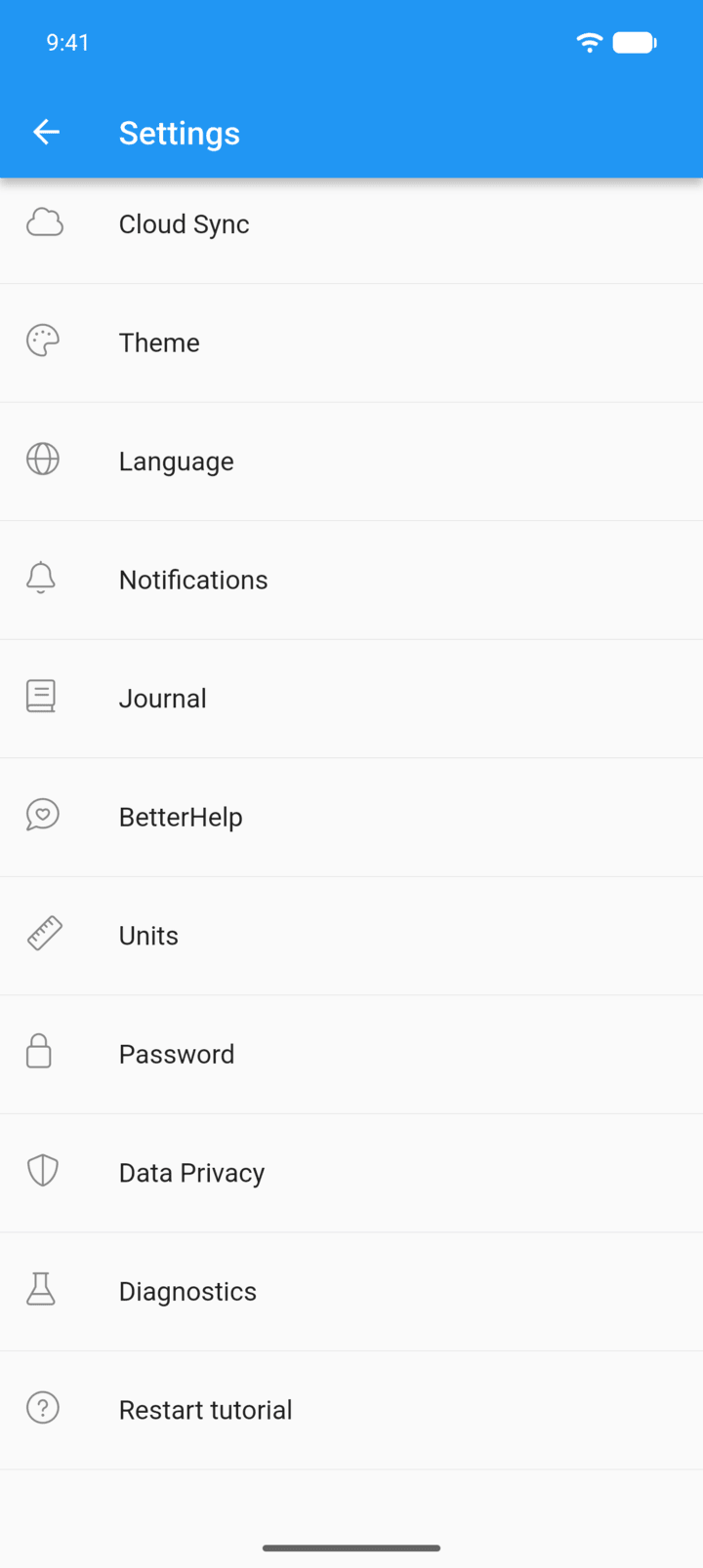
Tap the menu button ☰ in the top-left corner, then tap Settings › Notifications.
-
Step 2
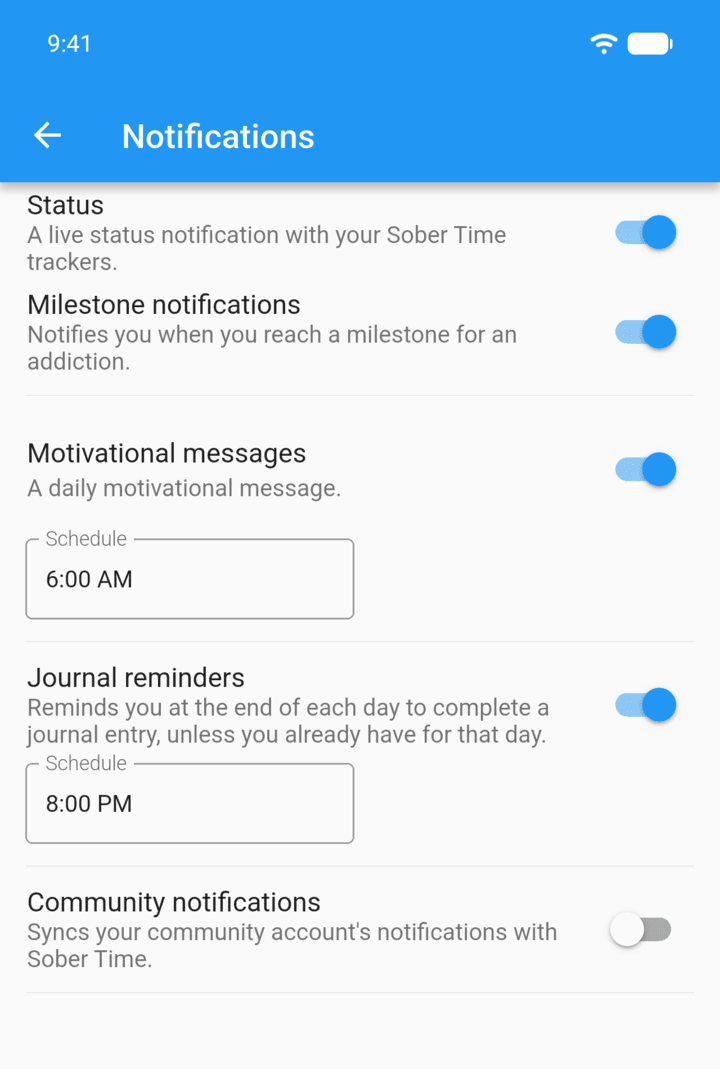
Turn each type on or off: Milestone notifications, Motivational messages, Journal reminders and Community notifications.
-
Step 3
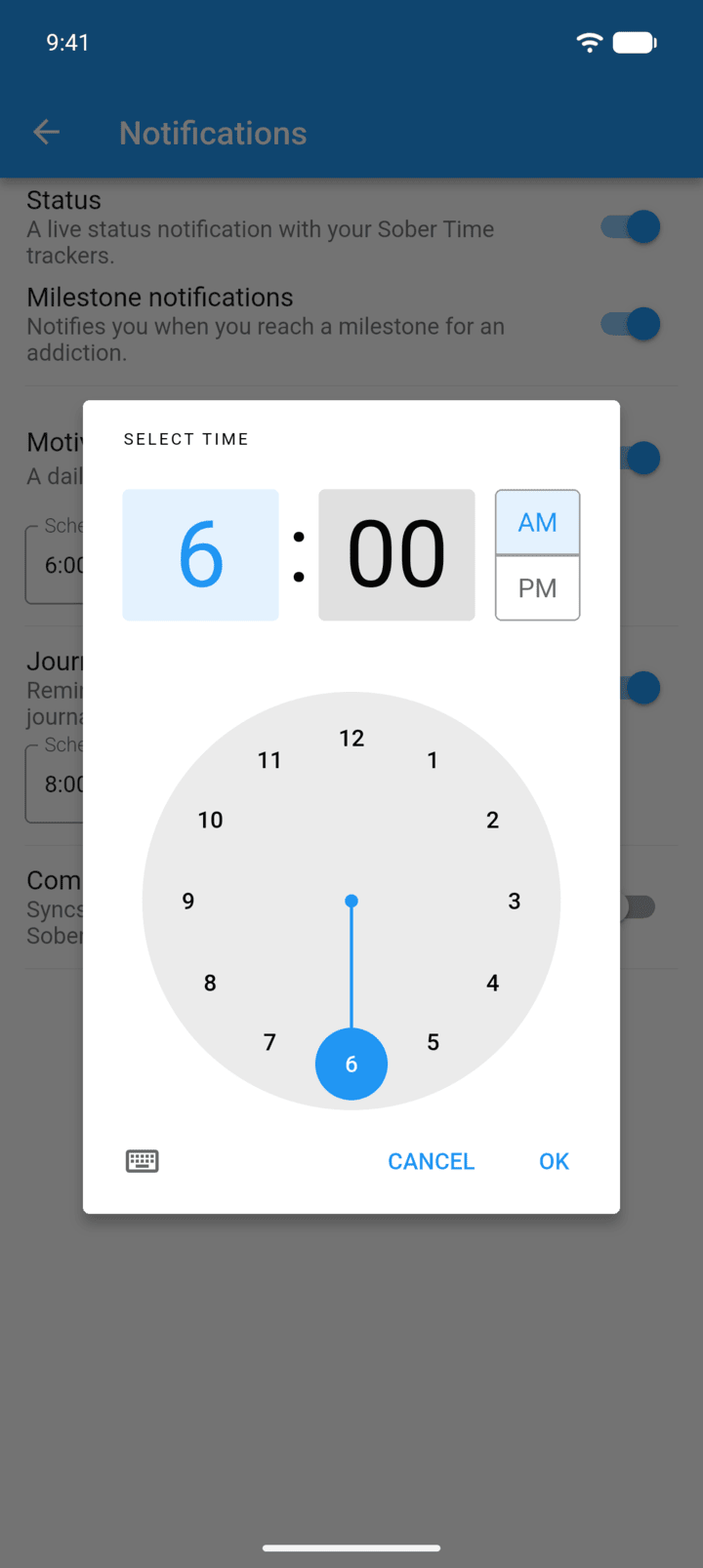
Tap Schedule under a notification to change its time.
-
Community notifications asks you to sign in with your Talking Sober account.
- Tap the menu button ☰ in the top-left corner, then tap Settings › Notifications.
- Turn each type on or off: Milestone notifications, Motivational messages, Journal reminders and Community notifications.
- Tap Schedule under a notification to change its time.
Community notifications asks you to sign in with your Talking Sober account.