 Sober Time
In this guide 3 steps
-
Step 1
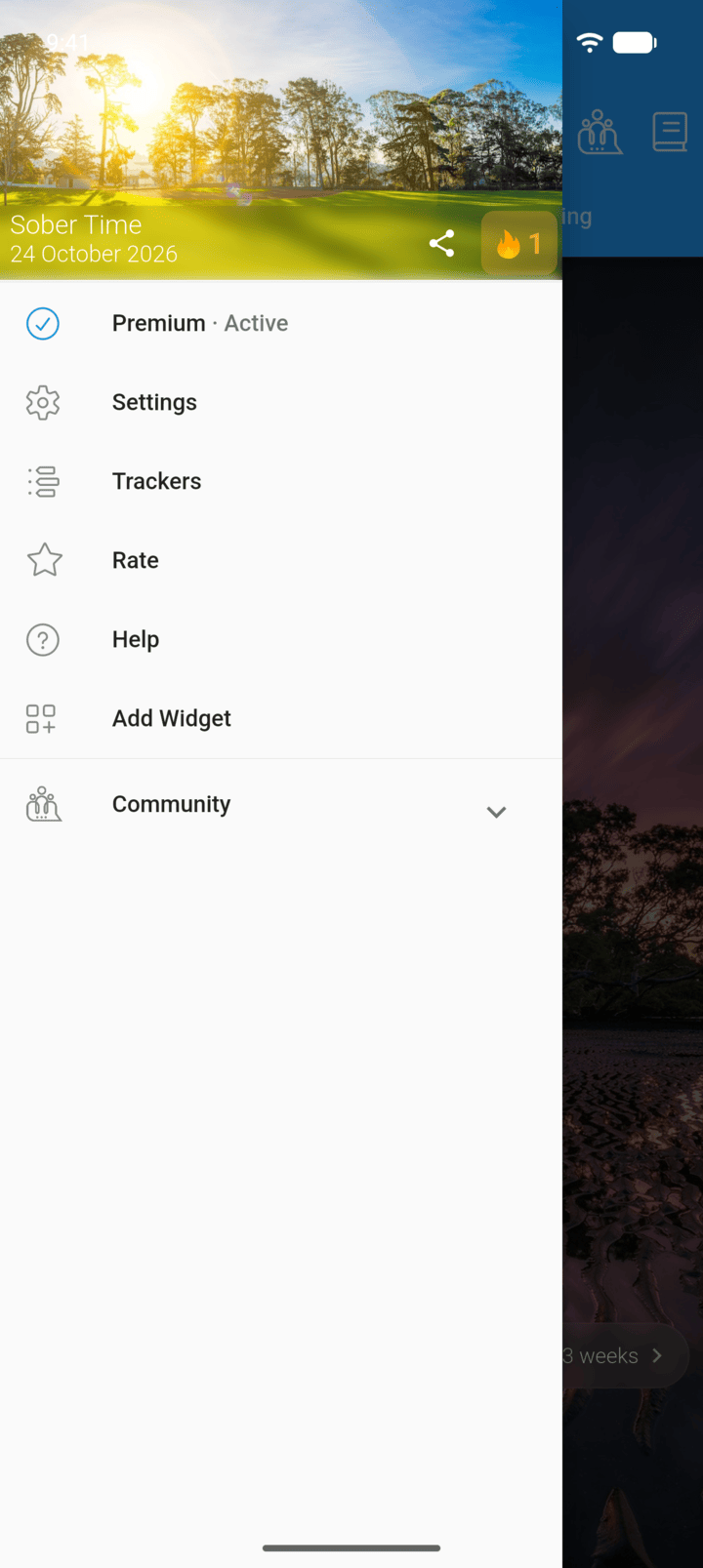
Tap the menu button ☰ in the top-left corner, then tap Help.
-
Step 2
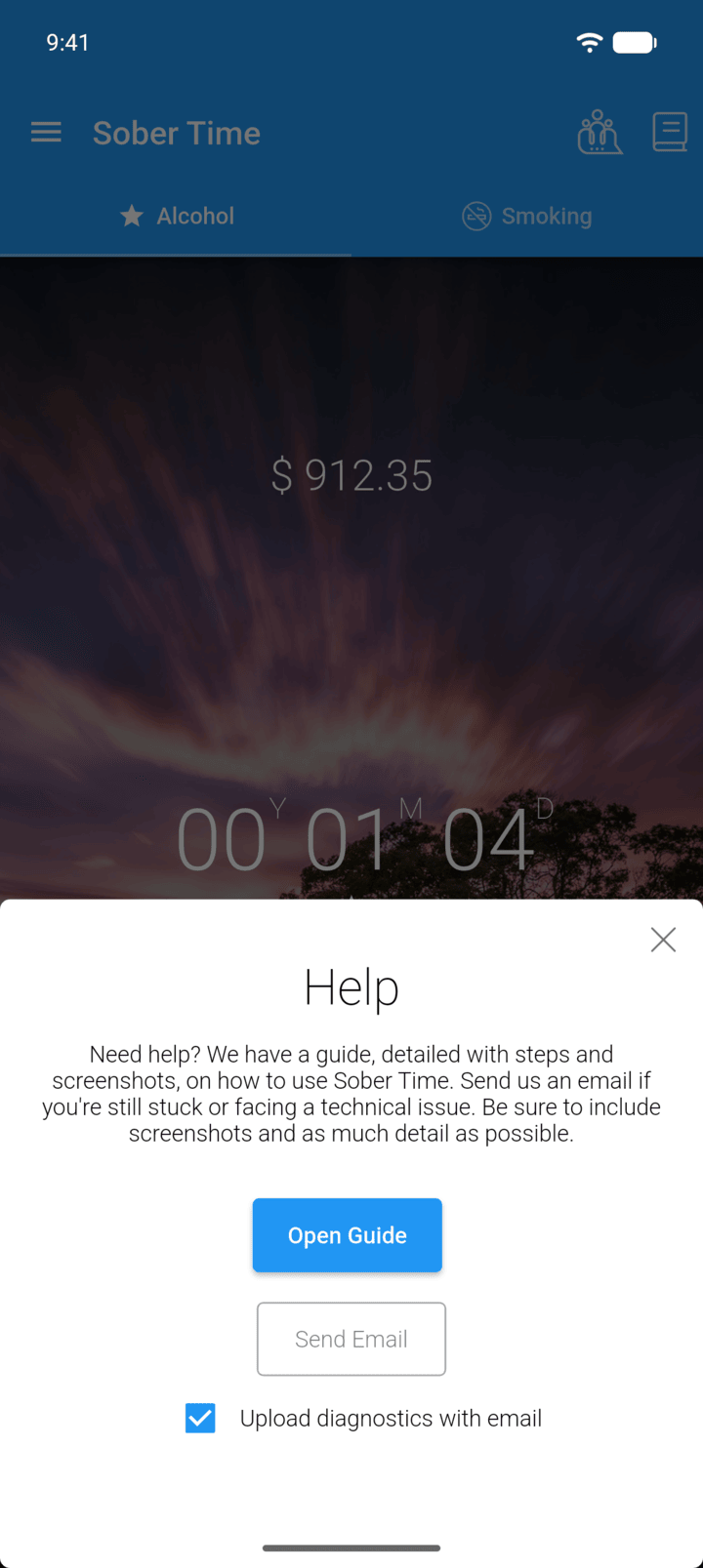
Tap Send Email. Leave Upload diagnostics with email ticked so we can see technical details about your device and data.
-
Step 3
Describe the problem and add screenshots, then send the email.
We reply Monday to Friday, in English.
- Tap the menu button ☰ in the top-left corner, then tap Help.
- Tap Send Email. Leave Upload diagnostics with email ticked so we can see technical details about your device and data.
- Describe the problem and add screenshots, then send the email.
We reply Monday to Friday, in English.