 7Z
7Z
In this guide 3 steps
-
Overview
Converting archives is part of 7Z Premium. It saves a copy of an archive in another format, for example Zip to 7z.
-
Step 1
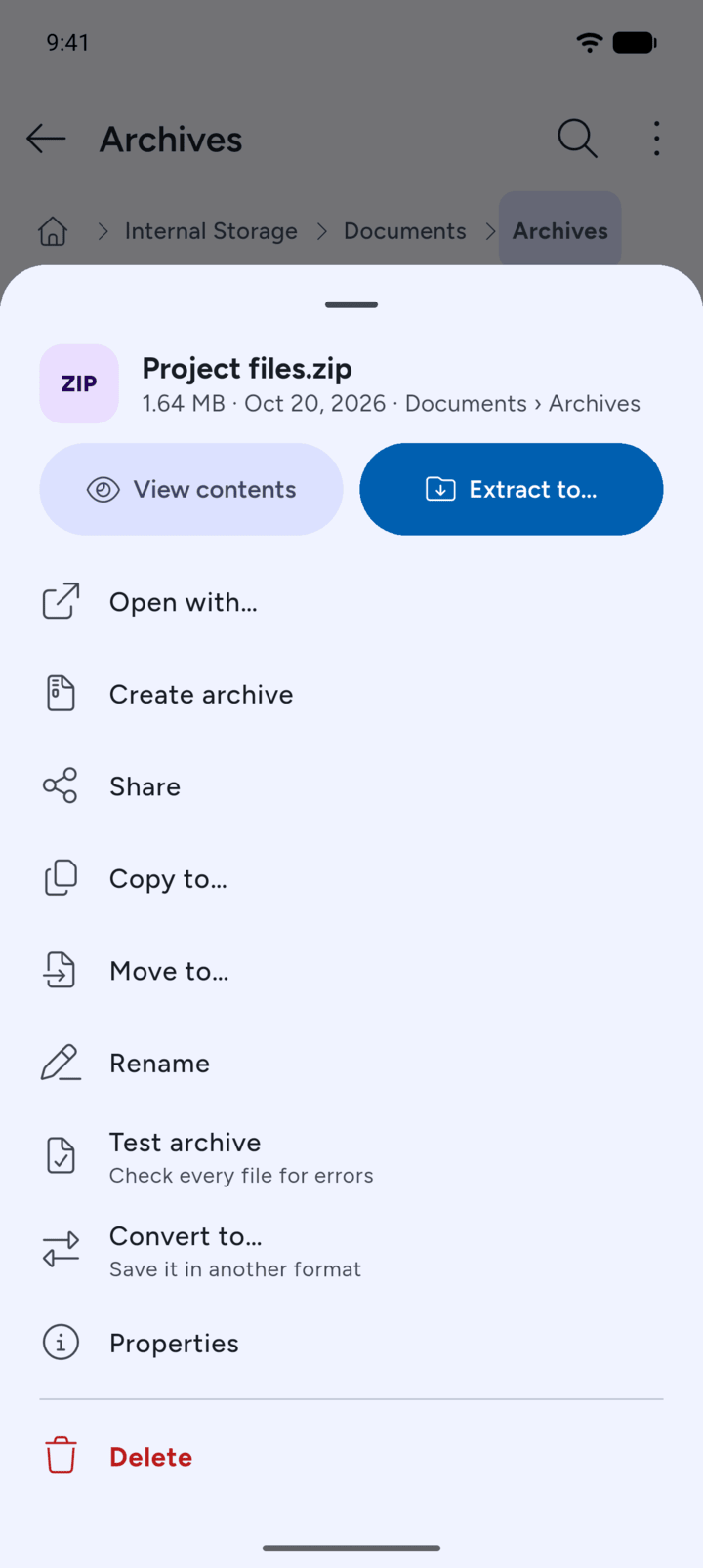
Tap the archive and tap Convert to….
-
Step 2
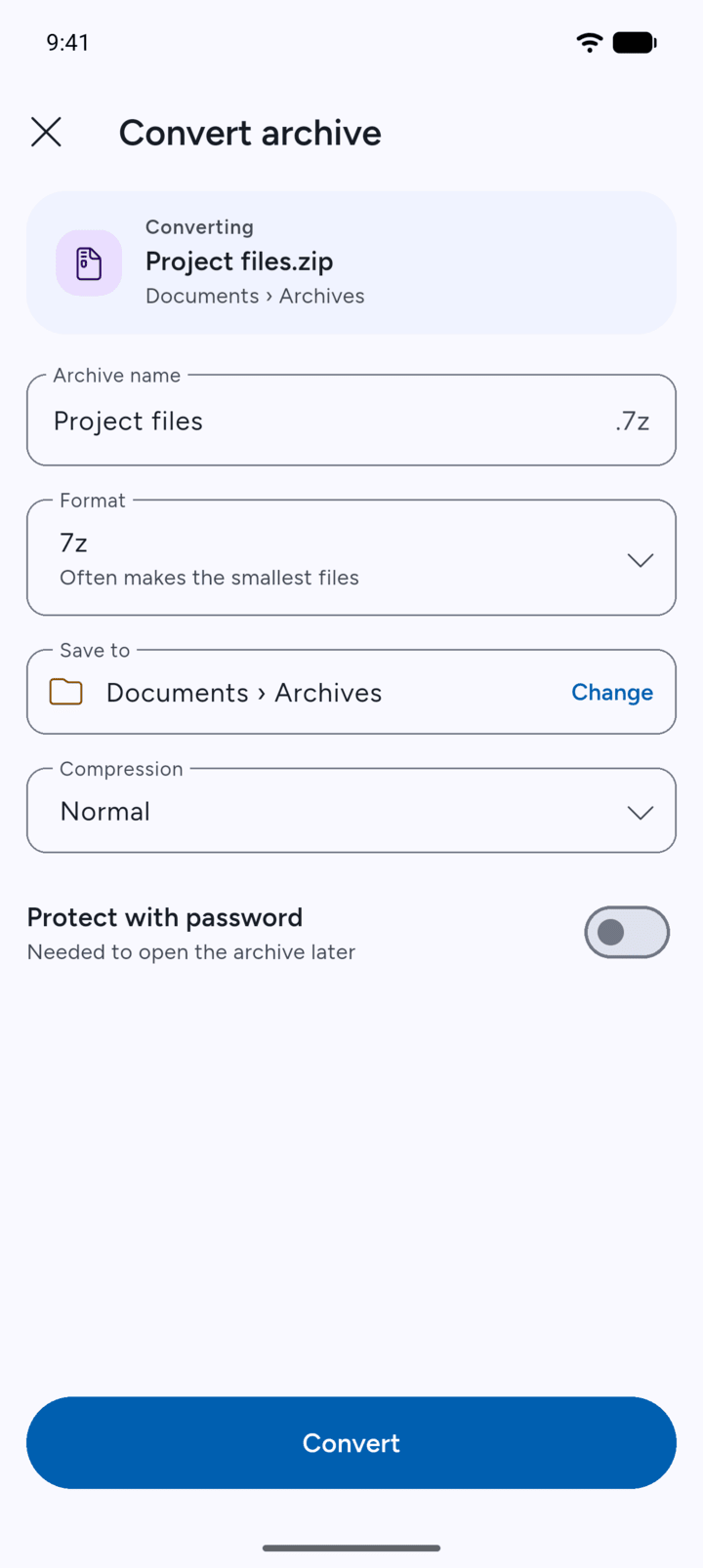
The Convert archive page opens. Choose the new Format, check the name and where it will be saved, and tap Convert.
-
Step 3
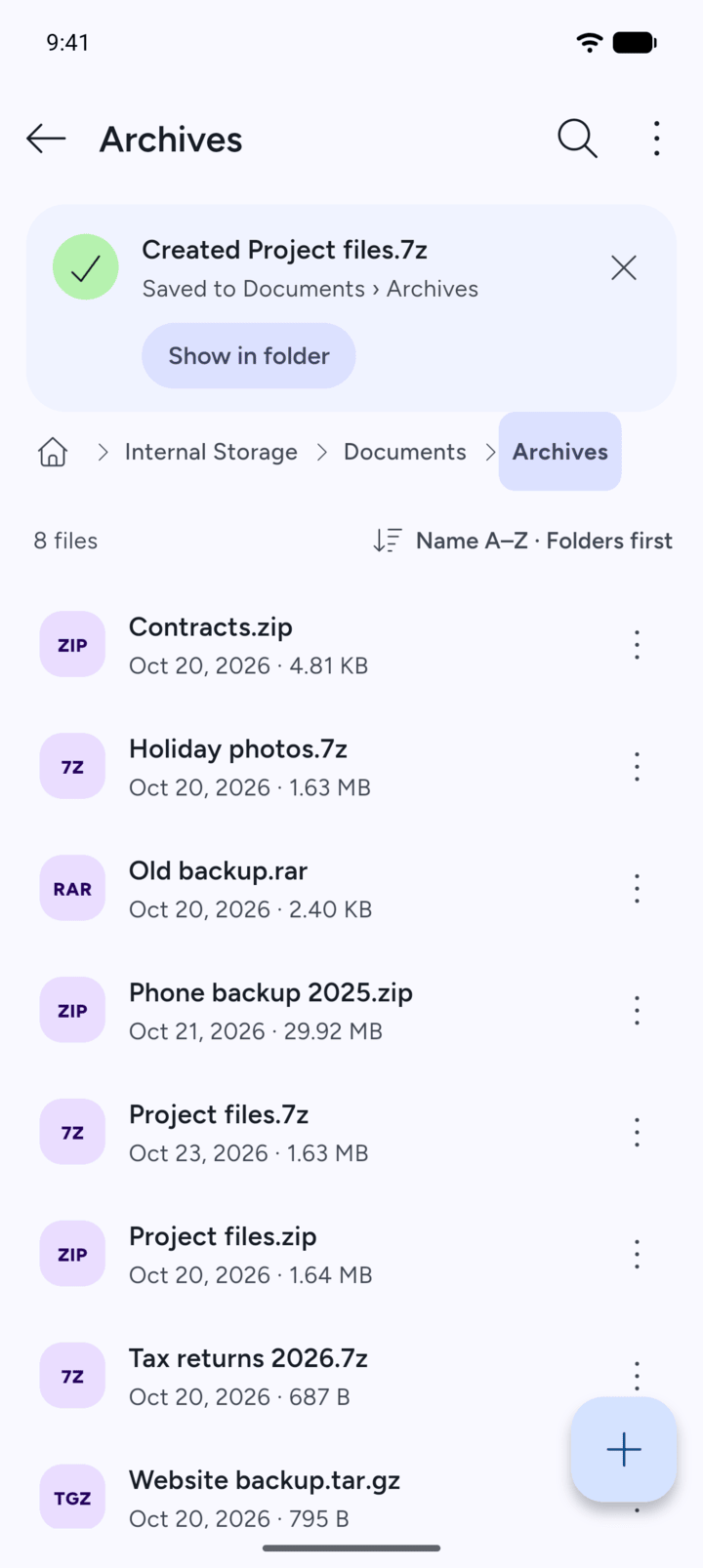
7Z saves the new archive. The original archive stays where it was.
-
Without Premium, 7Z shows Converting archives is part of Premium and a button to see what Premium includes.
Converting archives is part of 7Z Premium. It saves a copy of an archive in another format, for example Zip to 7z.
- Tap the archive and tap Convert to….
- The Convert archive page opens. Choose the new Format, check the name and where it will be saved, and tap Convert.
- 7Z saves the new archive. The original archive stays where it was.
Without Premium, 7Z shows Converting archives is part of Premium and a button to see what Premium includes.