 Sober Time
In this guide 3 steps
-
Overview
Subscriptions are managed by Google Play or the App Store. Deleting the app doesn't cancel them.
-
Step 1
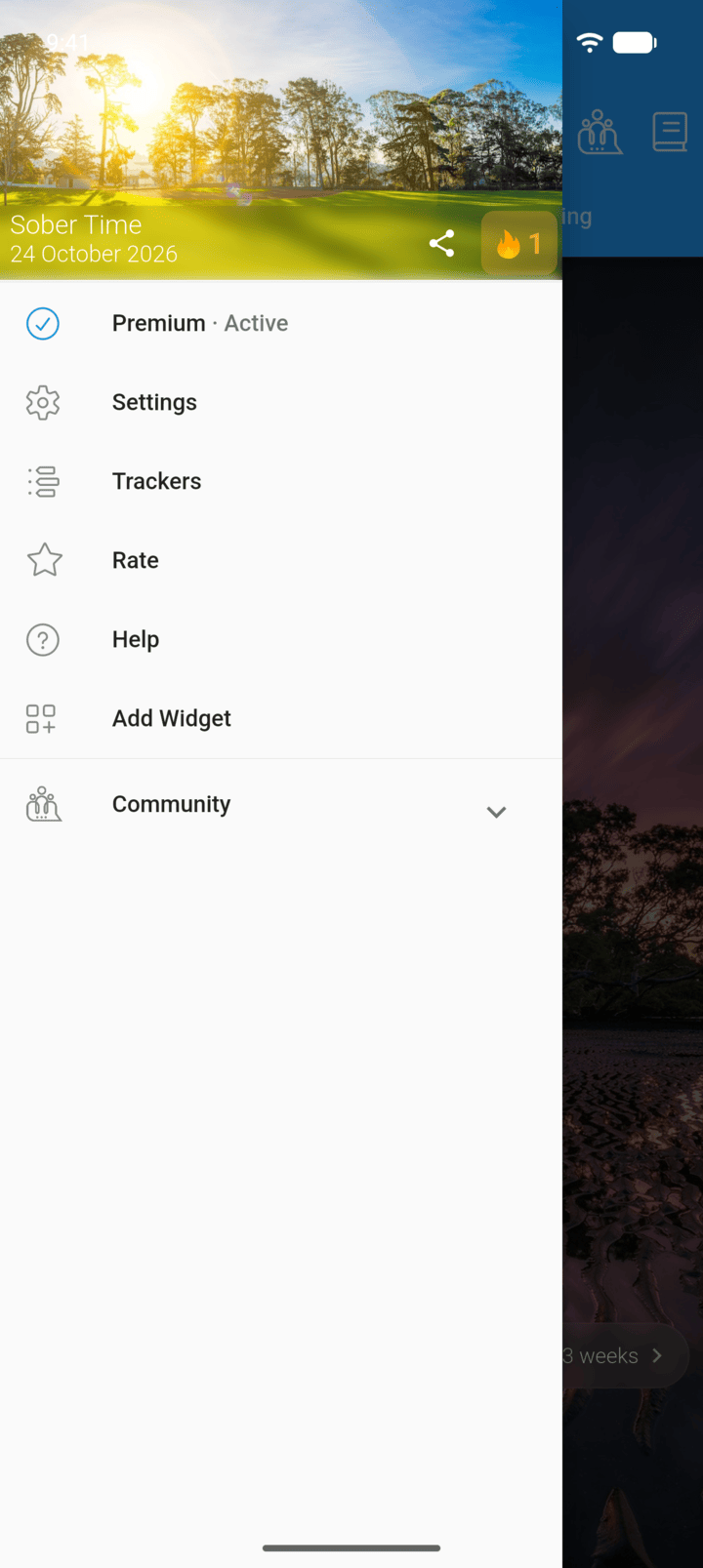
Tap the menu button ☰ in the top-left corner, then tap Premium.
-
Step 2
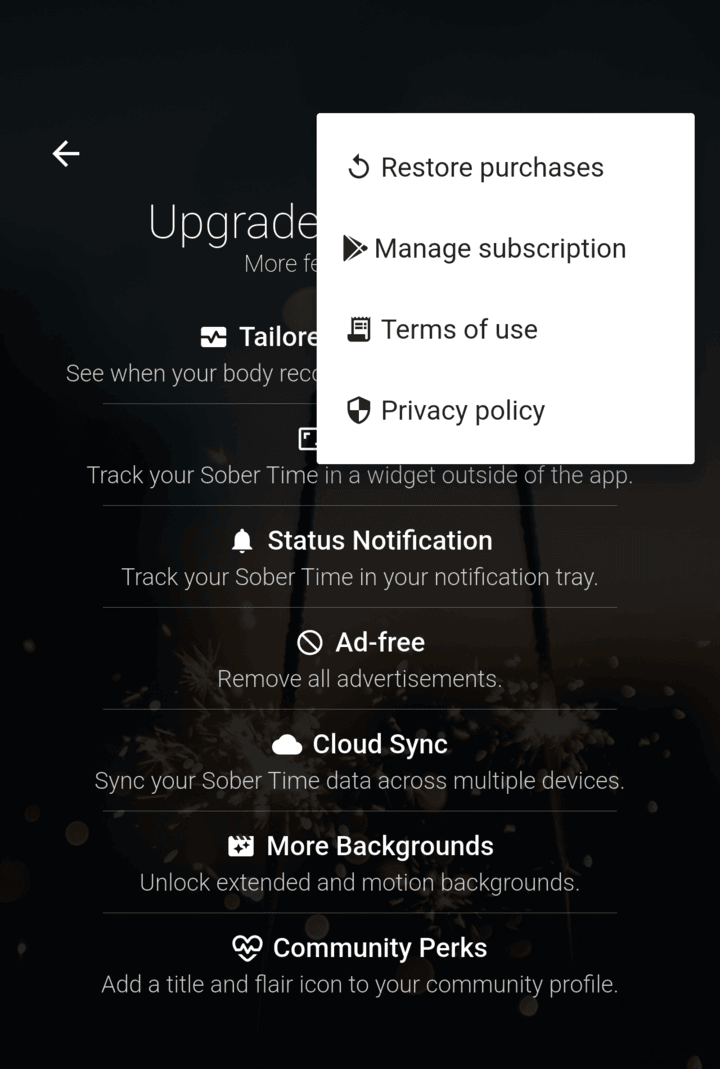
Tap ⋮ in the top-right corner, then Manage subscription.
-
Step 3
Cancel the subscription in Google Play or the App Store.
You keep Premium until the end of the period you've paid for.
Subscriptions are managed by Google Play or the App Store. Deleting the app doesn't cancel them.
- Tap the menu button ☰ in the top-left corner, then tap Premium.
- Tap ⋮ in the top-right corner, then Manage subscription.
- Cancel the subscription in Google Play or the App Store.
You keep Premium until the end of the period you've paid for.