 Sober Time
In this guide 3 steps
-
Overview
If you reinstall Sober Time or get a new phone with the same Google or Apple account, restore Premium from the Premium page.
-
Step 1
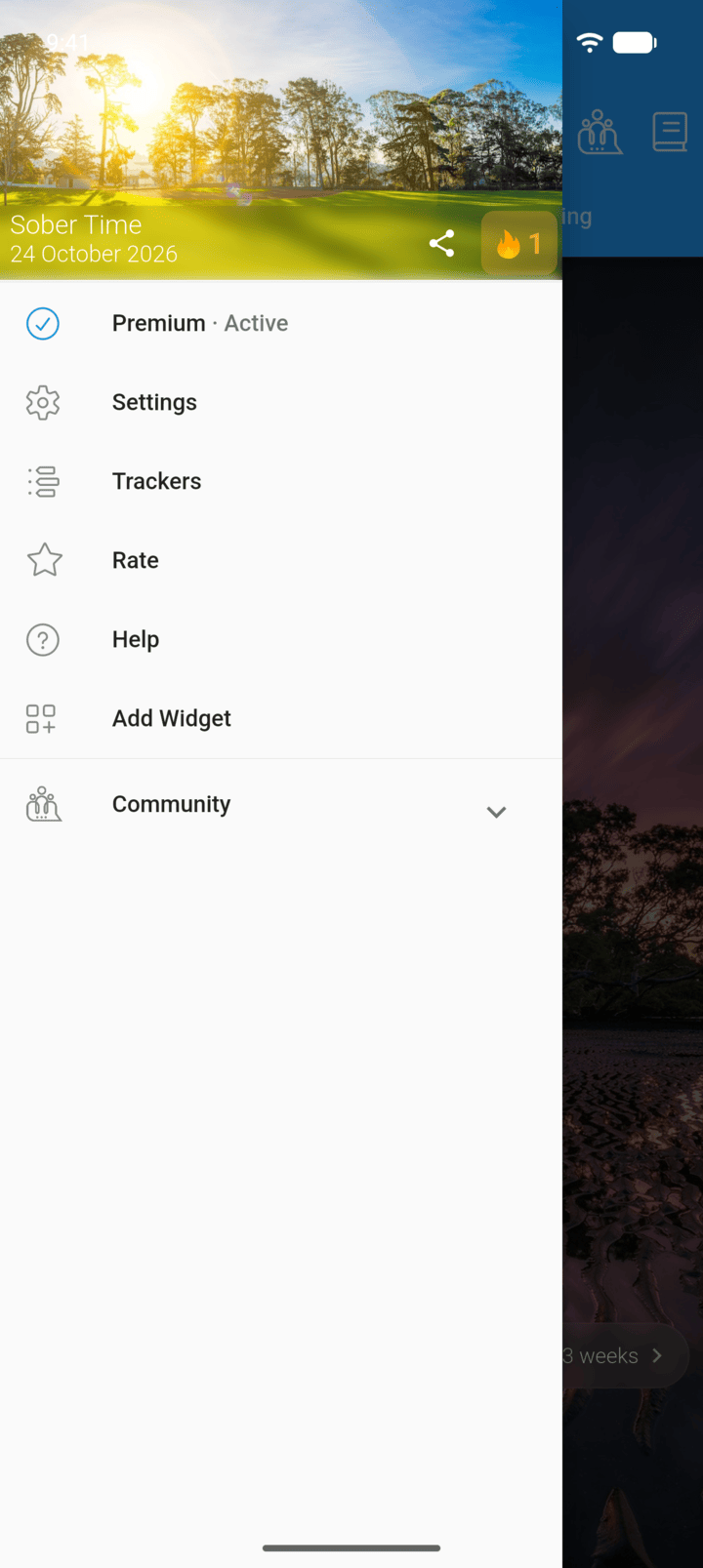
Tap the menu button ☰ in the top-left corner, then tap Premium.
-
Step 2
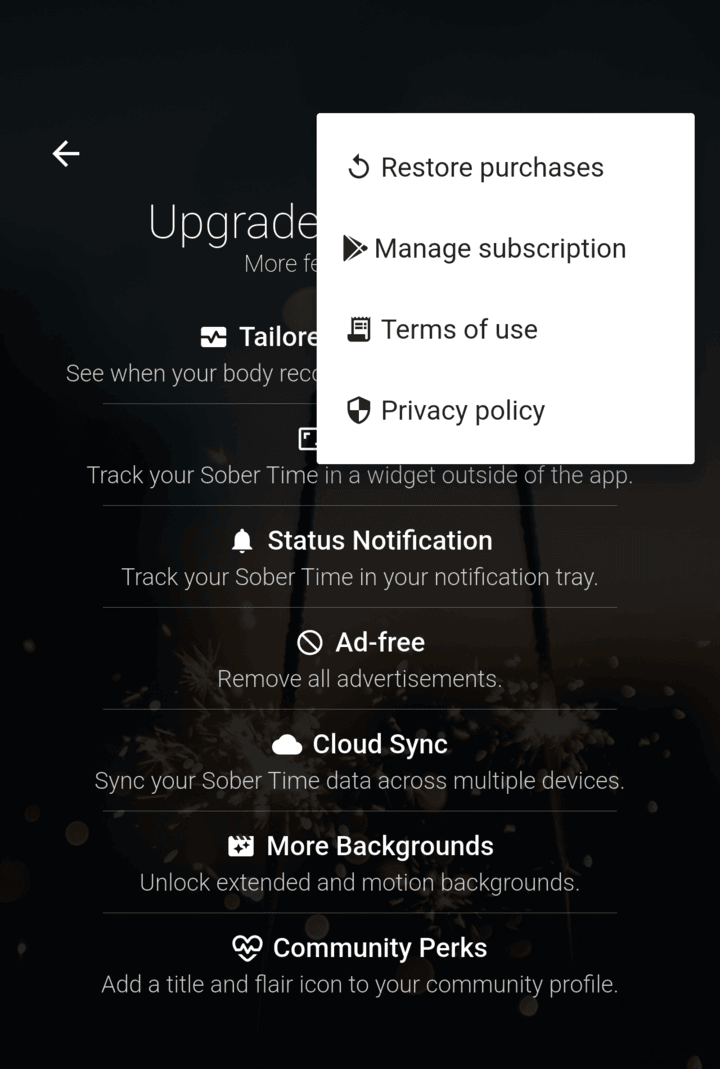
Tap ⋮ in the top-right corner, then Restore purchases.
-
Step 3
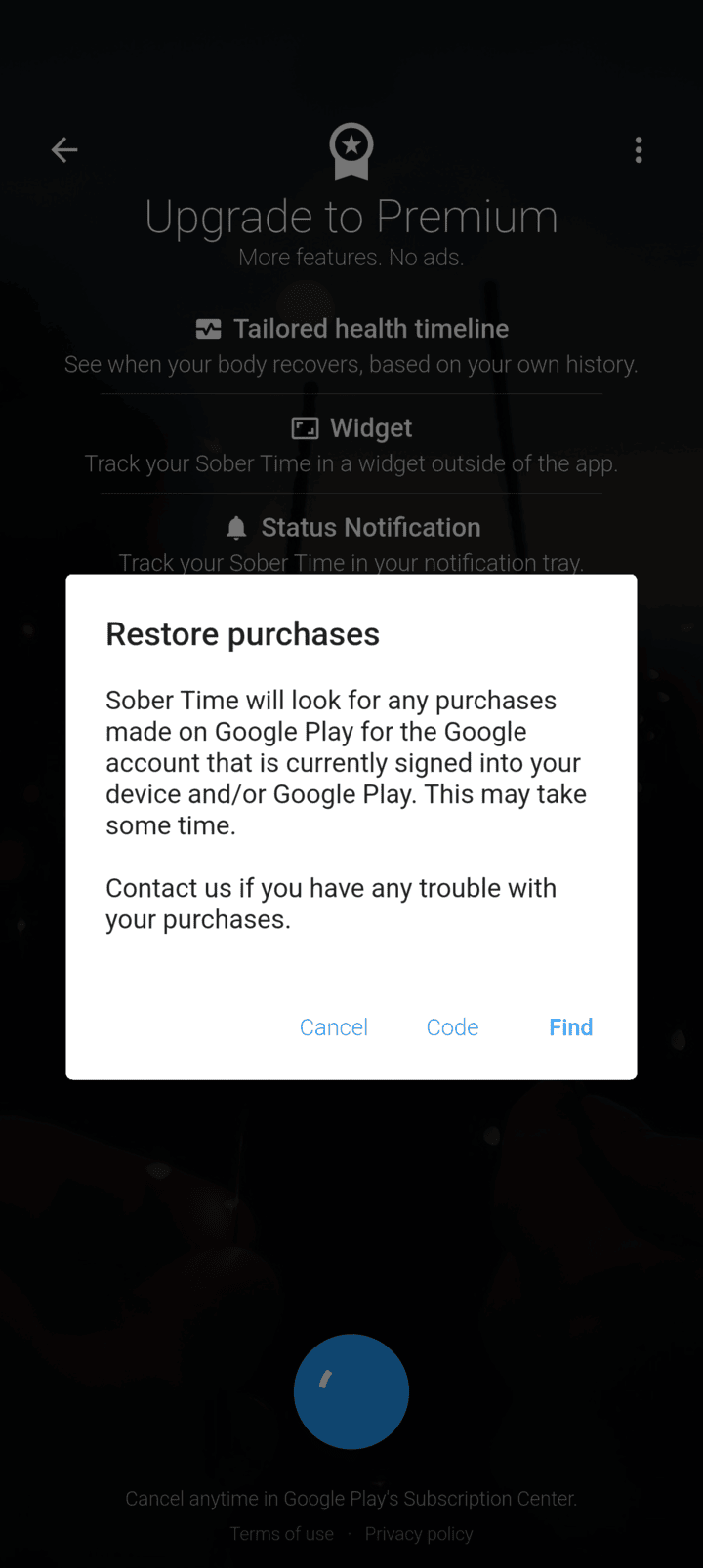
Tap Find.
-
Make sure you're signed in to the same Google account or Apple ID you bought Premium with.
If you reinstall Sober Time or get a new phone with the same Google or Apple account, restore Premium from the Premium page.
- Tap the menu button ☰ in the top-left corner, then tap Premium.
- Tap ⋮ in the top-right corner, then Restore purchases.
- Tap Find.
Make sure you're signed in to the same Google account or Apple ID you bought Premium with.