 Sober Time
In this guide 3 steps
-
Step 1
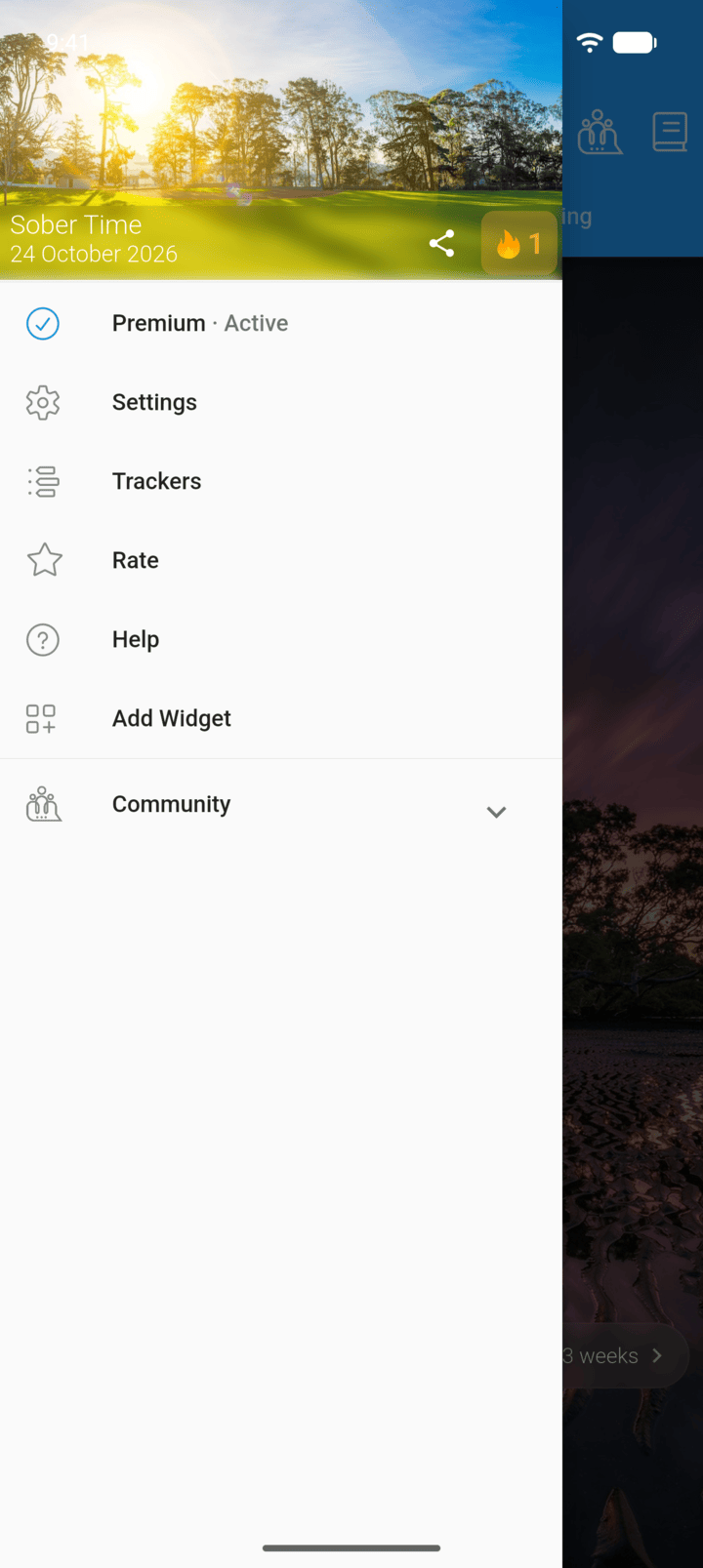
Tap the menu button ☰ in the top-left corner, then tap Premium.
-
Step 2
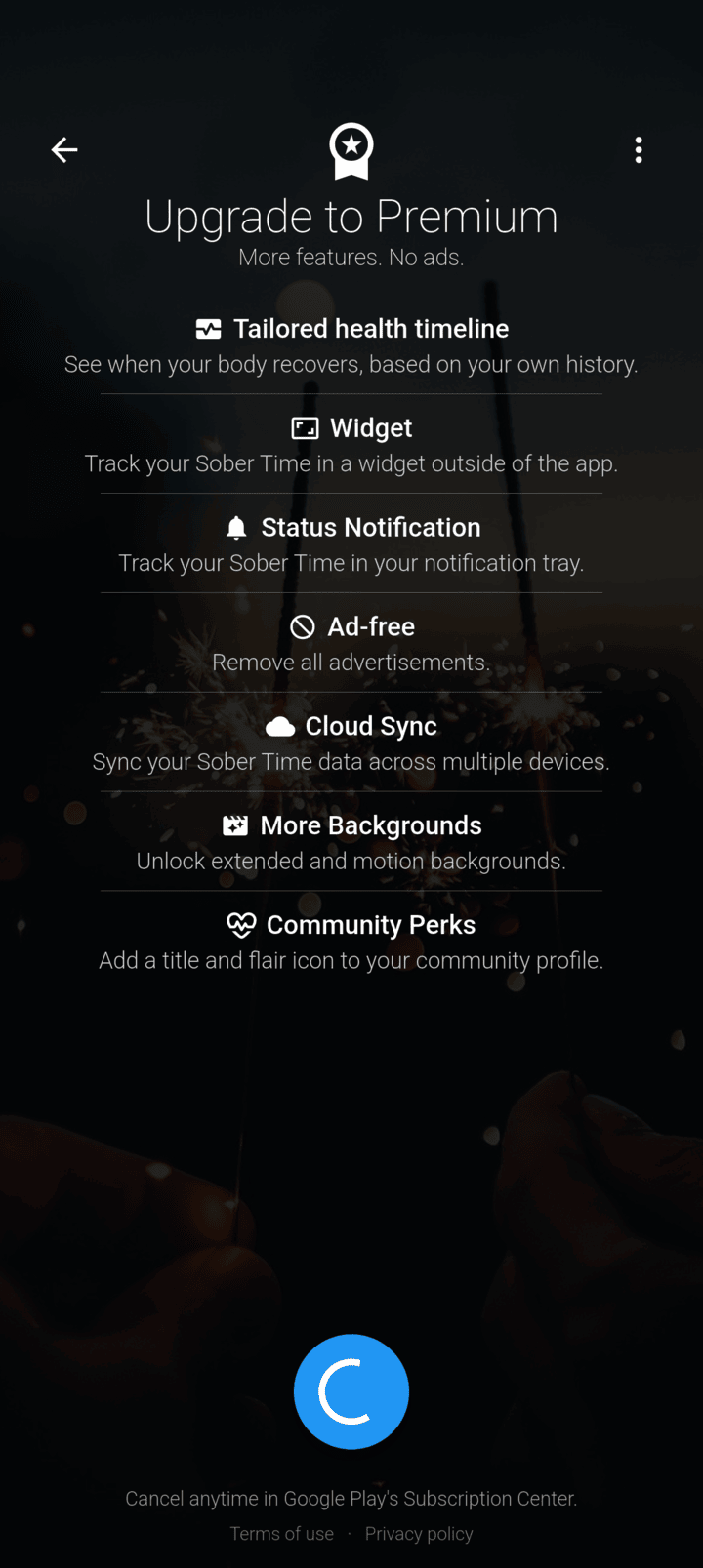
Read what's included, then tap the button at the bottom of the page.
-
Step 3
Confirm the purchase in Google Play or the App Store.
Tap See all plans to choose between monthly and yearly. If a free trial is offered, the button says Start free trial.
- Tap the menu button ☰ in the top-left corner, then tap Premium.
- Read what's included, then tap the button at the bottom of the page.
- Confirm the purchase in Google Play or the App Store.
Tap See all plans to choose between monthly and yearly. If a free trial is offered, the button says Start free trial.