 Sober Time
In this guide 5 steps
-
Step 1
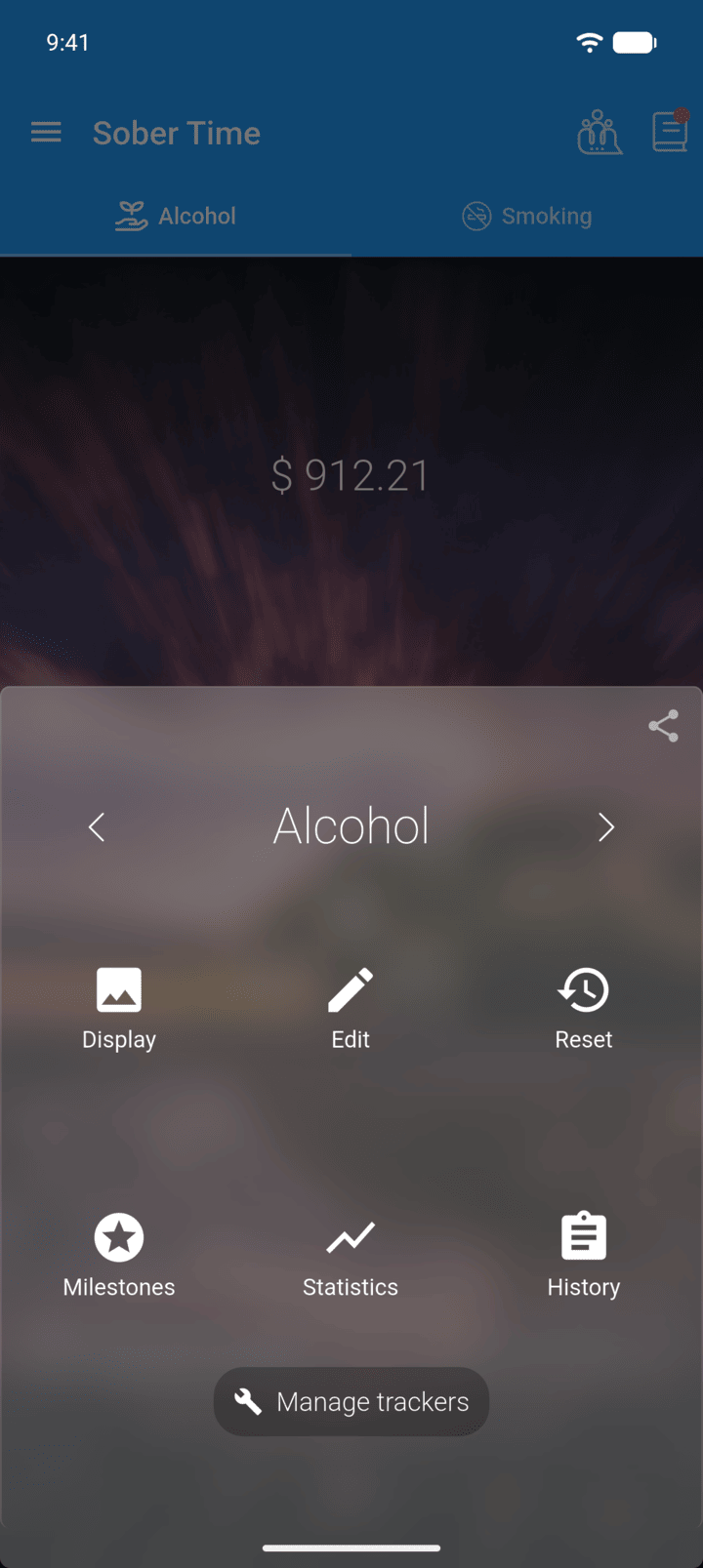
On the Home screen, swipe to the tracker you want. Tap the round arrow button at the bottom of the screen to open its options.
-
Step 2
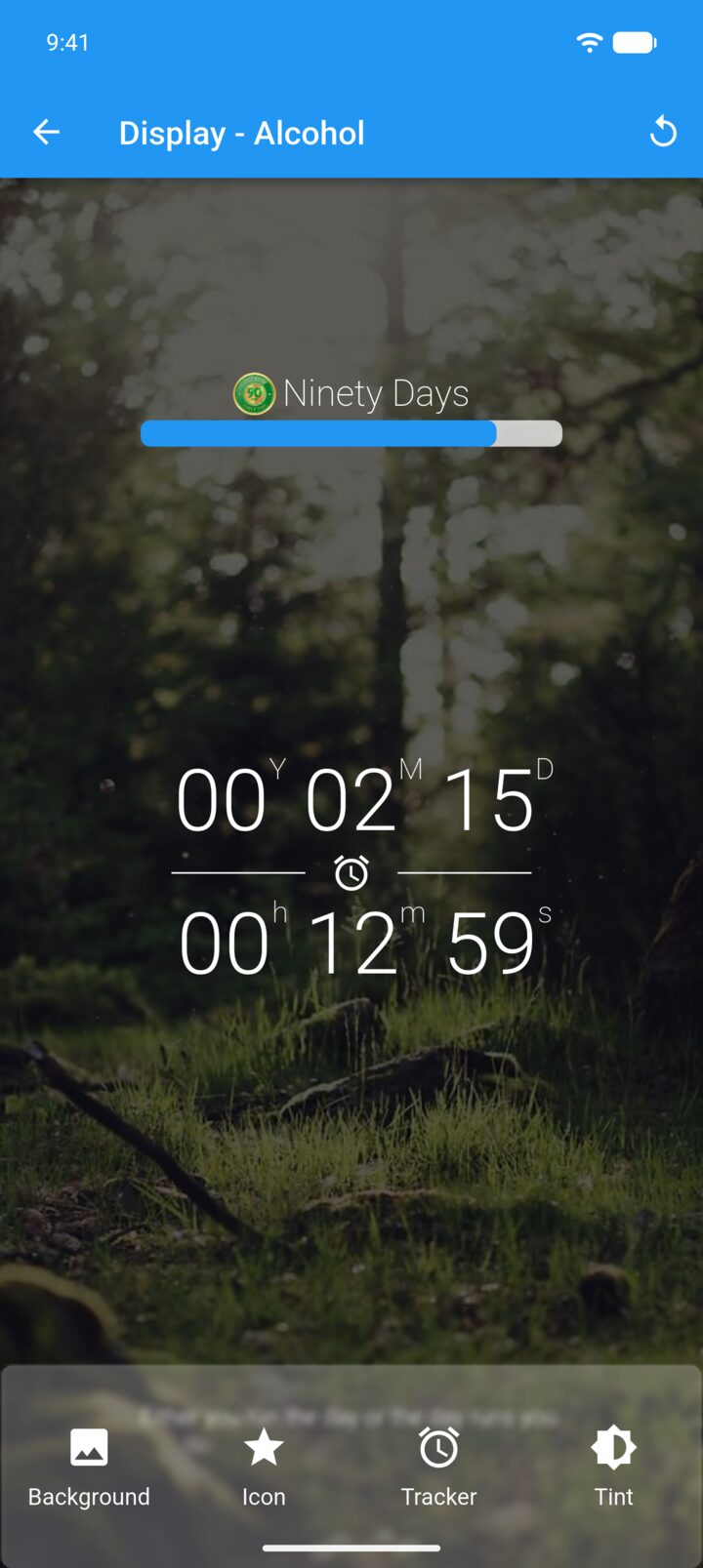
Tap Display.
-
Step 3
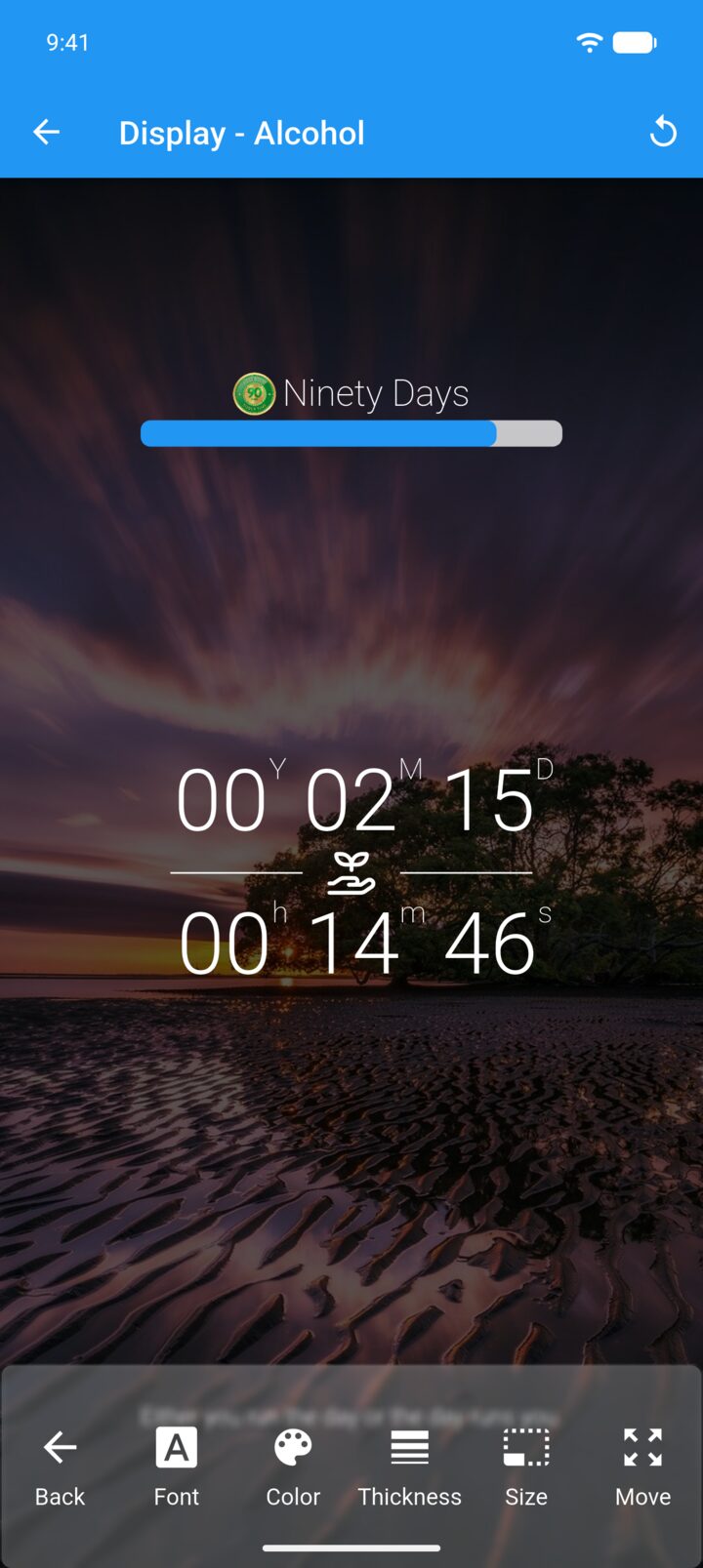
Tap Tracker.
-
Step 4
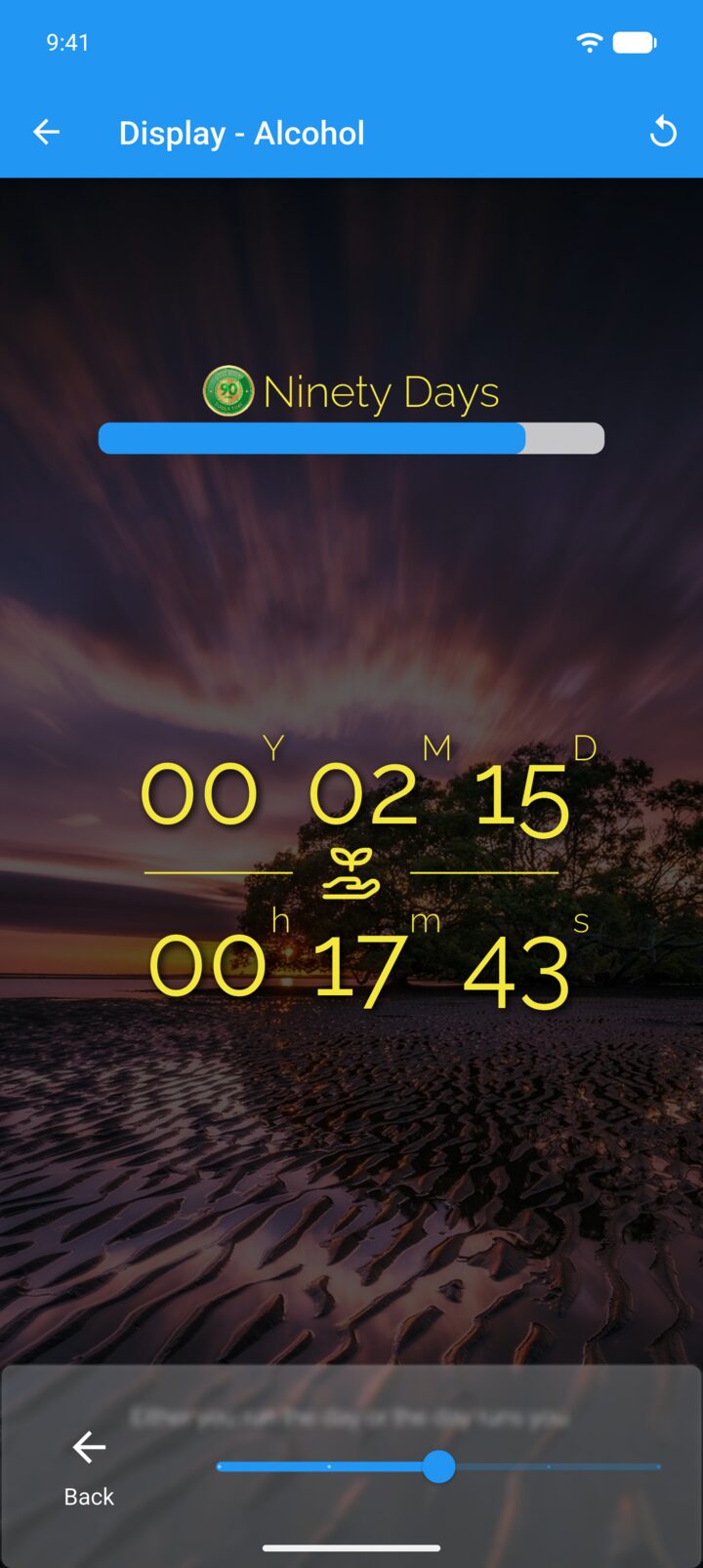
Tap Size and drag the slider to make the tracker bigger or smaller.
-
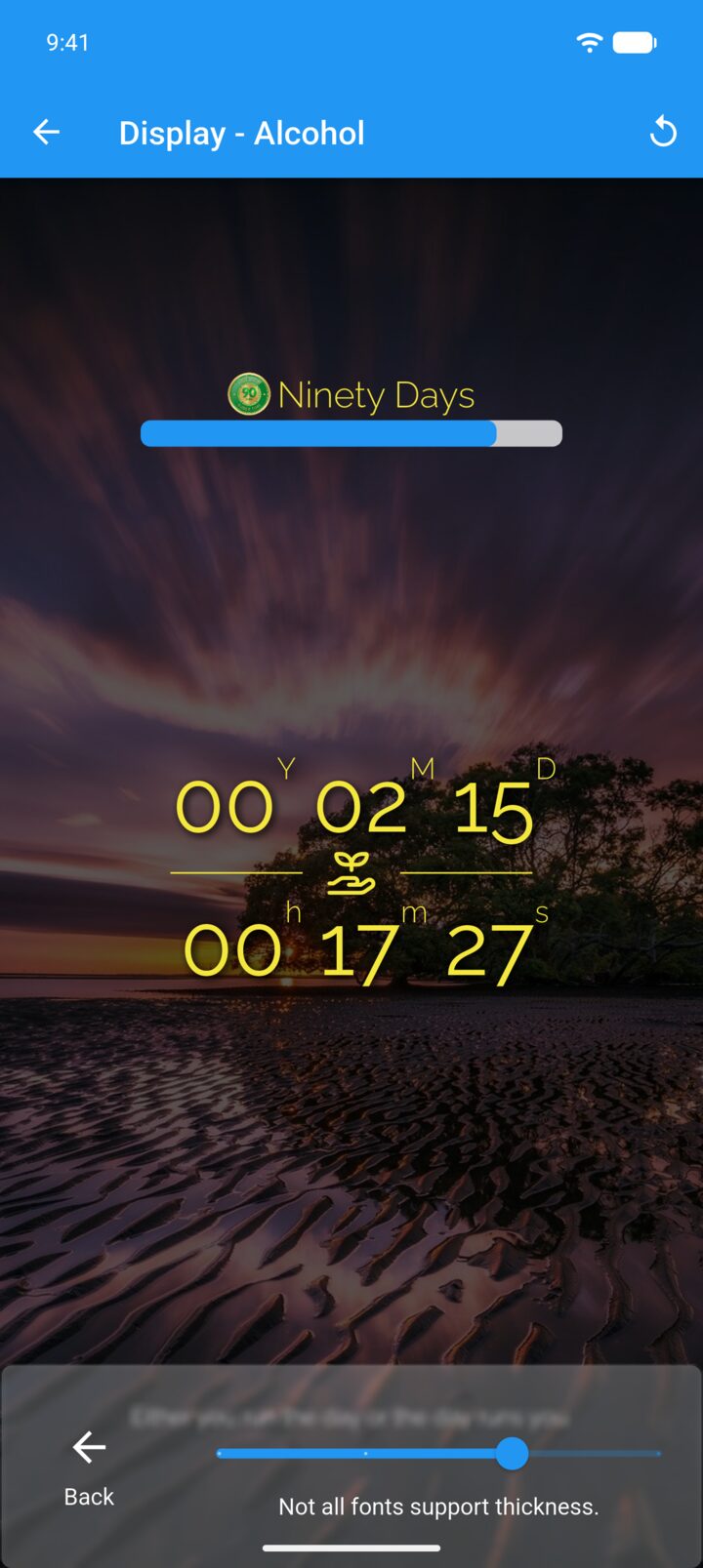
Step 5
Tap the back arrow, then tap Thickness and drag the slider.
-
Not all fonts support thickness.
- On the Home screen, swipe to the tracker you want. Tap the round arrow button at the bottom of the screen to open its options.
- Tap Display.
- Tap Tracker.
- Tap Size and drag the slider to make the tracker bigger or smaller.
- Tap the back arrow, then tap Thickness and drag the slider.
Not all fonts support thickness.