 Sober Time
In this guide 3 steps
-
Overview
The health timeline works for trackers that are linked to a known substance. Most ready-made trackers, such as Alcohol or Smoking, are linked automatically.
-
Step 1
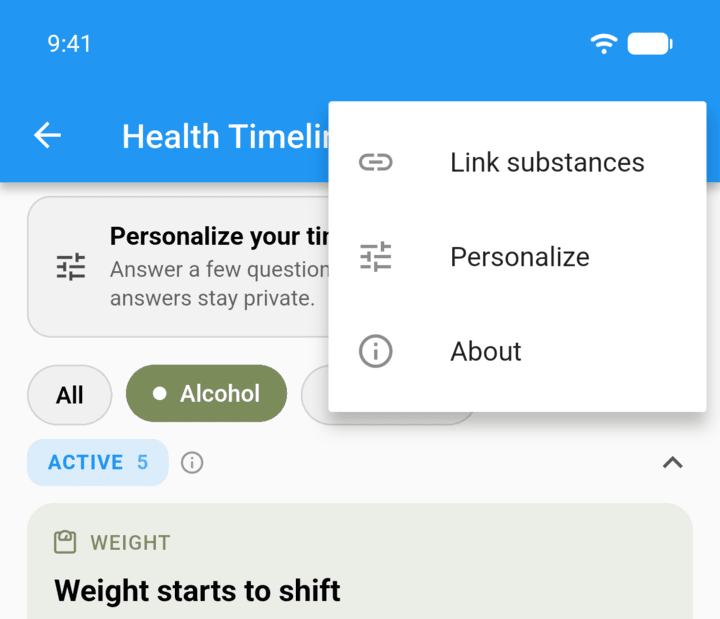
Open the health timeline, tap ⋮ in the top-right corner, then Link substances.
-
Step 2
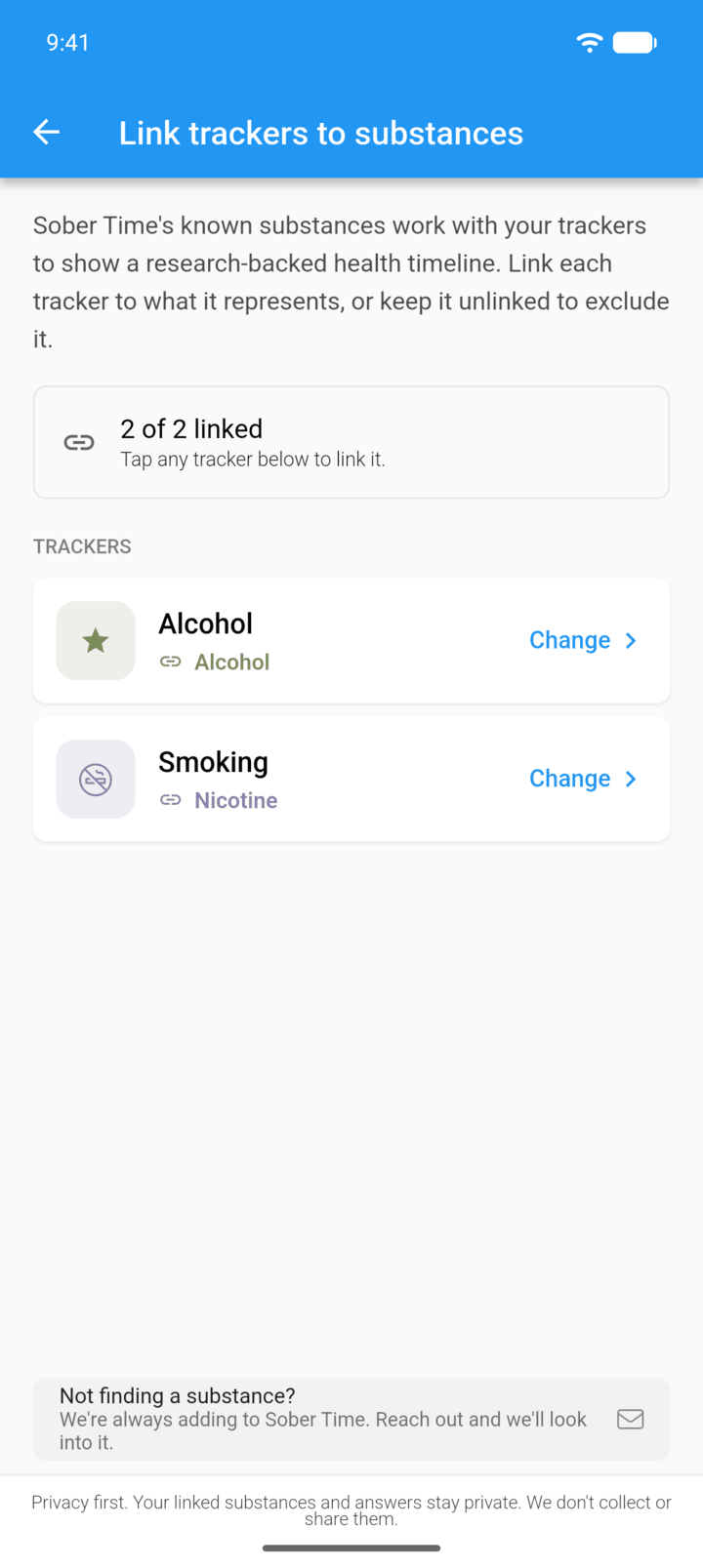
Tap Link or Change next to a tracker.
-
Step 3
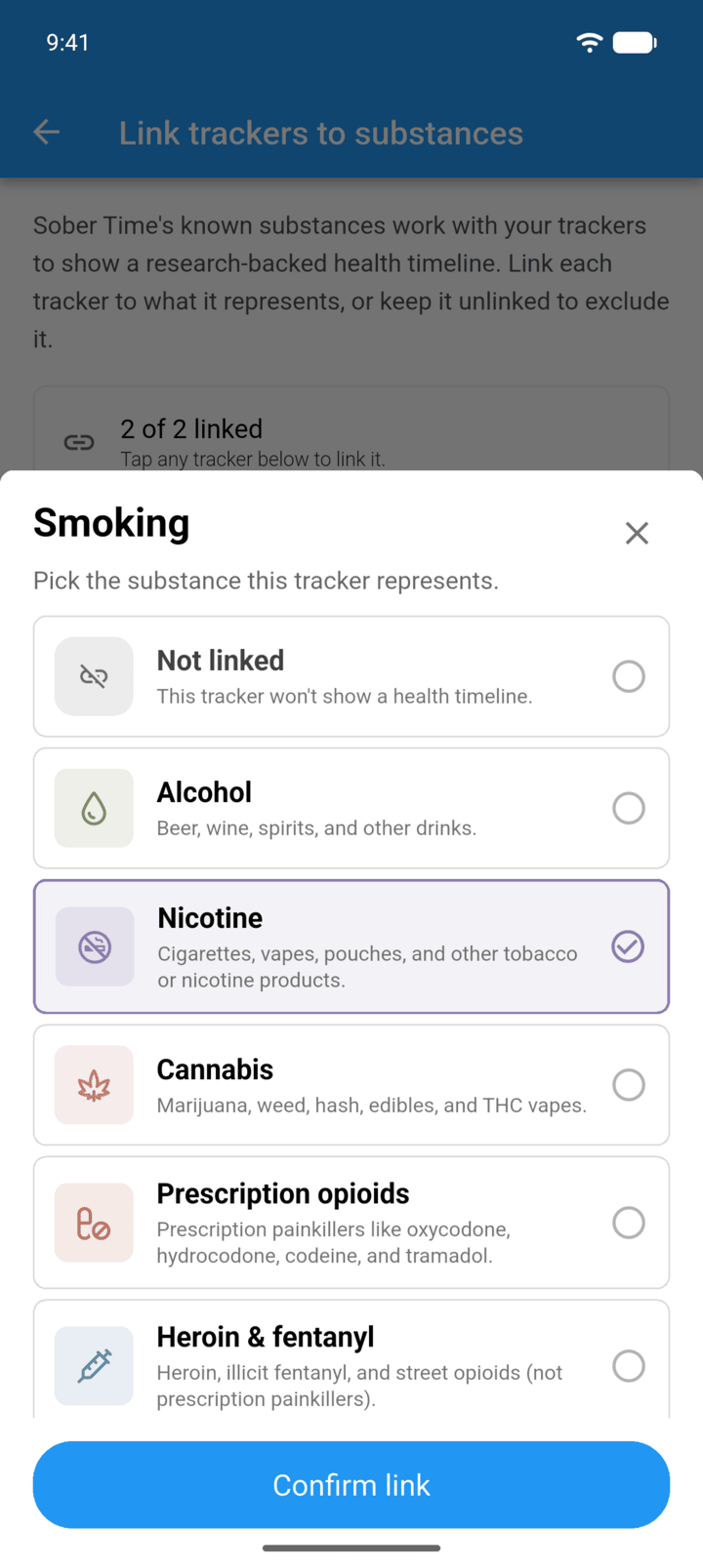
Pick the substance, or Not linked to leave the tracker out, then tap Confirm link.
-
You can also set this in the tracker's Edit page under Health timeline. If your substance isn't listed, tap Not finding a substance? to let us know.
The health timeline works for trackers that are linked to a known substance. Most ready-made trackers, such as Alcohol or Smoking, are linked automatically.
- Open the health timeline, tap ⋮ in the top-right corner, then Link substances.
- Tap Link or Change next to a tracker.
- Pick the substance, or Not linked to leave the tracker out, then tap Confirm link.
You can also set this in the tracker's Edit page under Health timeline. If your substance isn't listed, tap Not finding a substance? to let us know.