 Sober Time
In this guide 4 steps
-
Overview
The health timeline shows the changes your body is likely going through since you stopped, based on published research. It's an estimate, not medical advice.
-
Step 1
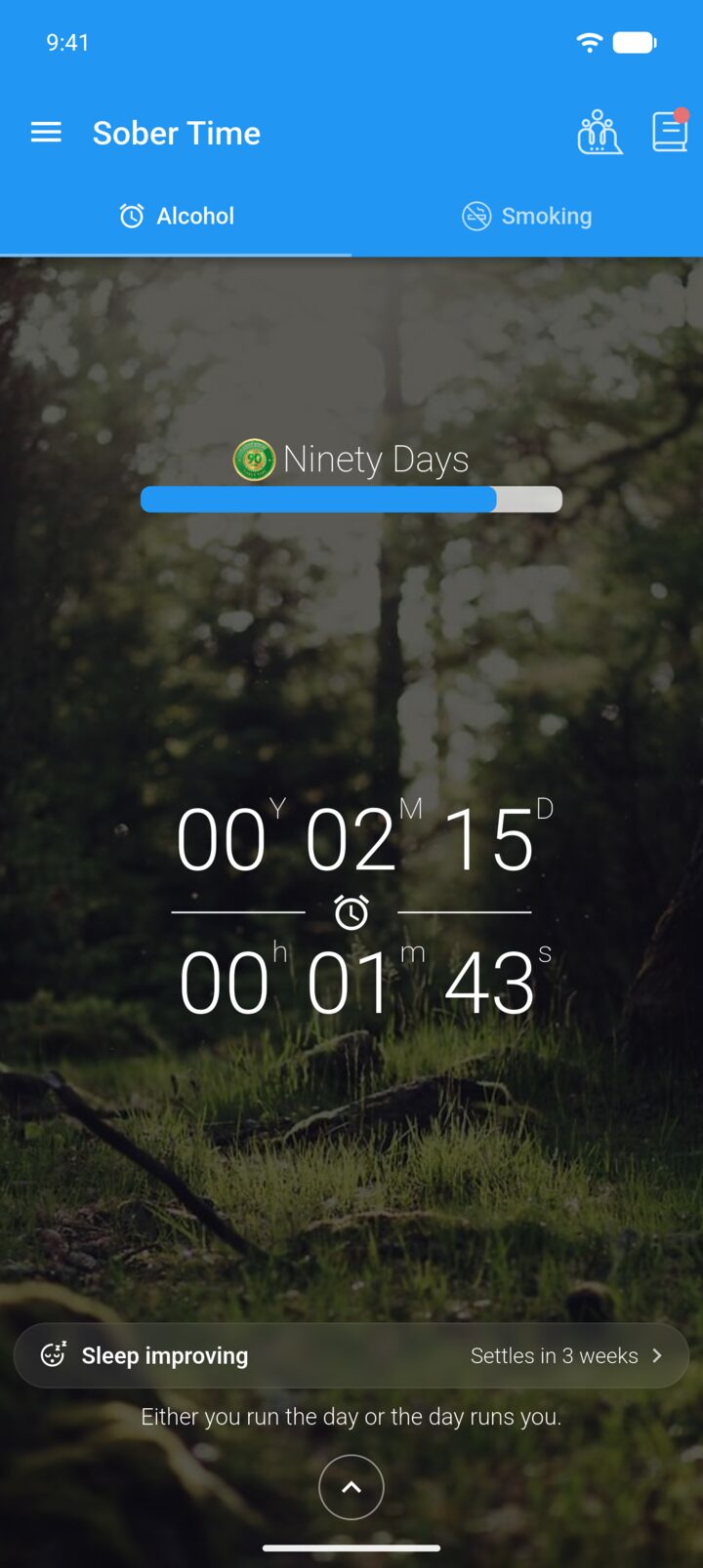
On the Home screen, tap the bar under the tracker.
-
Step 2
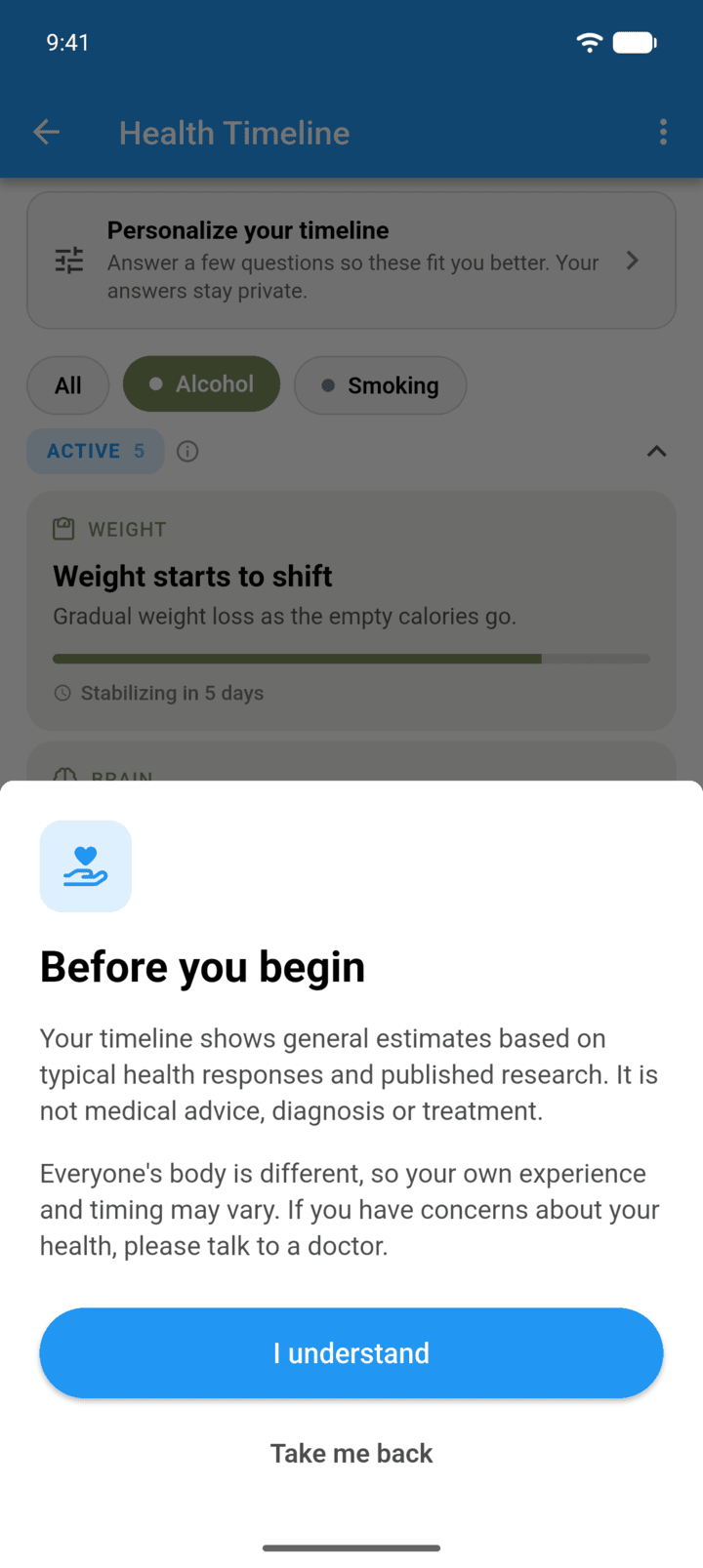
The first time, read the note and tap I understand.
-
Step 3
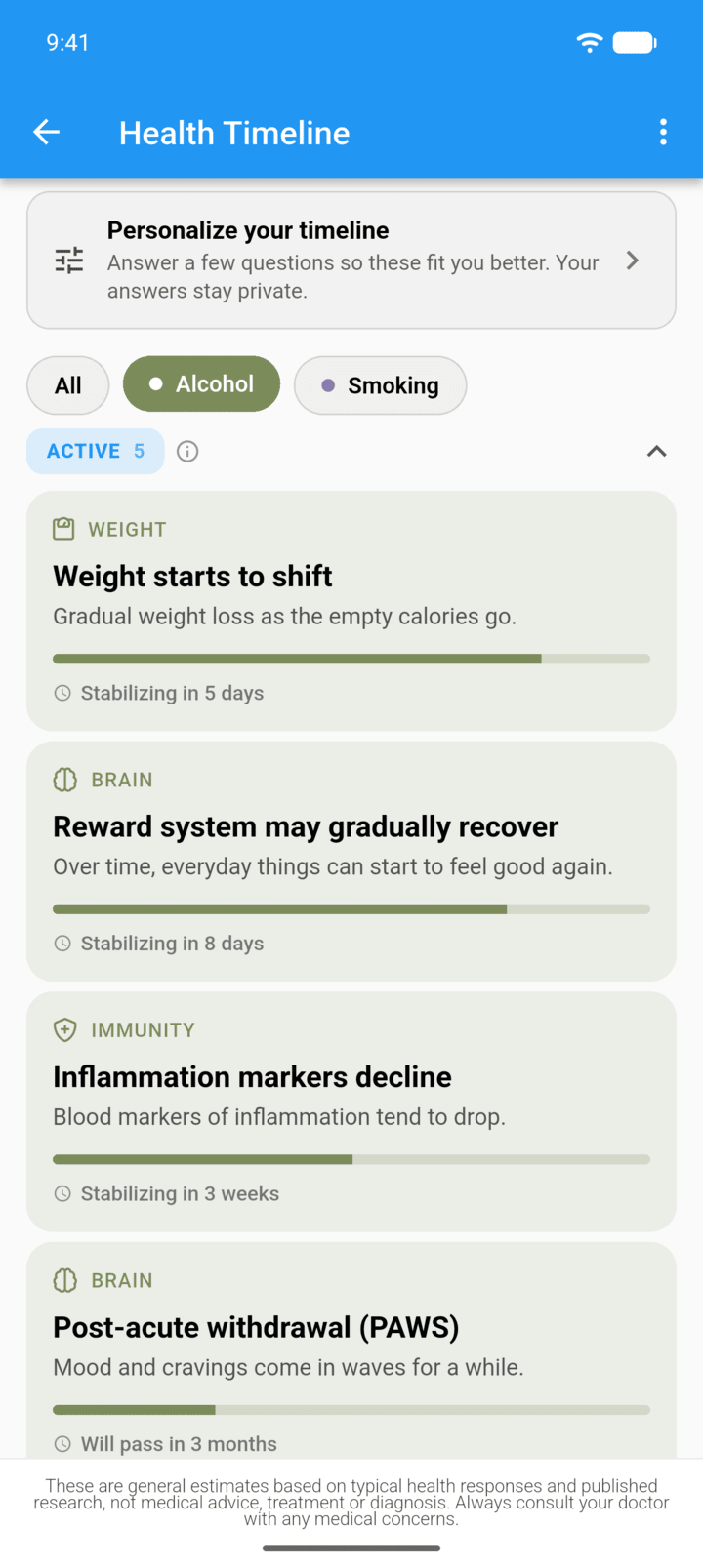
Changes are grouped as ACTIVE, STABILIZING, COMING UP and SETTLED. Tap a tracker's name at the top to only show that tracker.
-
Step 4
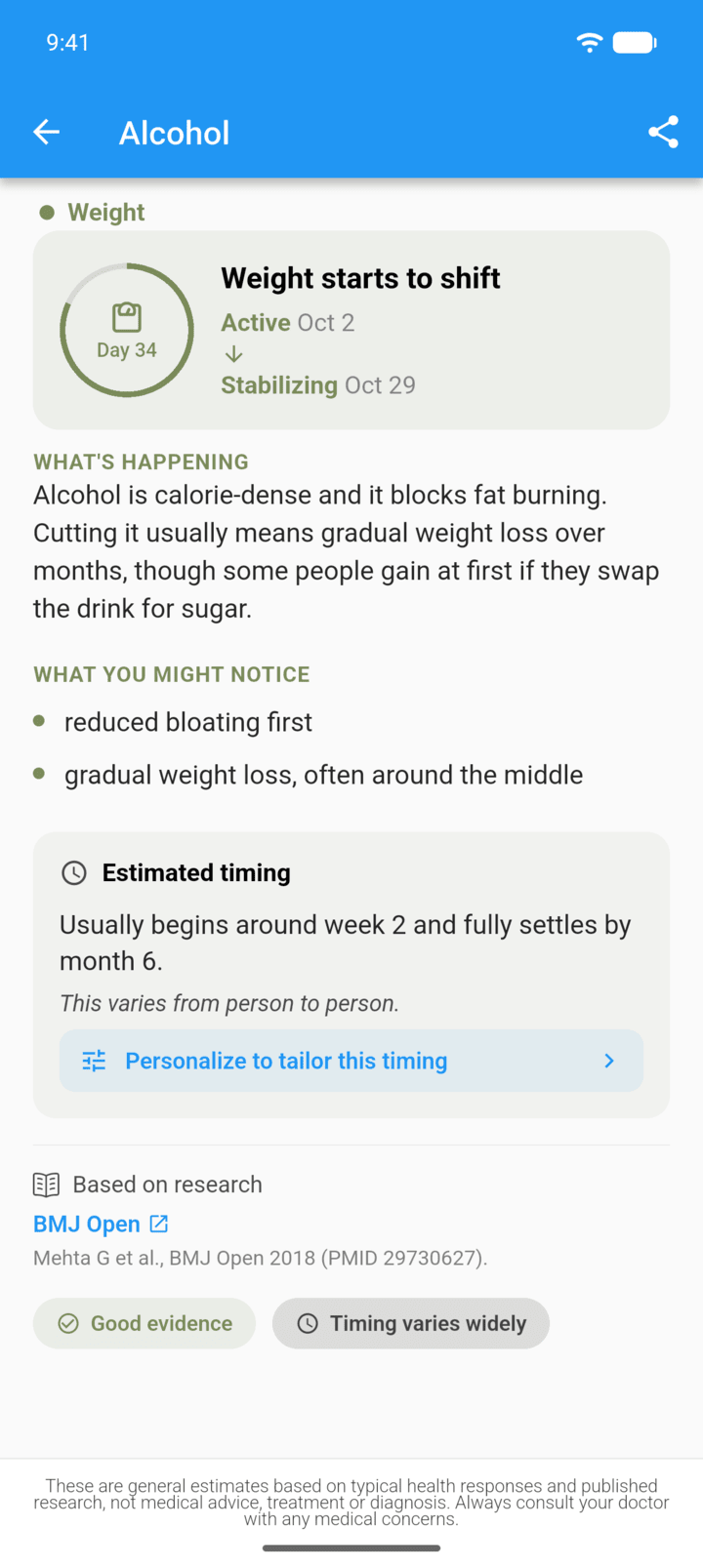
Tap a change to read what's happening, what you might notice, and when it usually settles. Tap the share icon to share it.
-
Talk to a doctor if you have concerns about your health.
The health timeline shows the changes your body is likely going through since you stopped, based on published research. It's an estimate, not medical advice.
- On the Home screen, tap the bar under the tracker.
- The first time, read the note and tap I understand.
- Changes are grouped as ACTIVE, STABILIZING, COMING UP and SETTLED. Tap a tracker's name at the top to only show that tracker.
- Tap a change to read what's happening, what you might notice, and when it usually settles. Tap the share icon to share it.
Talk to a doctor if you have concerns about your health.