 Sober Time
In this guide 3 steps
-
Overview
Answer a few questions about your use so the timings fit you better. Your answers stay on your device. Free users can answer the basic questions; the rest need Premium.
-
Step 1
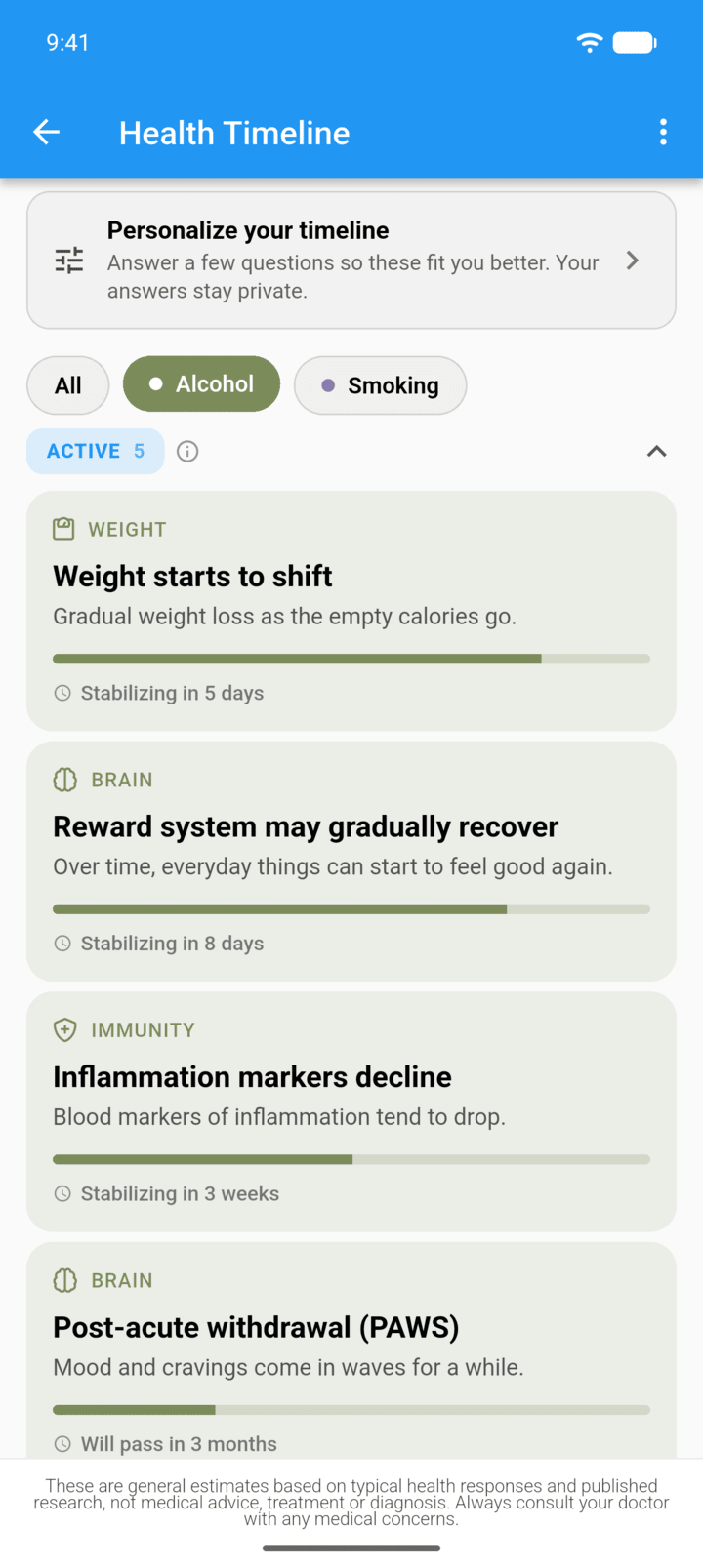
Open the health timeline and tap Personalize your timeline.
-
Step 2
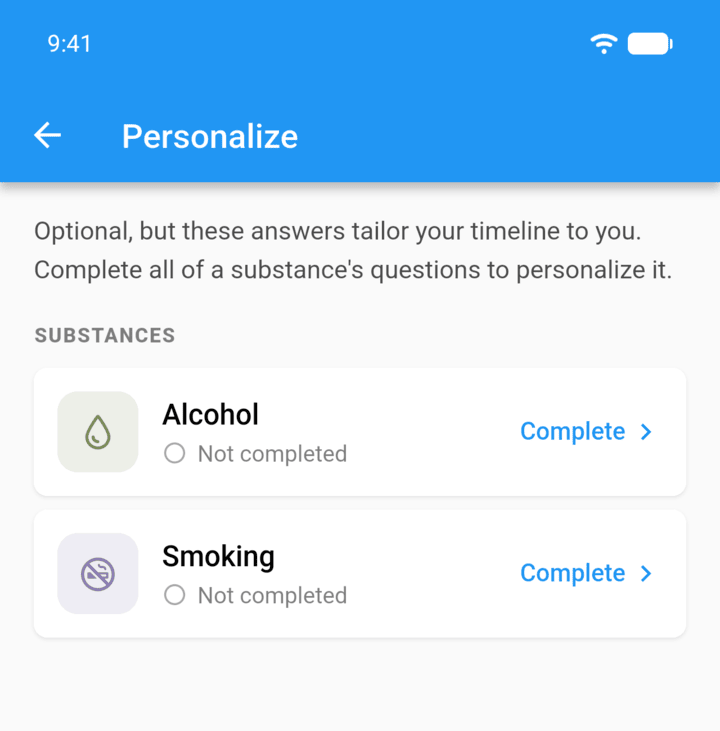
Tap Complete next to a substance.
-
Step 3
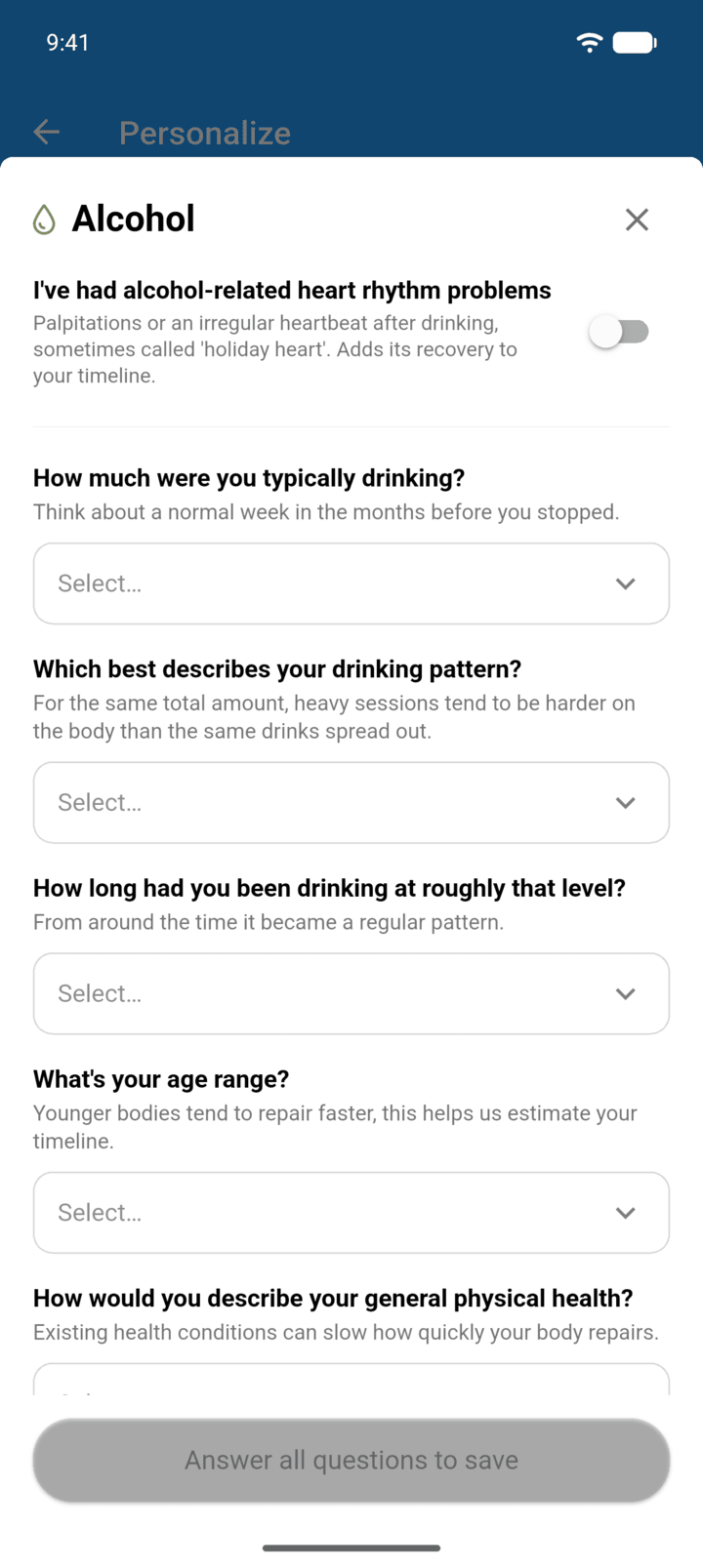
Answer each question, then tap the button at the bottom to save.
-
To change your answers, tap Edit next to the substance. The trash icon clears them.
Answer a few questions about your use so the timings fit you better. Your answers stay on your device. Free users can answer the basic questions; the rest need Premium.
- Open the health timeline and tap Personalize your timeline.
- Tap Complete next to a substance.
- Answer each question, then tap the button at the bottom to save.
To change your answers, tap Edit next to the substance. The trash icon clears them.