 Sober Time
In this guide 3 steps
-
Overview
Android and iOS limit how often widgets can refresh to save battery. A Sober Time widget usually updates about every 30 minutes. On Android, you can make it update more often.
-
Step 1
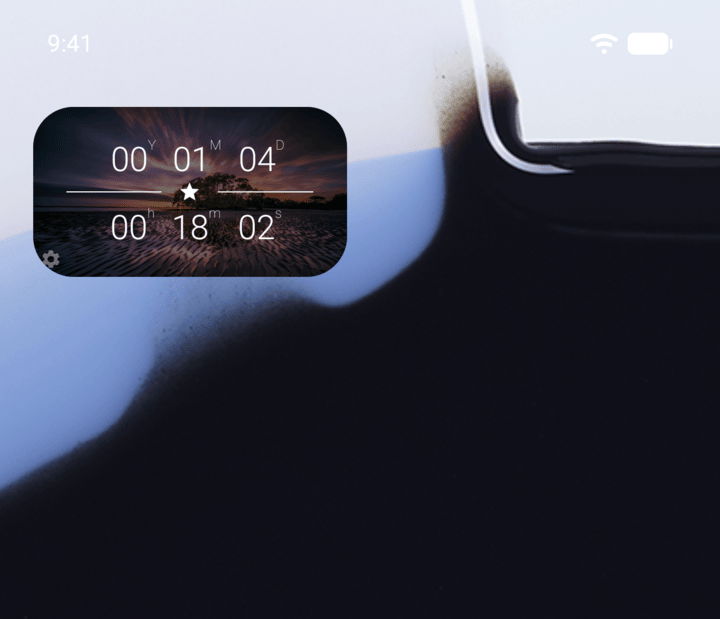
Tap the gear icon in the bottom-left corner of the widget.
-
Step 2
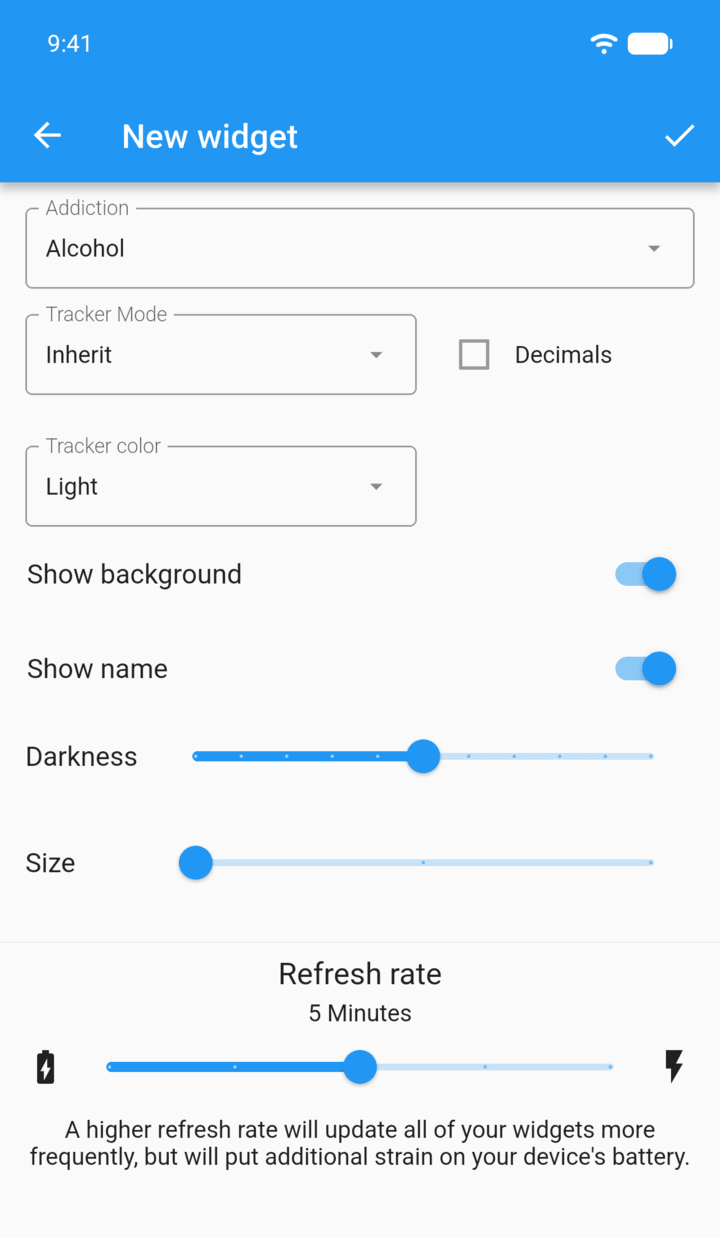
Drag the Refresh rate slider. You can choose from 30 minutes down to 1 second.
-
Step 3
Tap the check mark in the top-right corner.
A faster refresh rate updates all of your widgets more often, but uses more battery. iPhone widgets refresh when iOS allows it.
Android and iOS limit how often widgets can refresh to save battery. A Sober Time widget usually updates about every 30 minutes. On Android, you can make it update more often.
- Tap the gear icon in the bottom-left corner of the widget.
- Drag the Refresh rate slider. You can choose from 30 minutes down to 1 second.
- Tap the check mark in the top-right corner.
A faster refresh rate updates all of your widgets more often, but uses more battery. iPhone widgets refresh when iOS allows it.