 Sober Time
In this guide 3 steps
-
Step 1
On your Home screen, touch and hold the widget.
-
Step 2
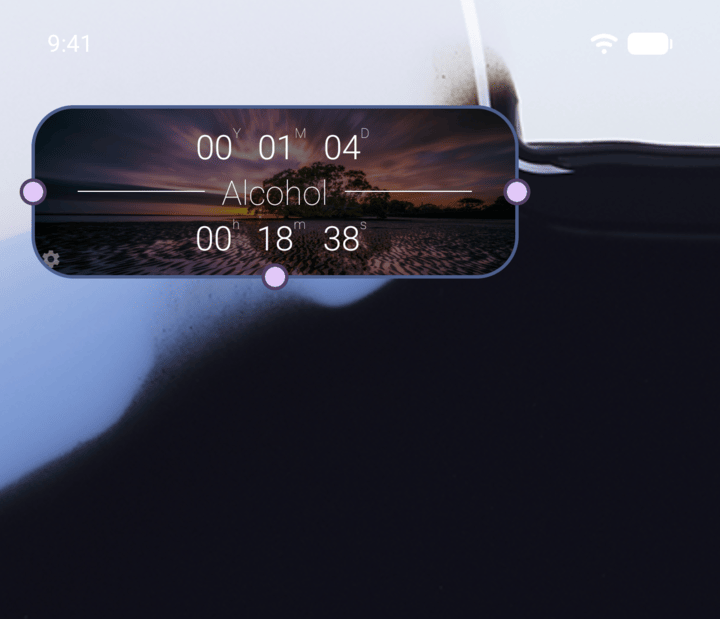
To resize it, drag the dots on its edges.
-
Step 3
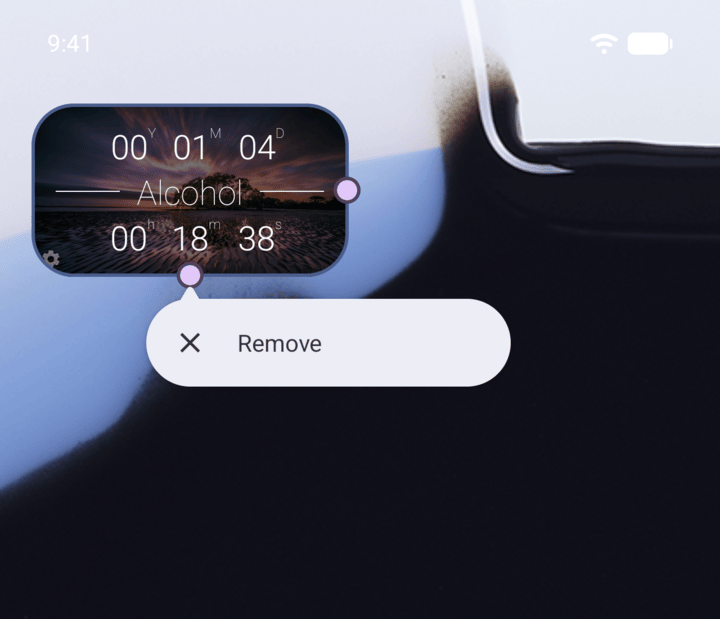
To remove it, tap Remove. On some launchers you drag the widget to Remove at the top of the screen instead.
-
The steps vary a little between Android launchers. On iPhone, touch and hold the widget and tap Remove Widget. Removing a widget doesn't change your tracker.
- On your Home screen, touch and hold the widget.
- To resize it, drag the dots on its edges.
- To remove it, tap Remove. On some launchers you drag the widget to Remove at the top of the screen instead.
The steps vary a little between Android launchers. On iPhone, touch and hold the widget and tap Remove Widget. Removing a widget doesn't change your tracker.