 Sober Time
In this guide 5 steps
-
Step 1
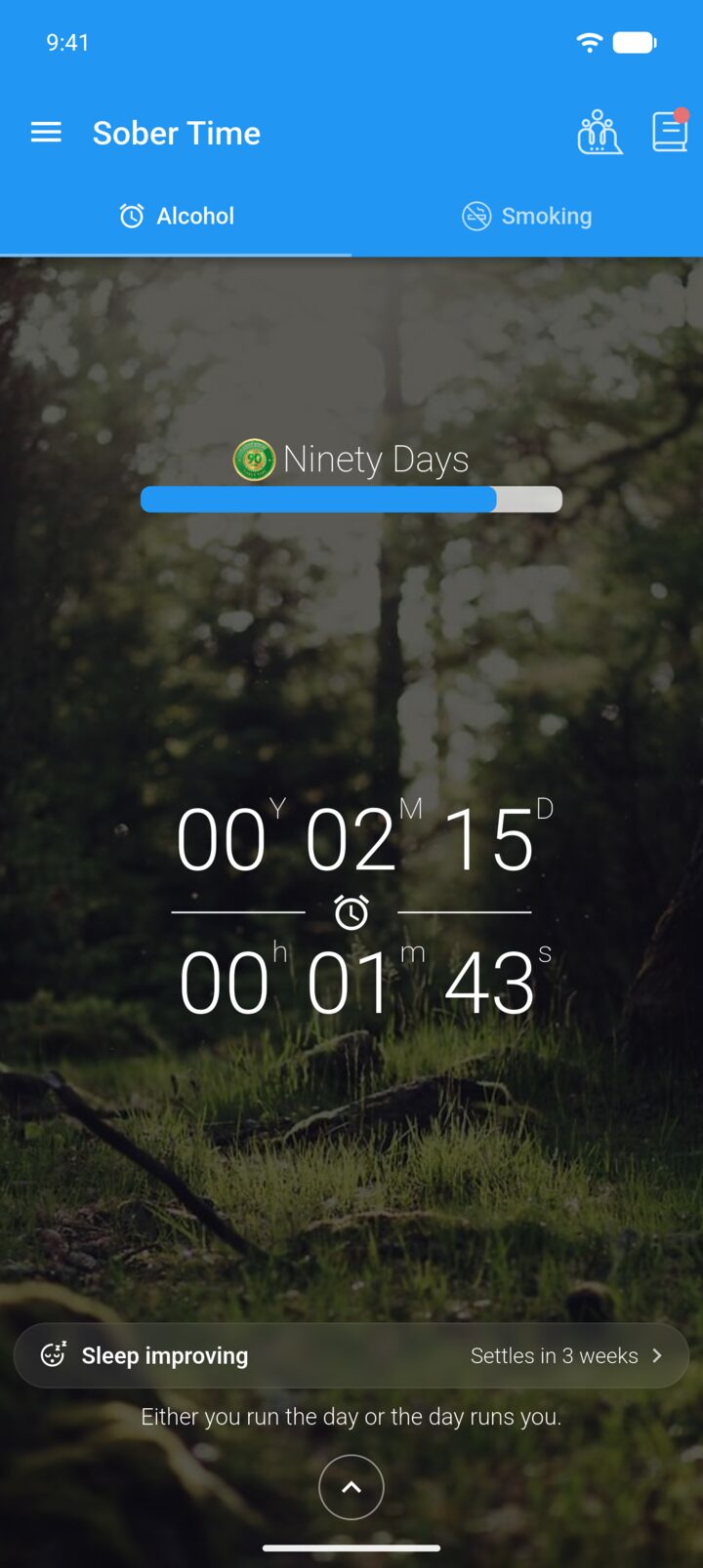
On the Home screen, tap the journal icon in the top-right corner.
-
Step 2
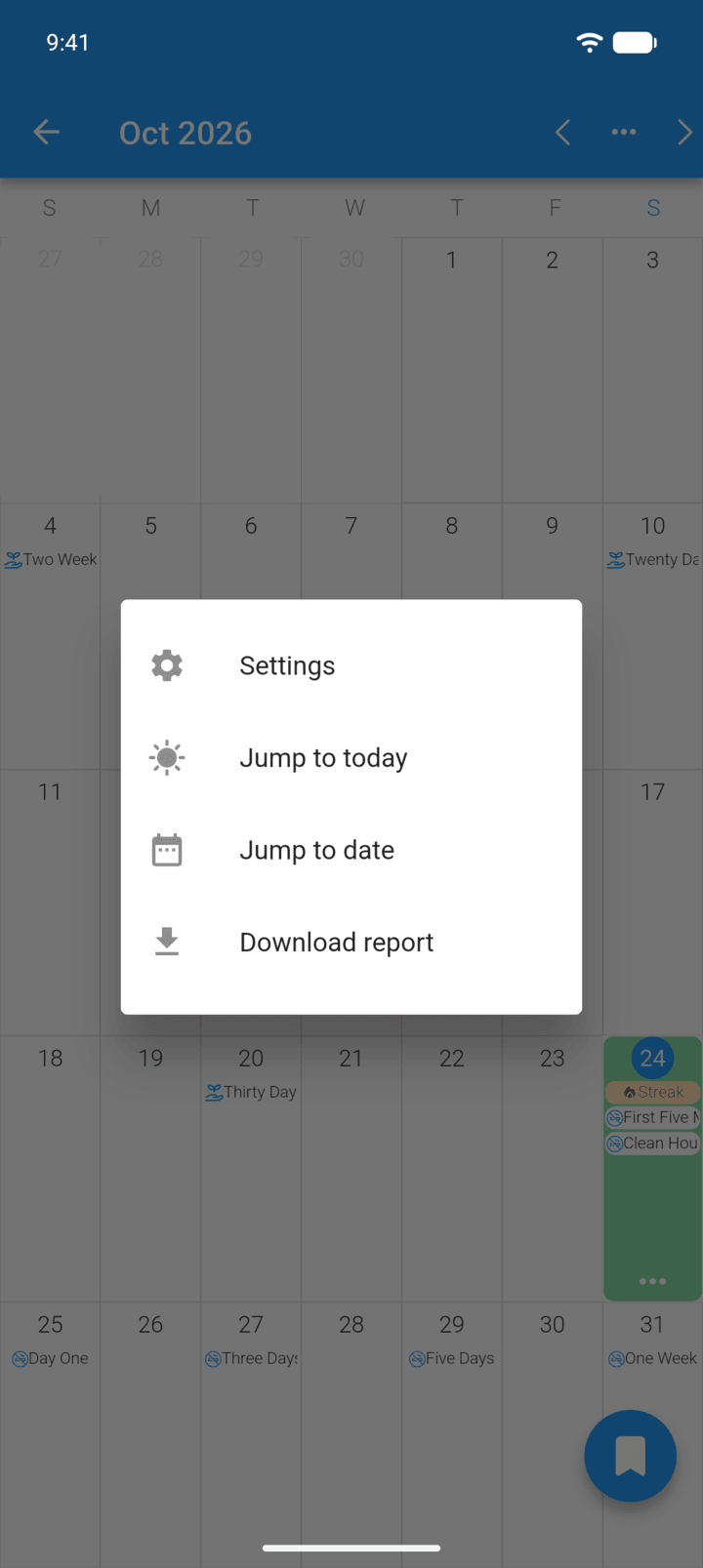
Tap … in the top-right corner, then Settings.
-
Step 3
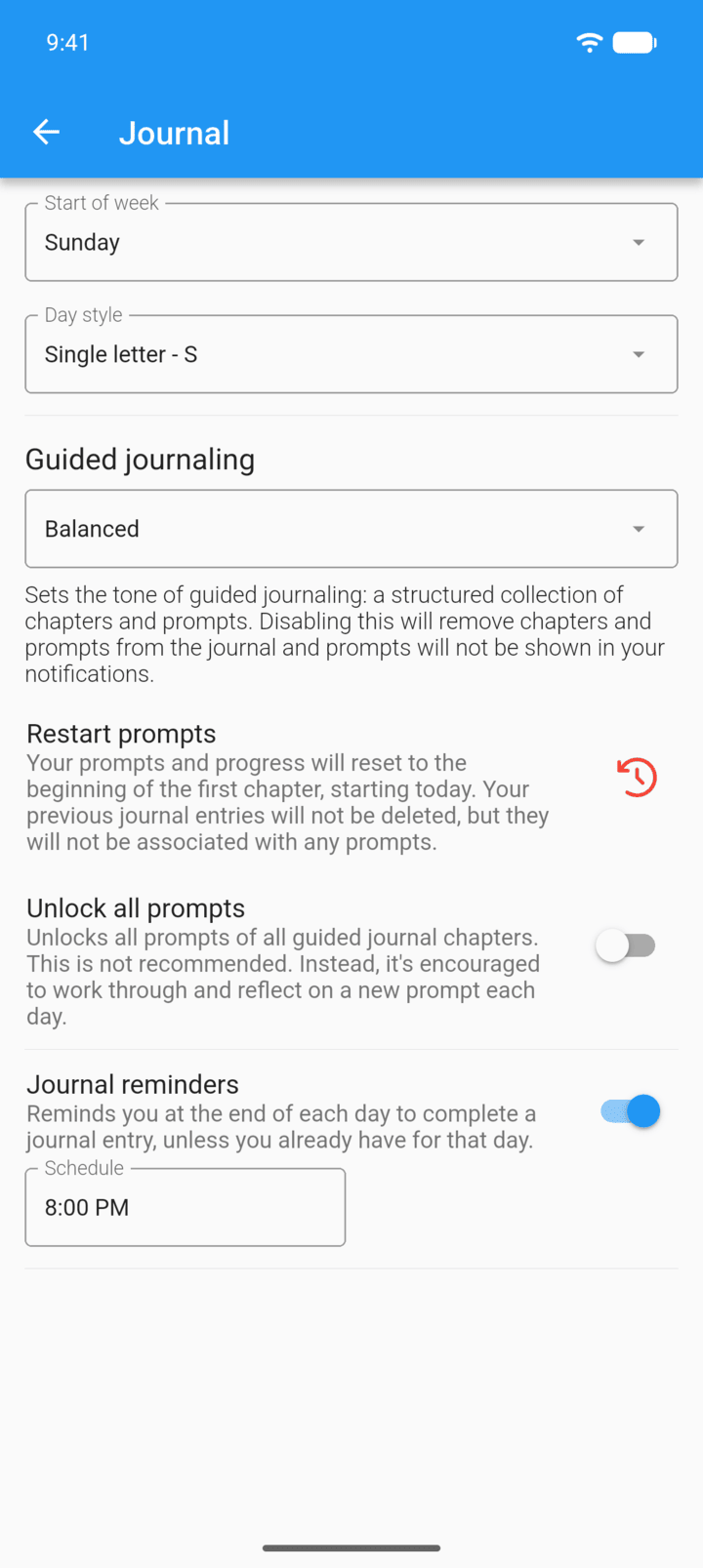
Change Start of week or Day style to change how the calendar looks.
-
Step 4
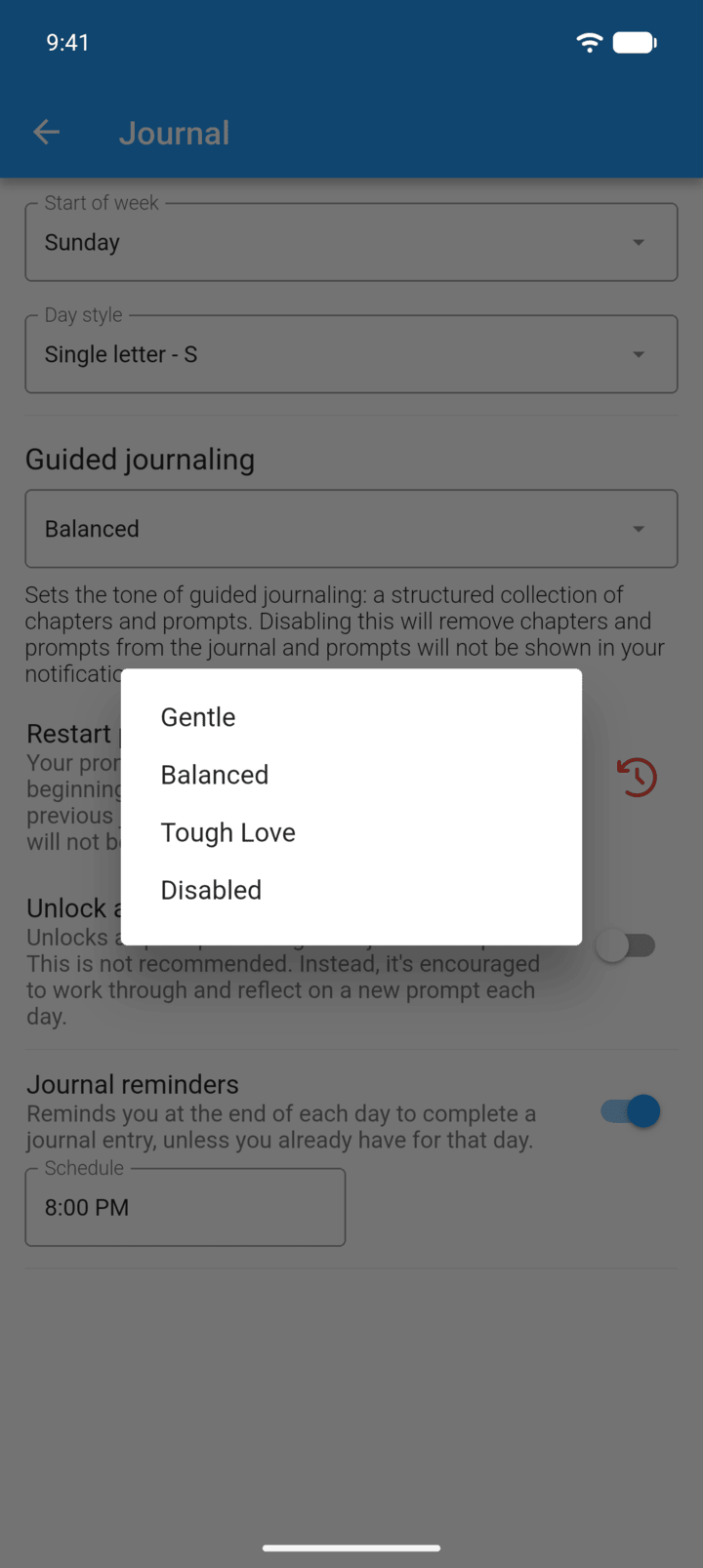
Under Guided journaling, choose a tone, or Disabled to turn off prompts and chapters.
-
Step 5
Turn Journal reminders on or off, and tap Schedule to set the reminder time.
Restart prompts starts the chapters again from today. Your entries aren't deleted. Unlock all prompts opens every prompt at once.
- On the Home screen, tap the journal icon in the top-right corner.
- Tap … in the top-right corner, then Settings.
- Change Start of week or Day style to change how the calendar looks.
- Under Guided journaling, choose a tone, or Disabled to turn off prompts and chapters.
- Turn Journal reminders on or off, and tap Schedule to set the reminder time.
Restart prompts starts the chapters again from today. Your entries aren't deleted. Unlock all prompts opens every prompt at once.