 Sober Time
In this guide 3 steps
-
Step 1
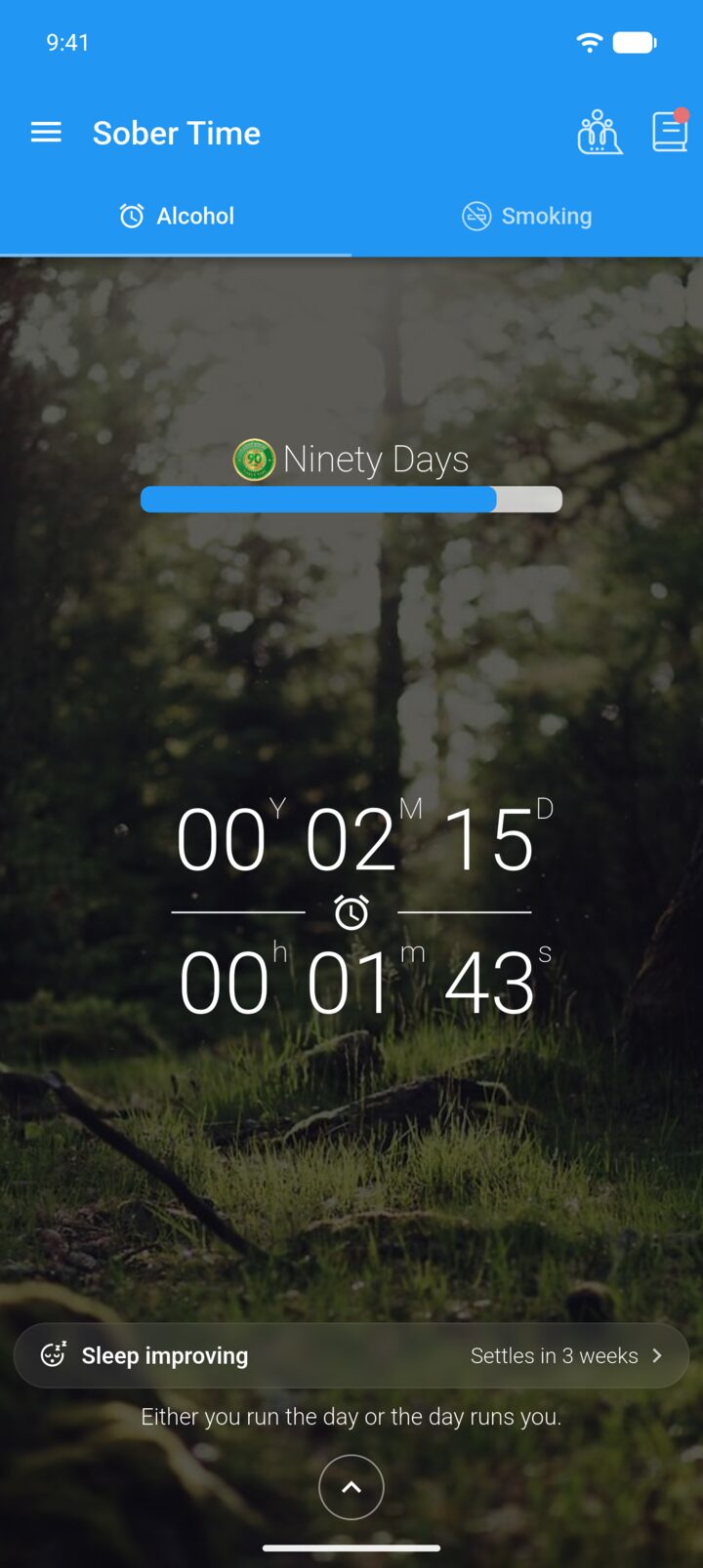
On the Home screen, tap the journal icon in the top-right corner.
-
Step 2
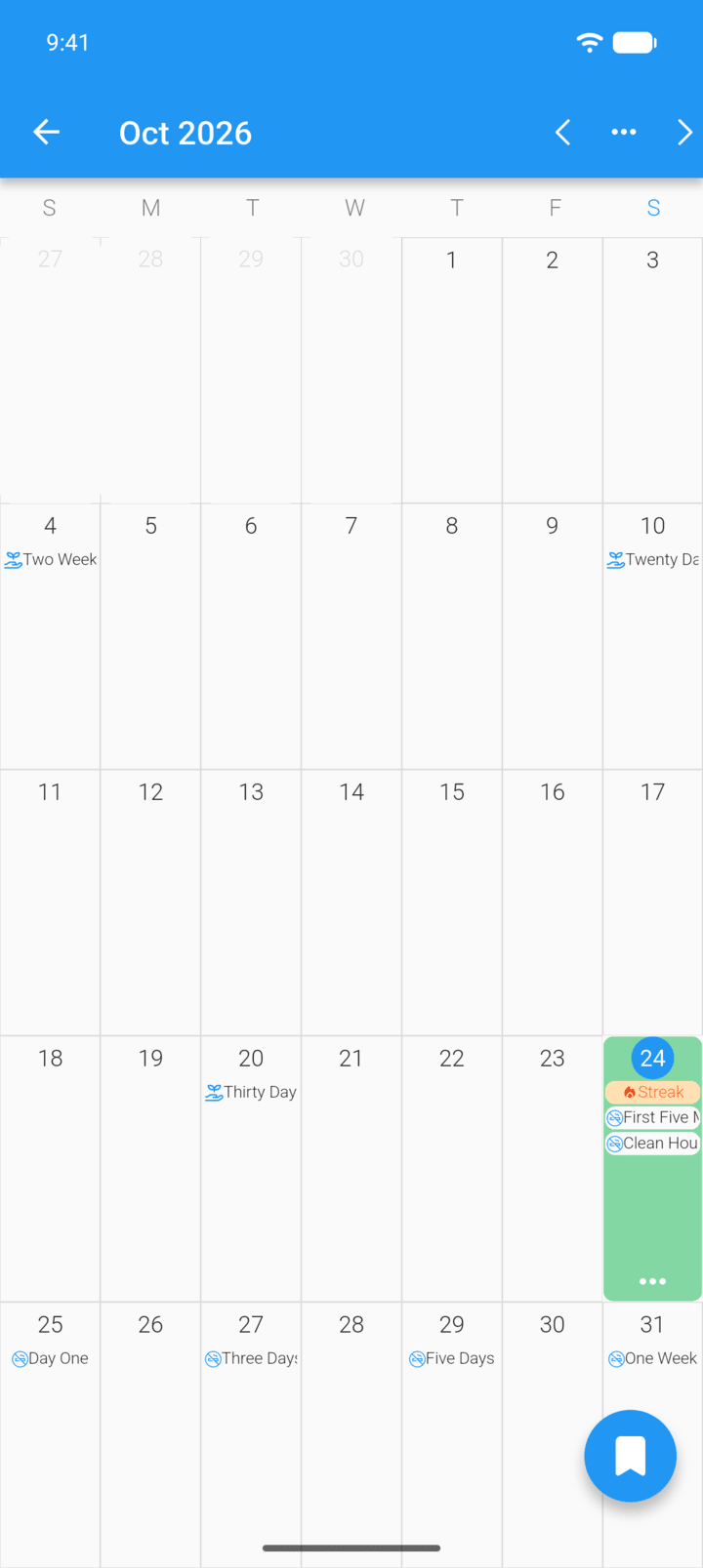
Tap the day of the entry.
-
Step 3
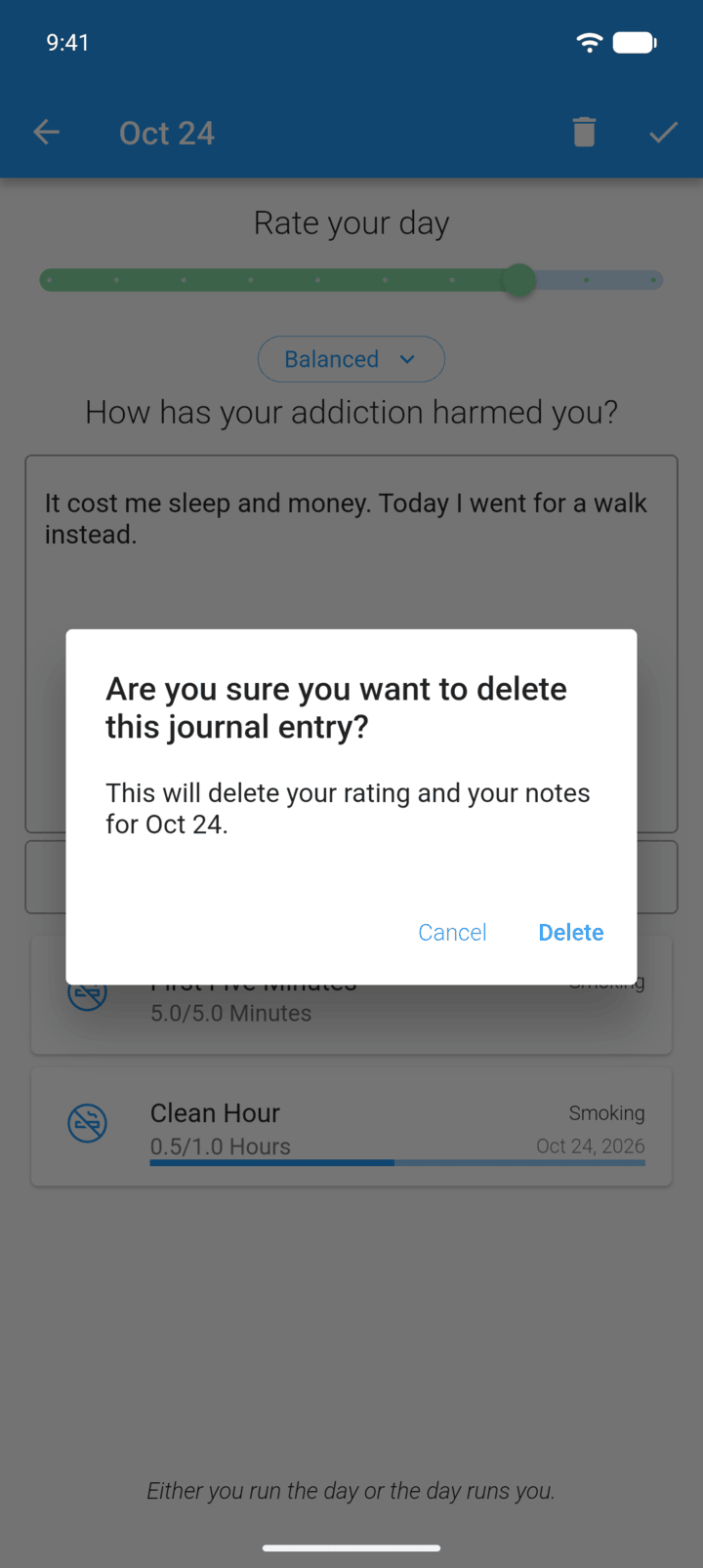
Tap the trash icon in the top-right corner, then tap Delete.
-
This deletes the rating and notes for that day. It can't be undone.
- On the Home screen, tap the journal icon in the top-right corner.
- Tap the day of the entry.
- Tap the trash icon in the top-right corner, then tap Delete.
This deletes the rating and notes for that day. It can't be undone.