 Sober Time
In this guide 5 steps
-
Overview
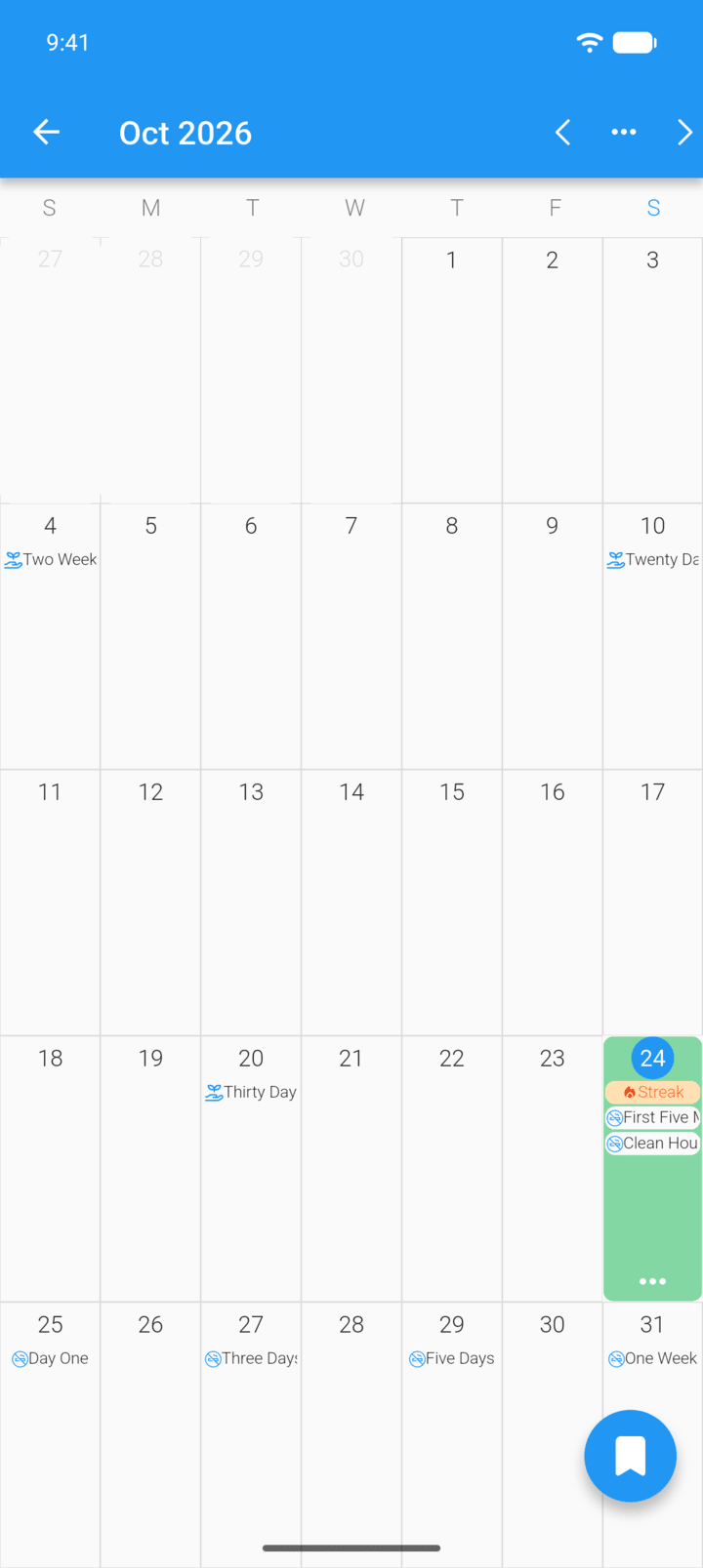
The journal has one entry per day. Each entry has a rating, your notes and an optional photo.
-
Step 1
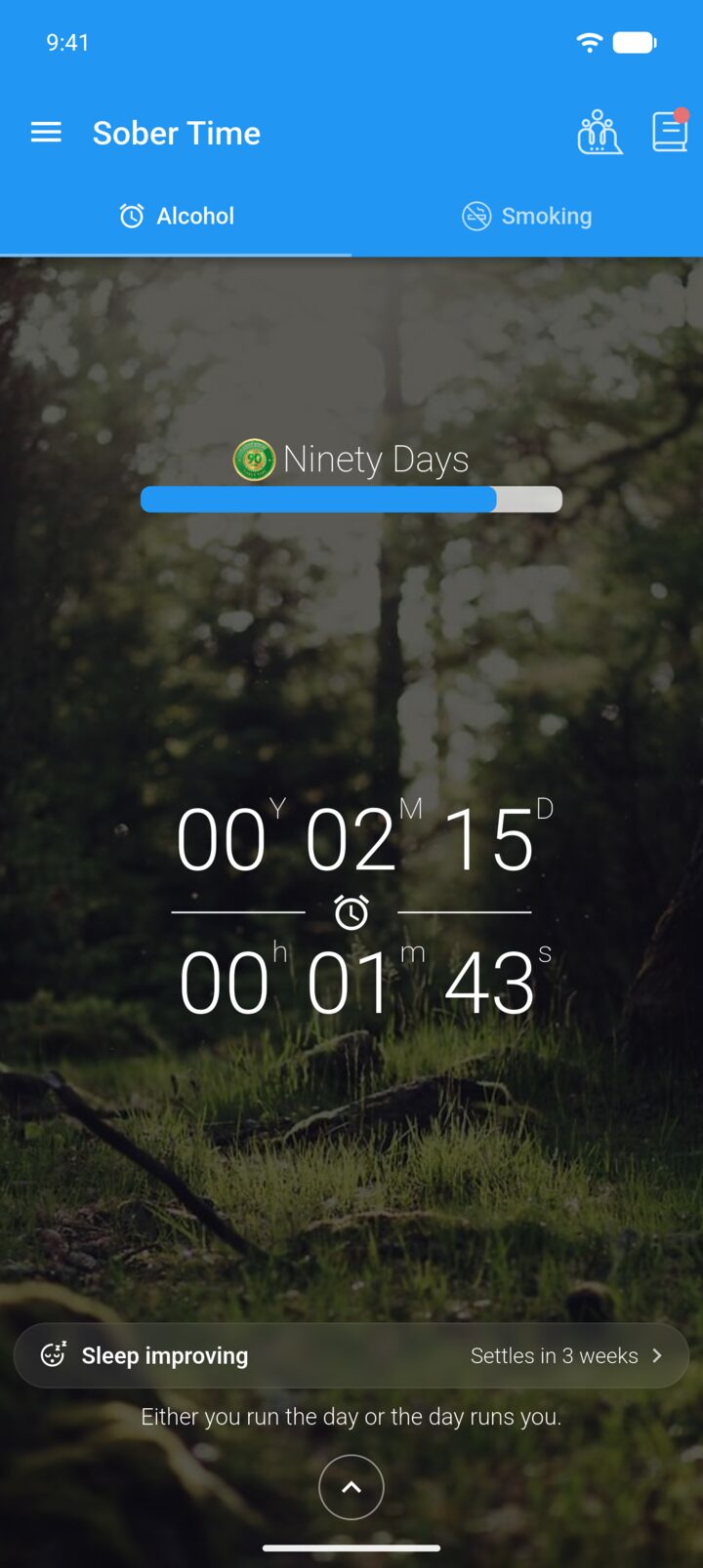
On the Home screen, tap the journal icon in the top-right corner.
-
Step 2
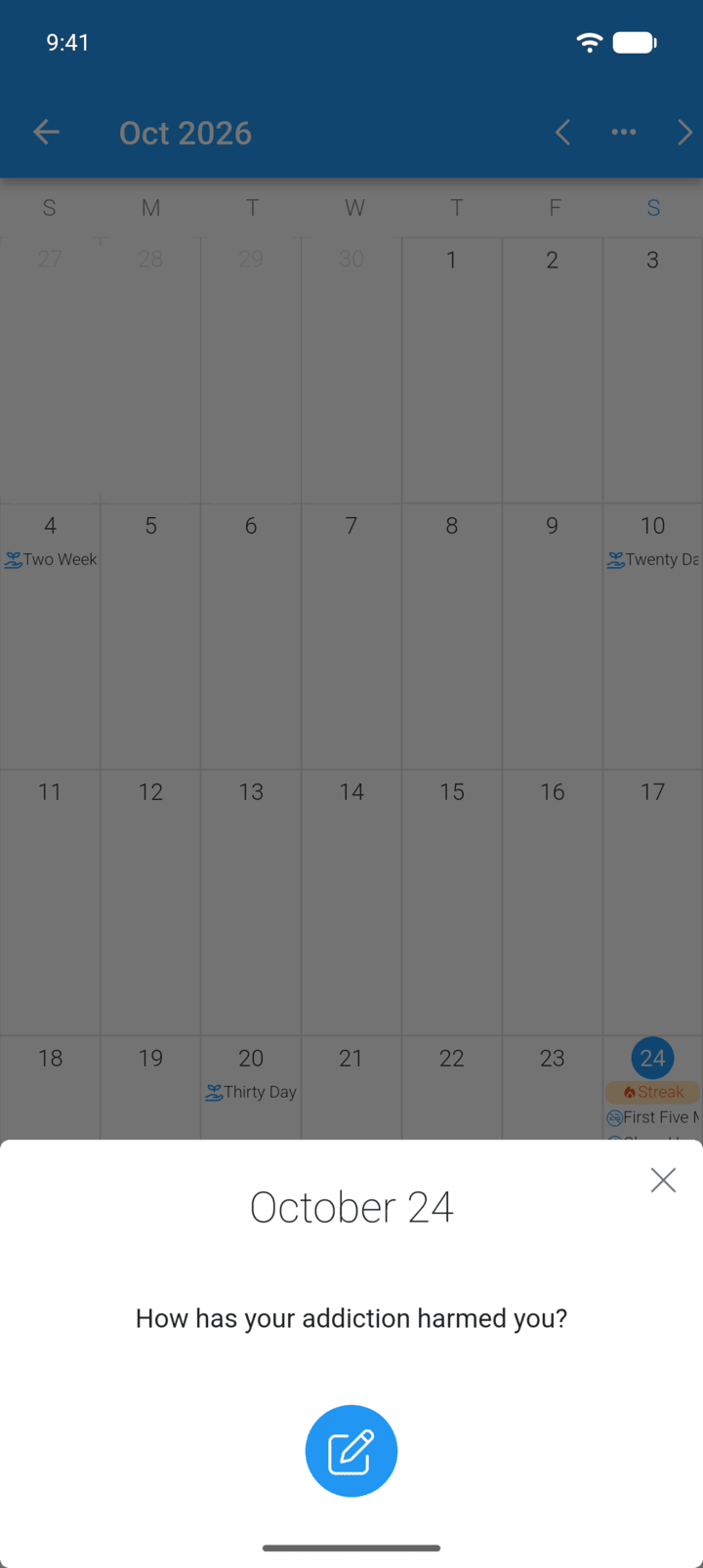
Tap a day in the calendar. If today's prompt appears, tap the pen button.
-
Step 3
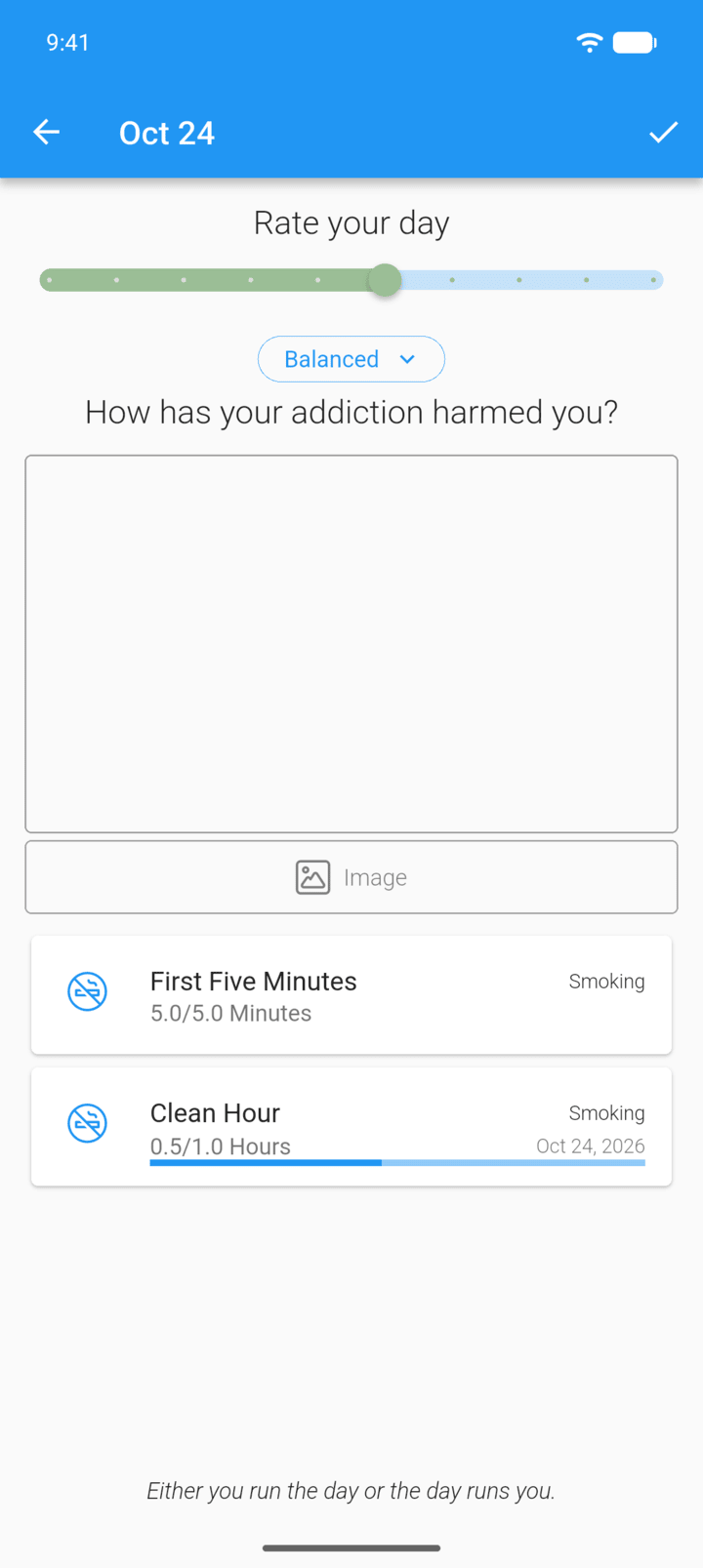
Drag the Rate your day slider.
-
Step 4
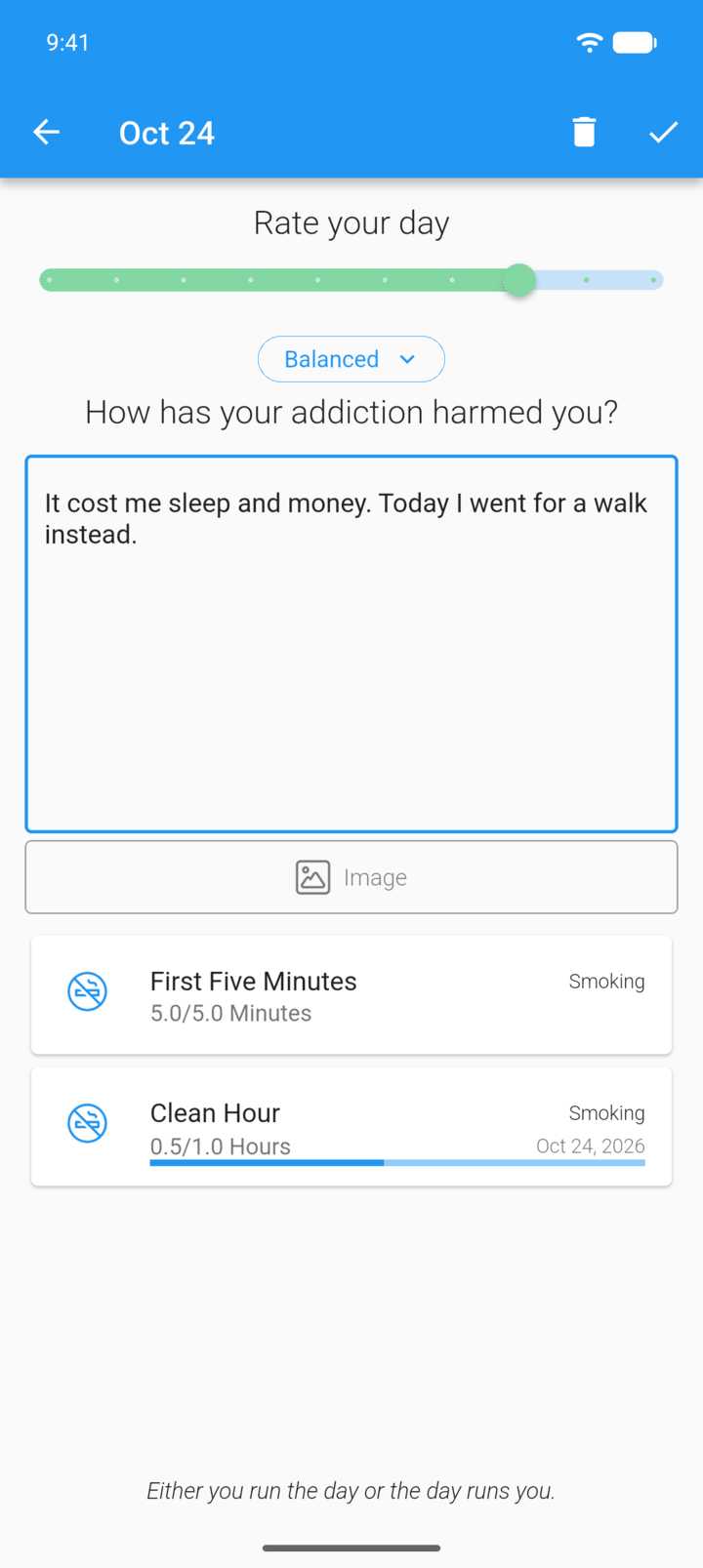
Write your notes. You can add a photo with Image.
-
Step 5
Tap the check mark in the top-right corner. The day is colored by your rating.
-
Entries are also saved when you go back.
The journal has one entry per day. Each entry has a rating, your notes and an optional photo.
- On the Home screen, tap the journal icon in the top-right corner.
- Tap a day in the calendar. If today's prompt appears, tap the pen button.
- Drag the Rate your day slider.
- Write your notes. You can add a photo with Image.
- Tap the check mark in the top-right corner. The day is colored by your rating.
Entries are also saved when you go back.