 Sober Time
In this guide 4 steps
-
Overview
Guided journaling gives you a new question to write about each day. The questions are grouped into chapters, such as Honesty and Making Amends.
-
Step 1
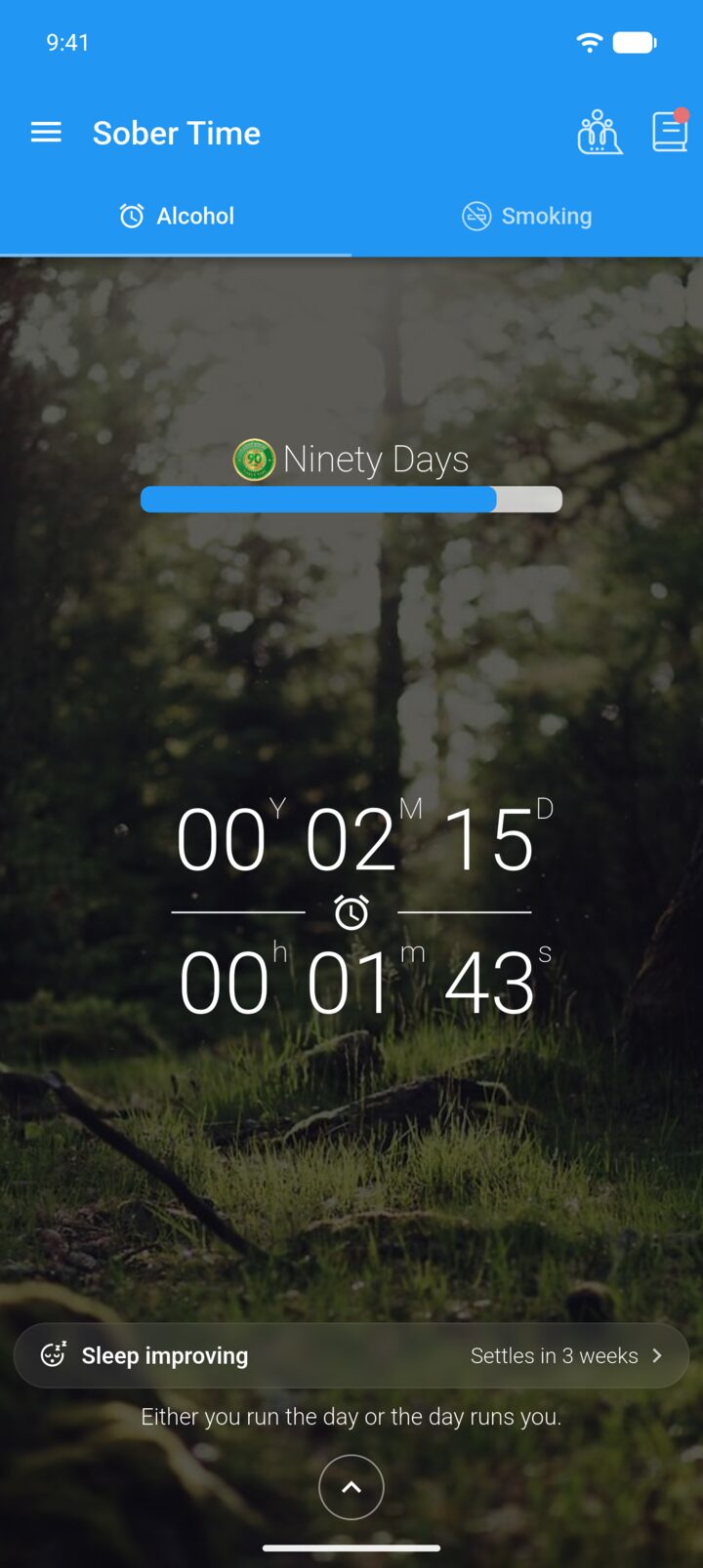
On the Home screen, tap the journal icon in the top-right corner.
-
Step 2
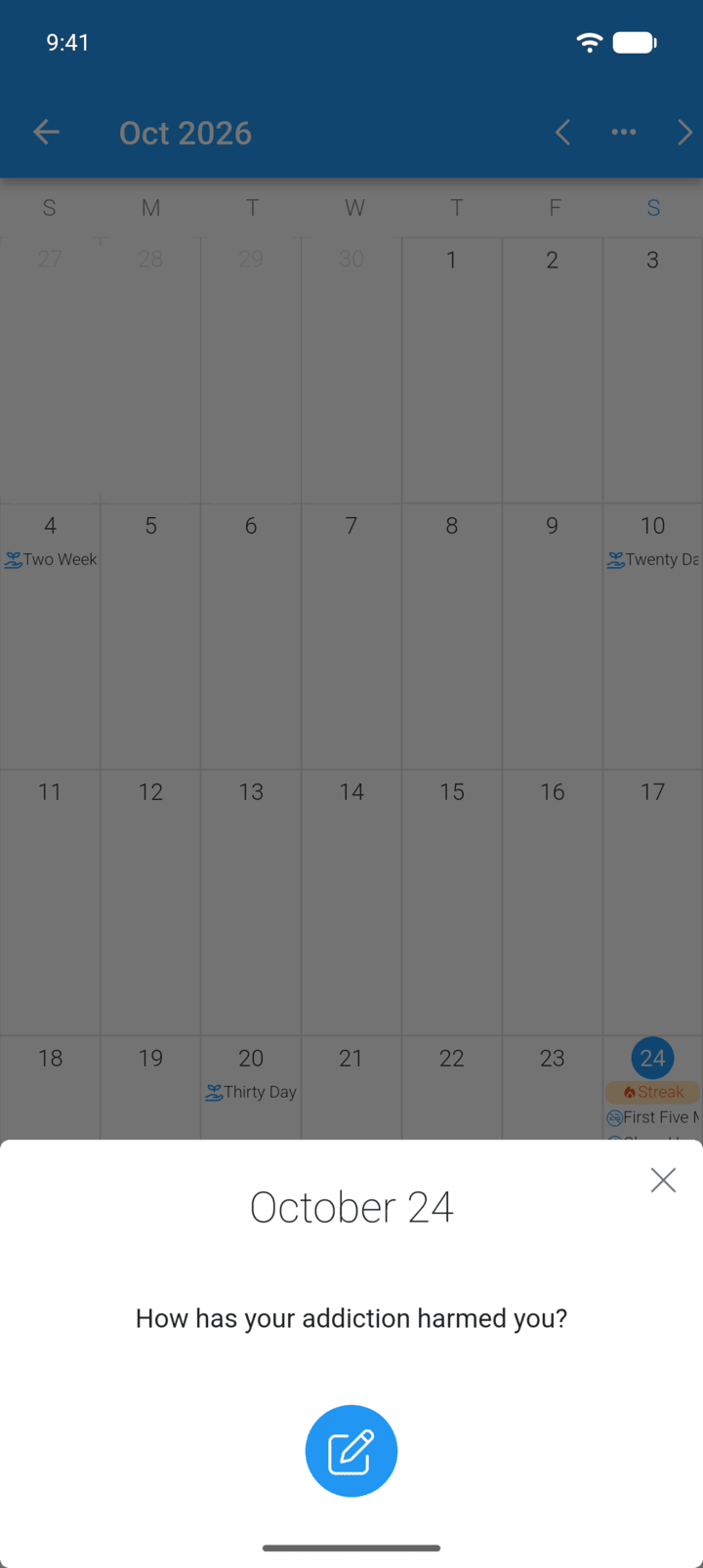
Today's prompt appears when you open the journal. Tap the pen button to answer it.
-
Step 3
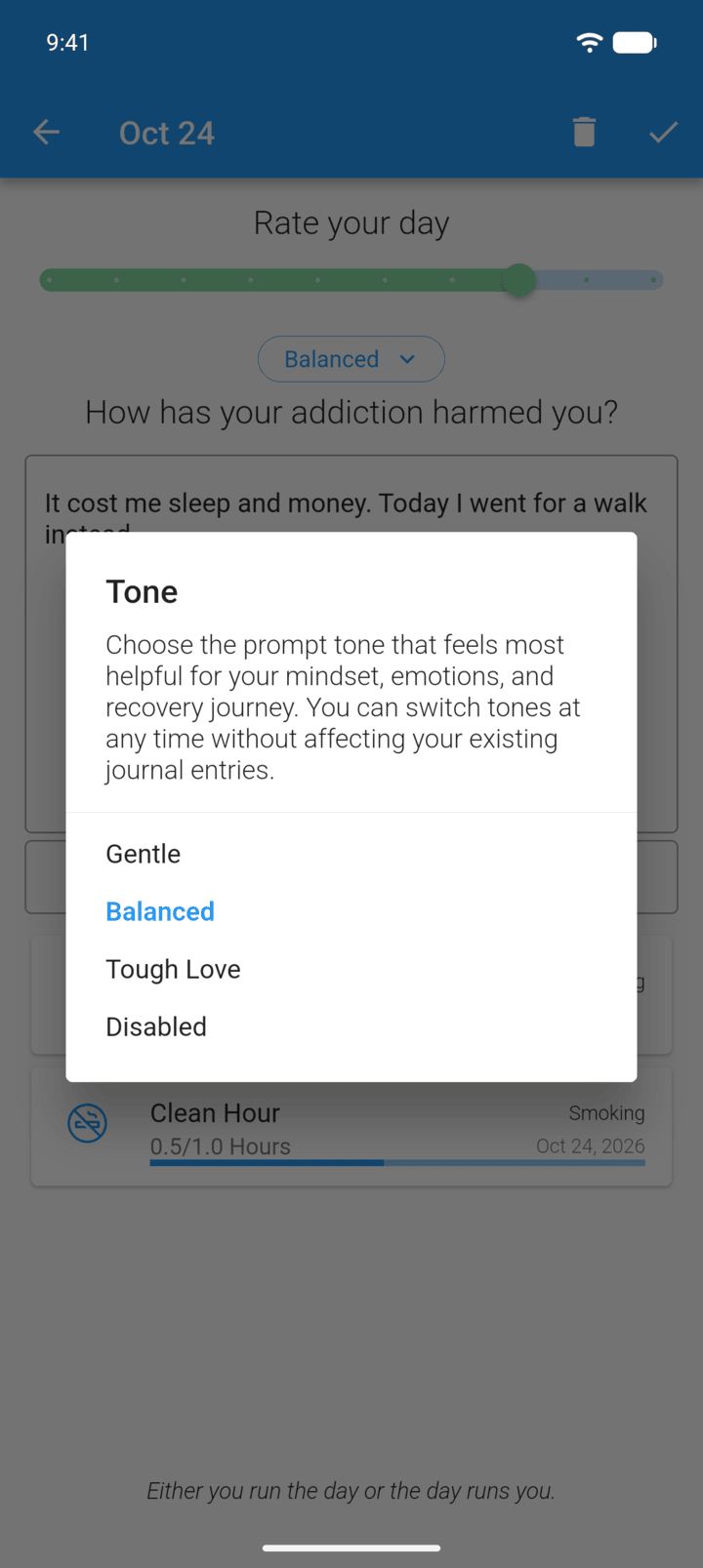
To change the tone of the questions, tap the button above the prompt and choose Gentle, Balanced or Tough Love.
-
Step 4
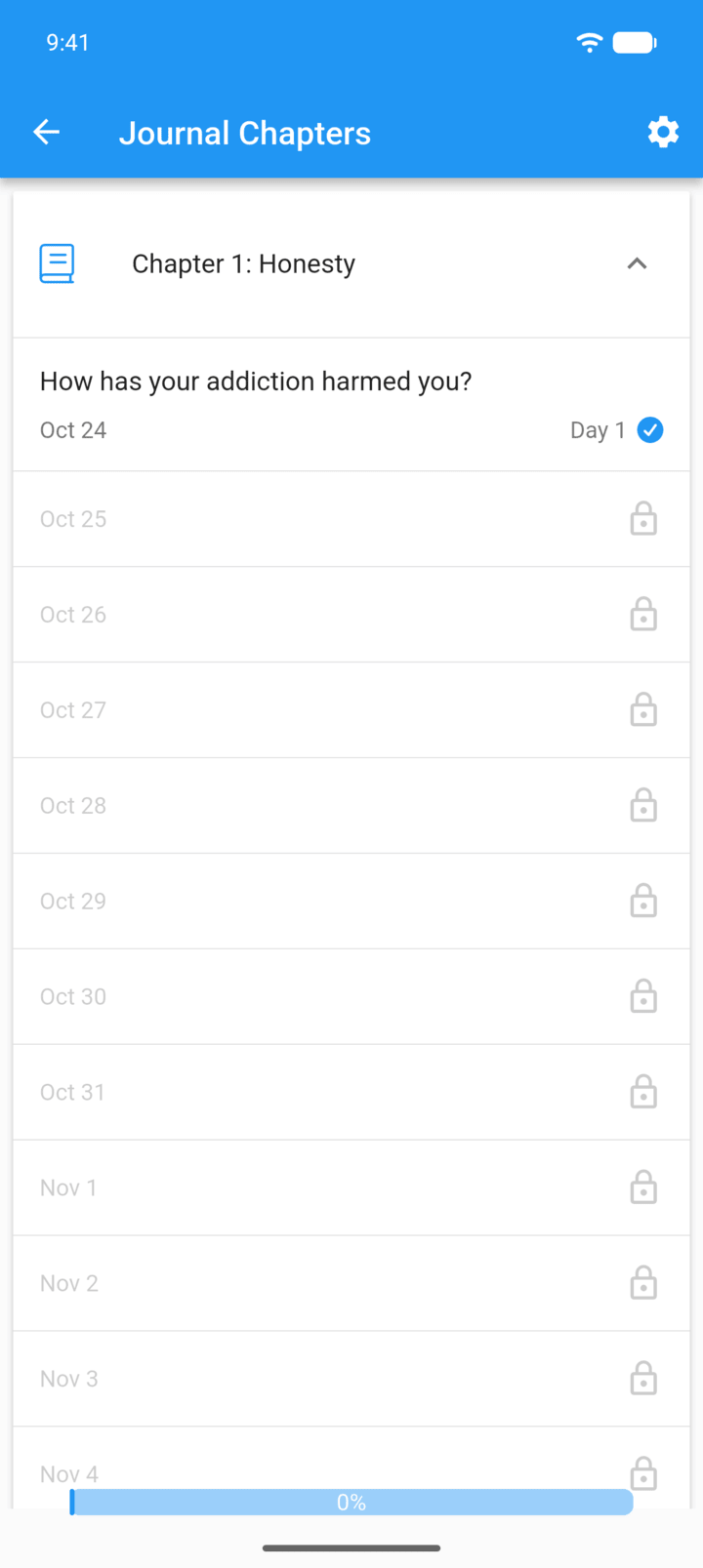
Tap the bookmark button in the bottom-right corner of the journal to see the chapters and your progress.
-
A new prompt unlocks each day. Locked prompts show the date they unlock.
Guided journaling gives you a new question to write about each day. The questions are grouped into chapters, such as Honesty and Making Amends.
- On the Home screen, tap the journal icon in the top-right corner.
- Today's prompt appears when you open the journal. Tap the pen button to answer it.
- To change the tone of the questions, tap the button above the prompt and choose Gentle, Balanced or Tough Love.
- Tap the bookmark button in the bottom-right corner of the journal to see the chapters and your progress.
A new prompt unlocks each day. Locked prompts show the date they unlock.