 Sober Time
In this guide 4 steps
-
Overview
You can save your journal as a PDF, HTML or CSV file.
-
Step 1
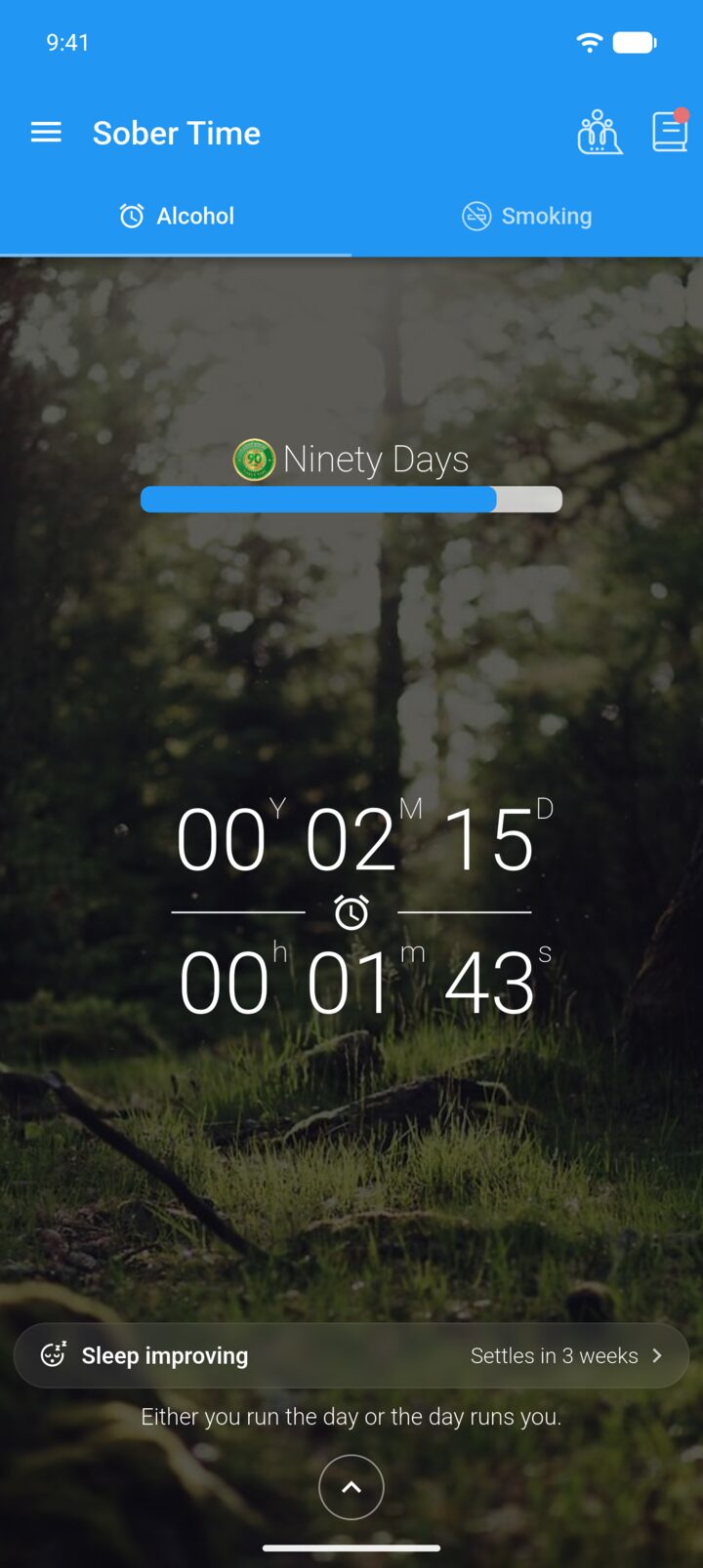
On the Home screen, tap the journal icon in the top-right corner.
-
Step 2
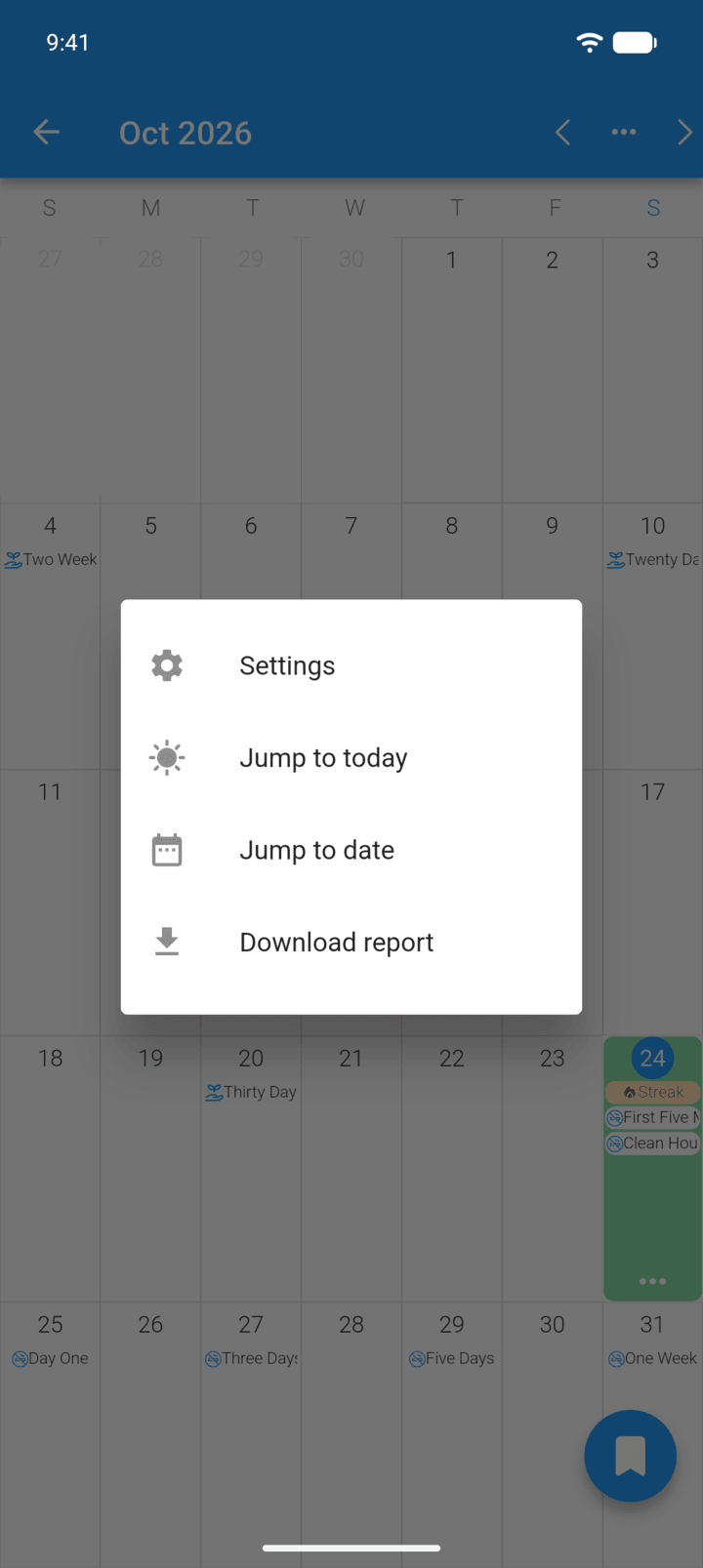
Tap … in the top-right corner, then Download report.
-
Step 3
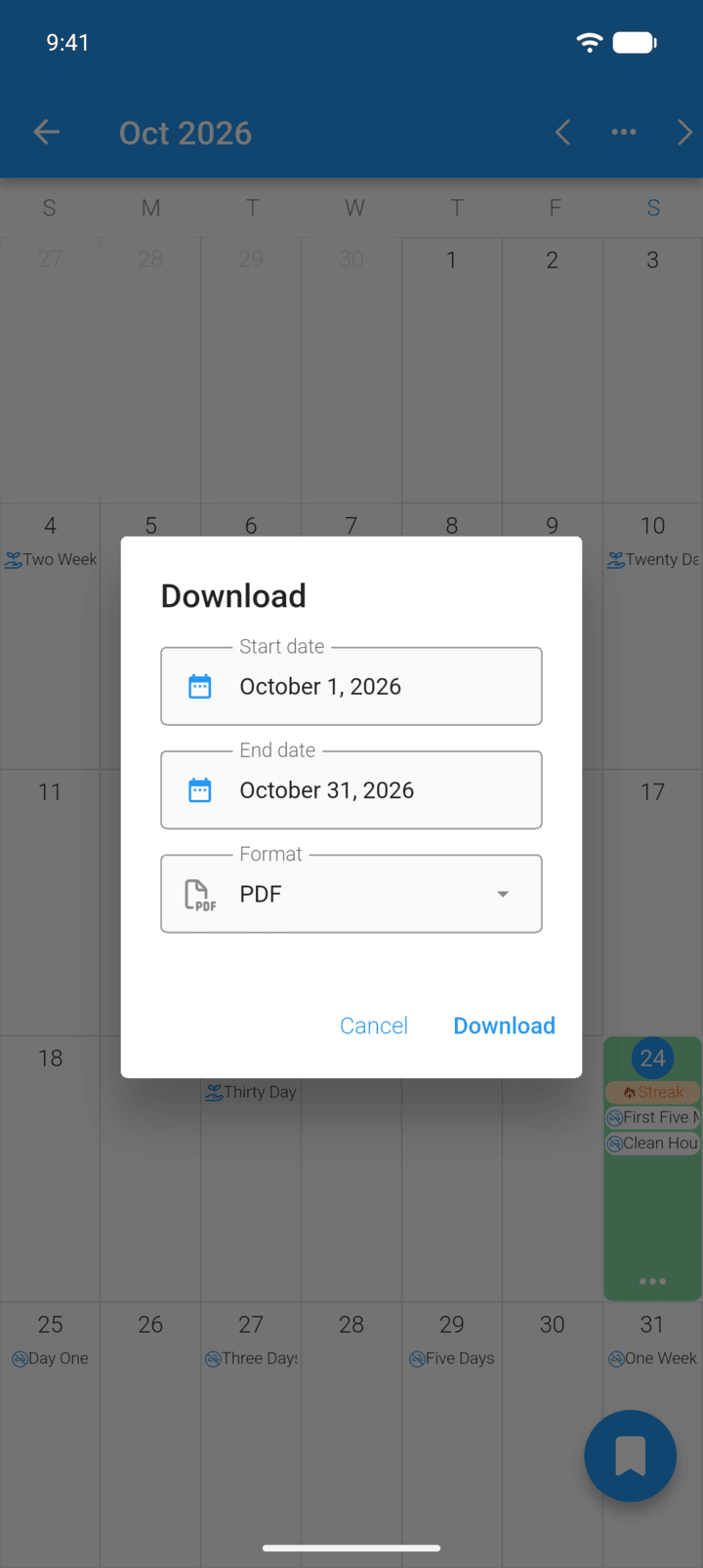
Set the Start date, End date and Format, then tap Download.
-
Step 4
Choose where to send or save the file.
You can save your journal as a PDF, HTML or CSV file.
- On the Home screen, tap the journal icon in the top-right corner.
- Tap … in the top-right corner, then Download report.
- Set the Start date, End date and Format, then tap Download.
- Choose where to send or save the file.