 Sober Time
In this guide 3 steps
-
Overview
Your streak counts the days in a row that you open Sober Time. It's separate from your clean time and isn't affected by resets.
-
Step 1
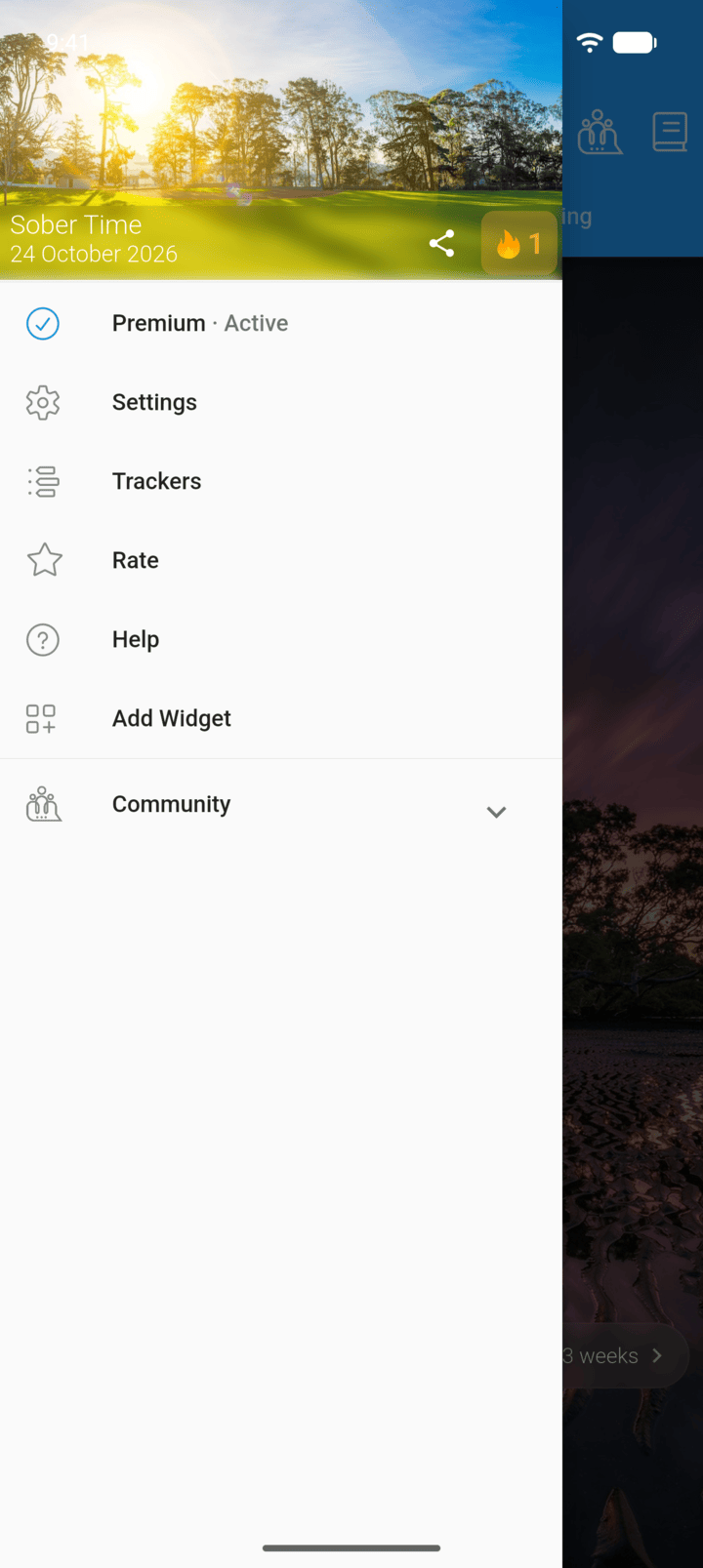
Tap the menu button ☰ in the top-left corner, then tap the flame button next to the date.
-
Step 2
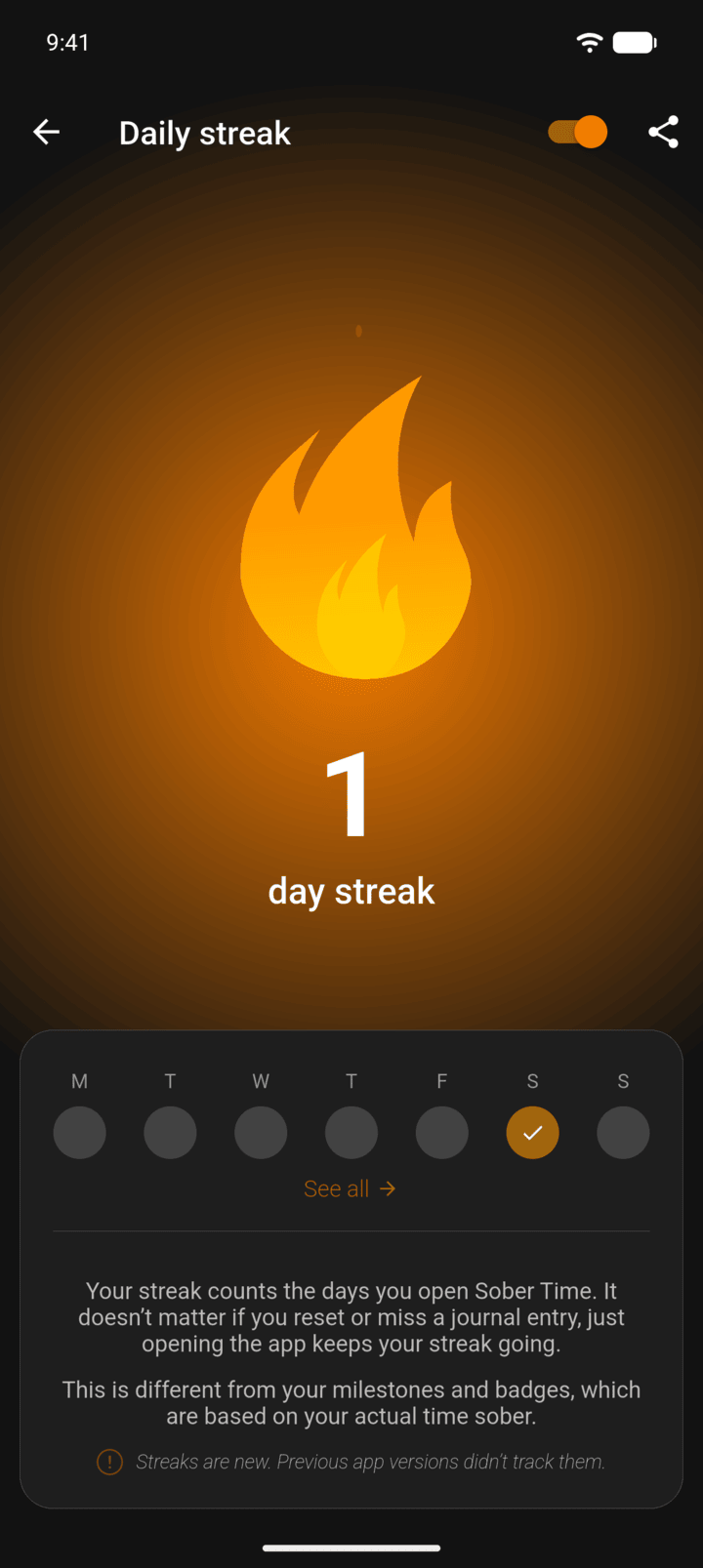
The page shows your streak and this week. Tap See all to open your journal.
-
Step 3
Tap the share icon to share your streak.
Use the switch at the top of the page to turn streaks off.
Your streak counts the days in a row that you open Sober Time. It's separate from your clean time and isn't affected by resets.
- Tap the menu button ☰ in the top-left corner, then tap the flame button next to the date.
- The page shows your streak and this week. Tap See all to open your journal.
- Tap the share icon to share your streak.
Use the switch at the top of the page to turn streaks off.