 7Z
7Z
In this guide 4 steps
-
Step 1
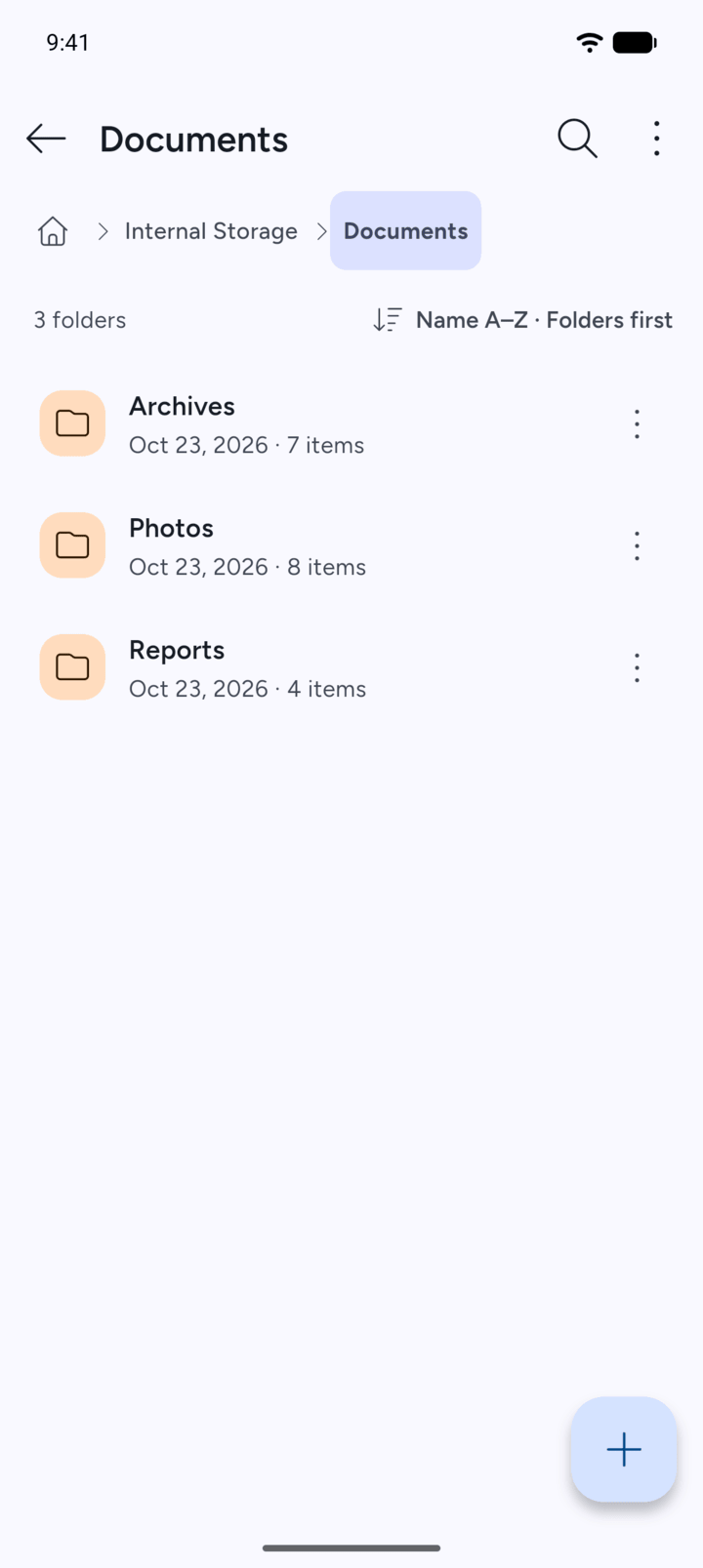
Open the folder where you want the new folder, then tap the + button.
-
Step 2
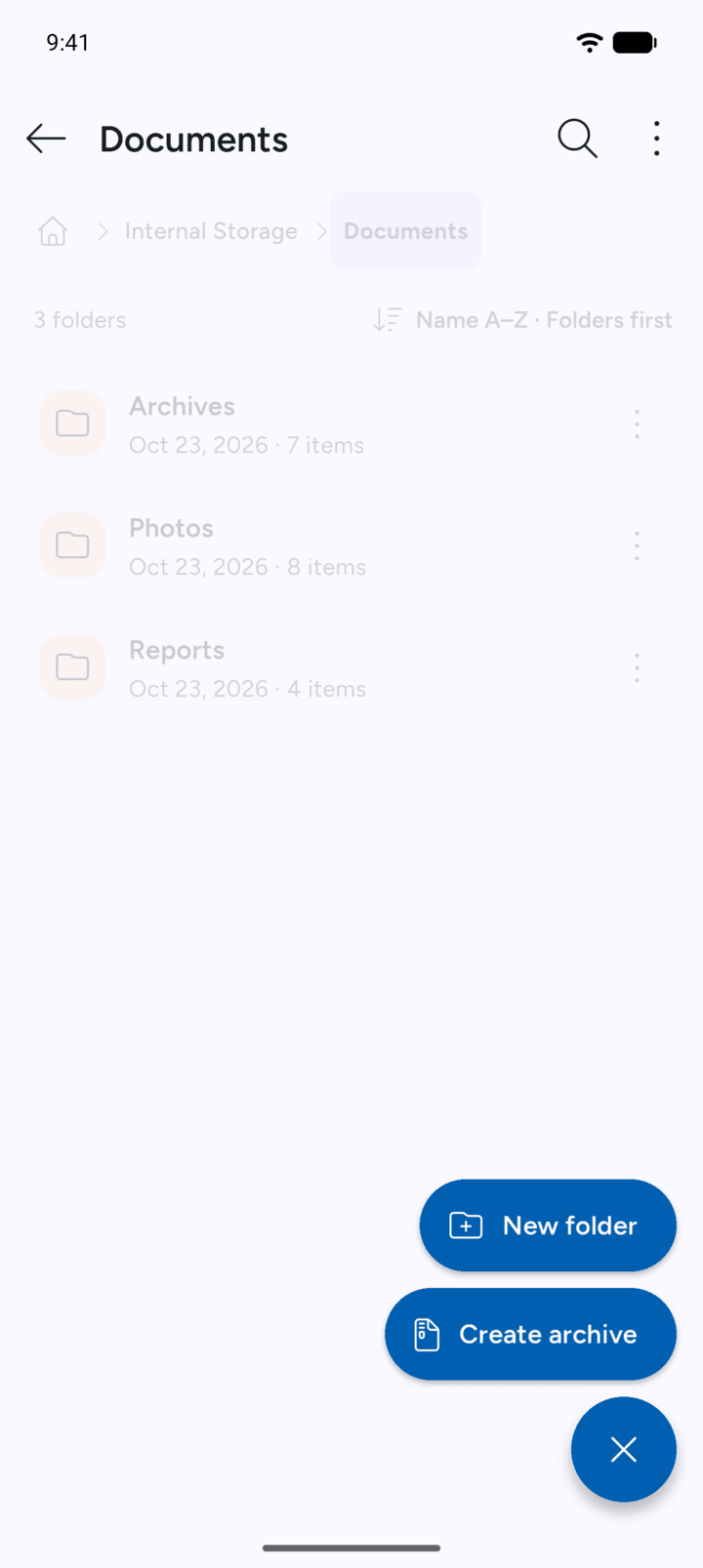
Tap New folder.
-
Step 3
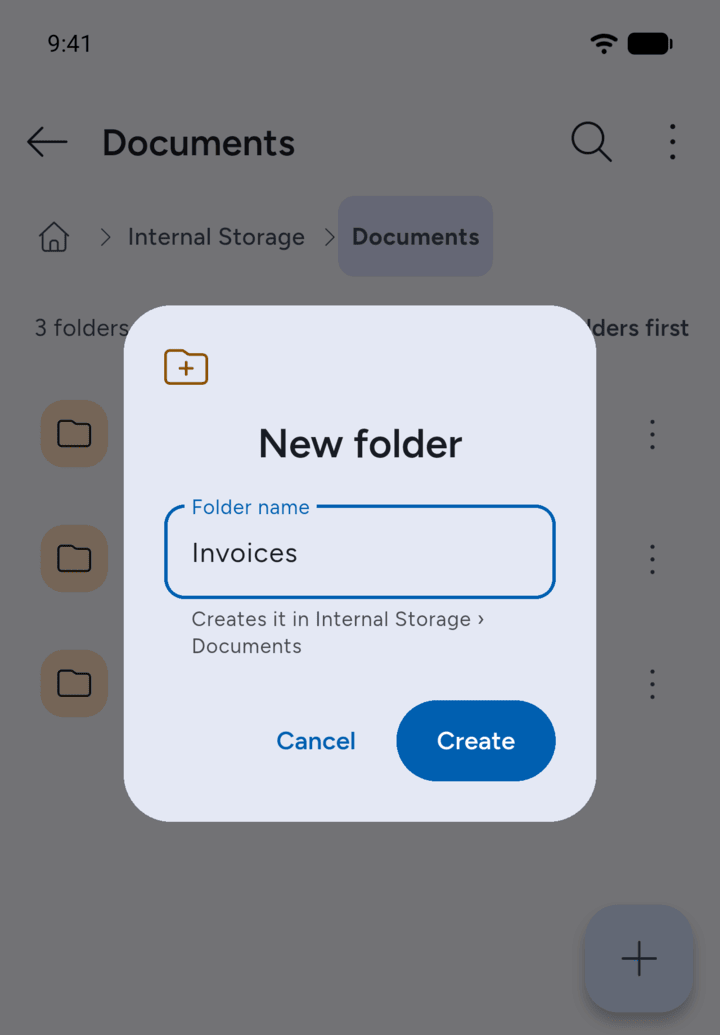
Type a name under Folder name and tap Create.
-
Step 4
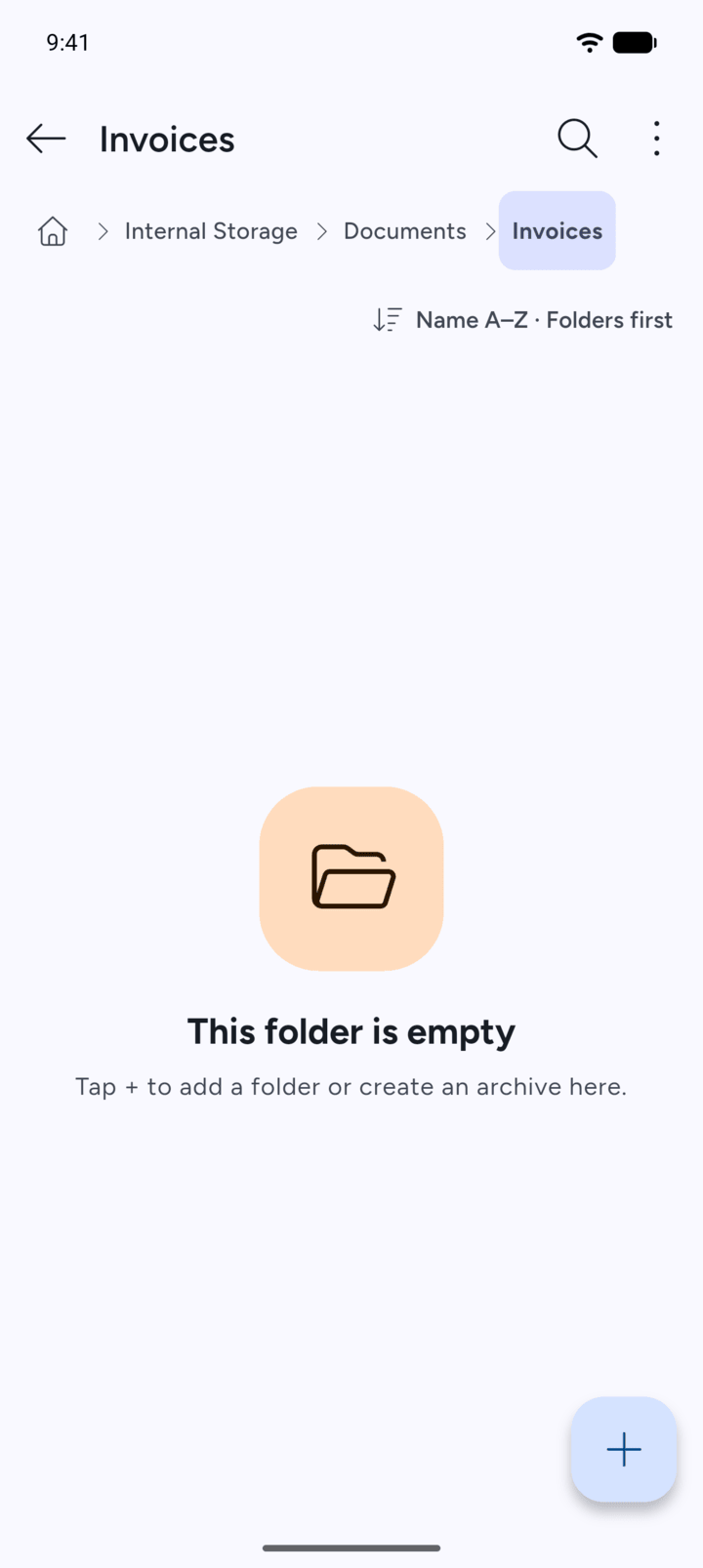
7Z opens the new folder.
- Open the folder where you want the new folder, then tap the + button.
- Tap New folder.
- Type a name under Folder name and tap Create.
- 7Z opens the new folder.