 7Z
7Z
In this guide 4 steps
-
Step 1
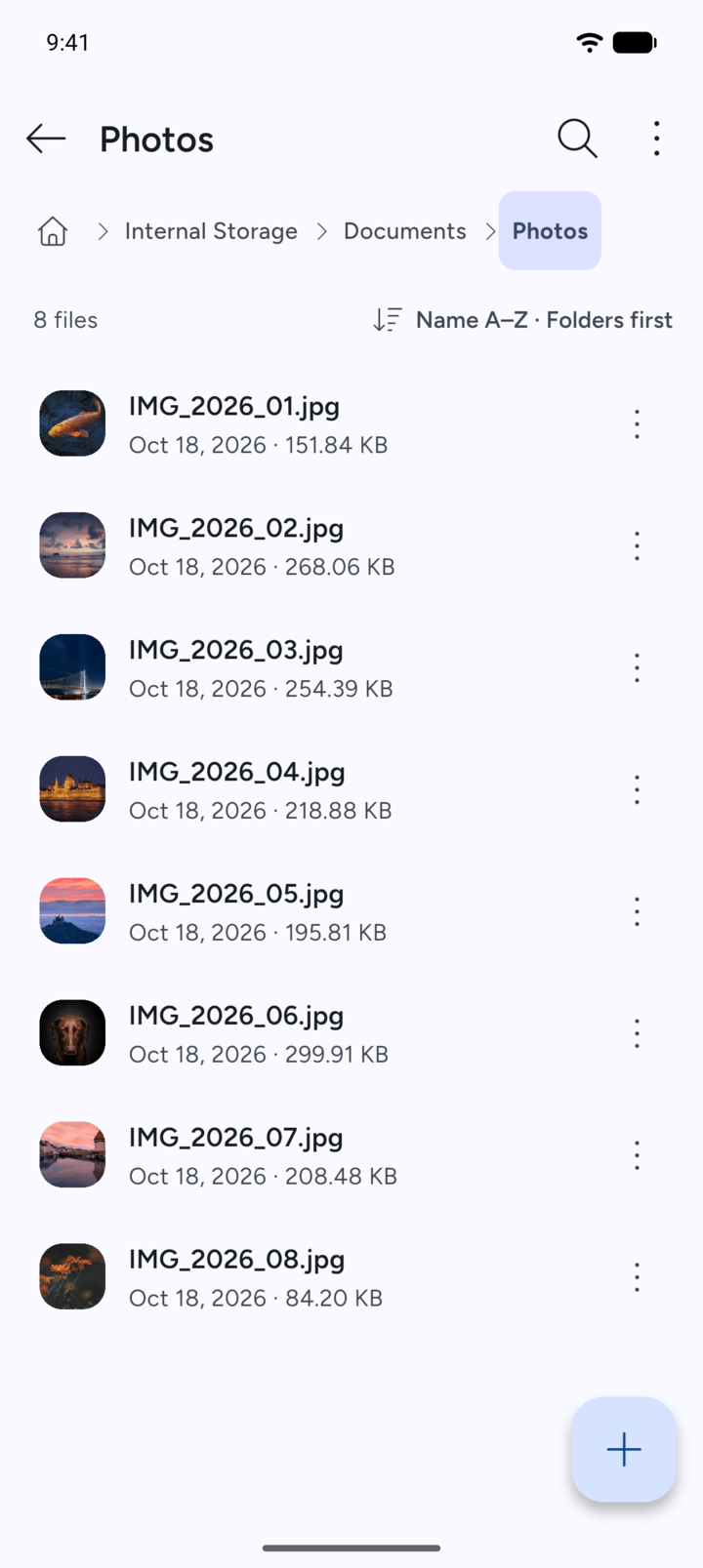
Open the folder that holds the file.
-
Step 2
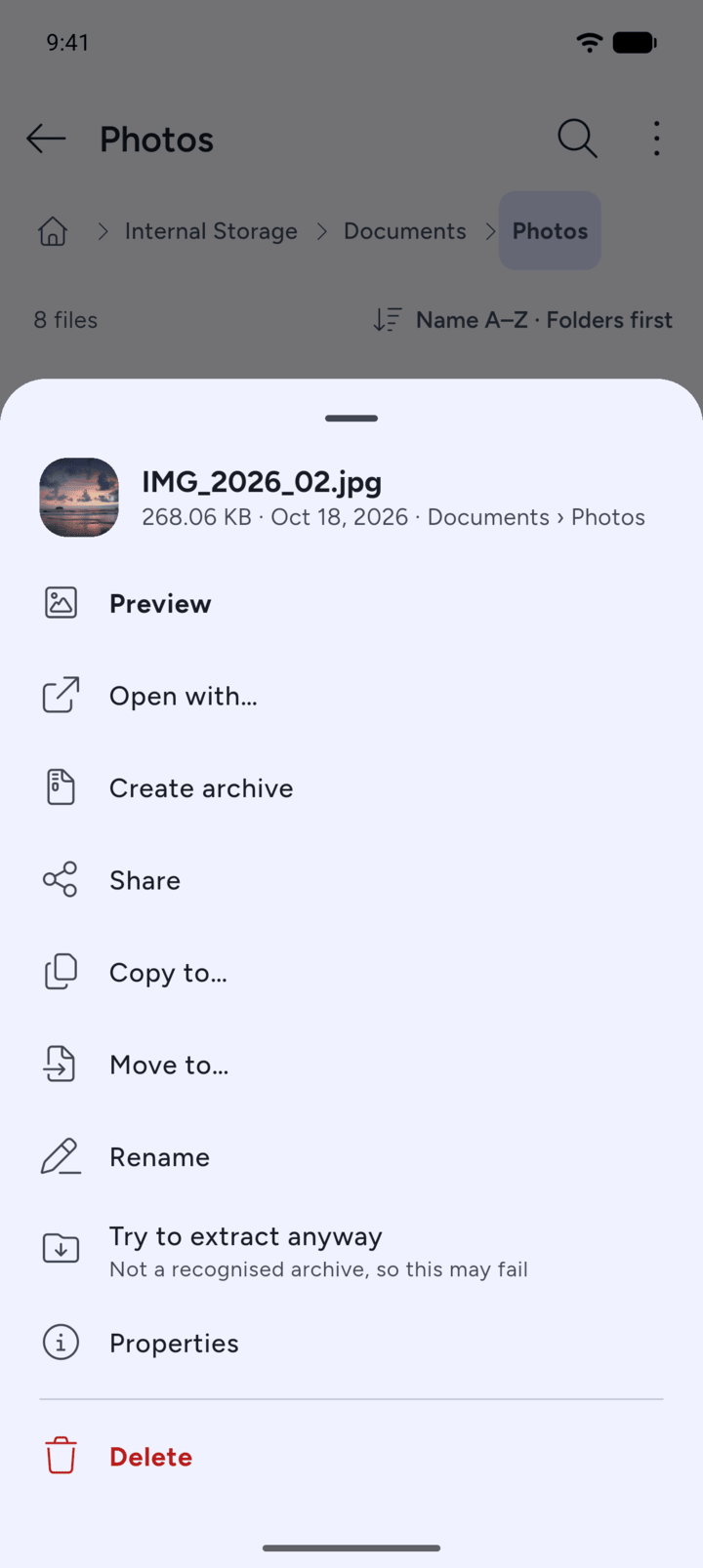
Tap the three dots next to the file and tap Share.
-
Step 3
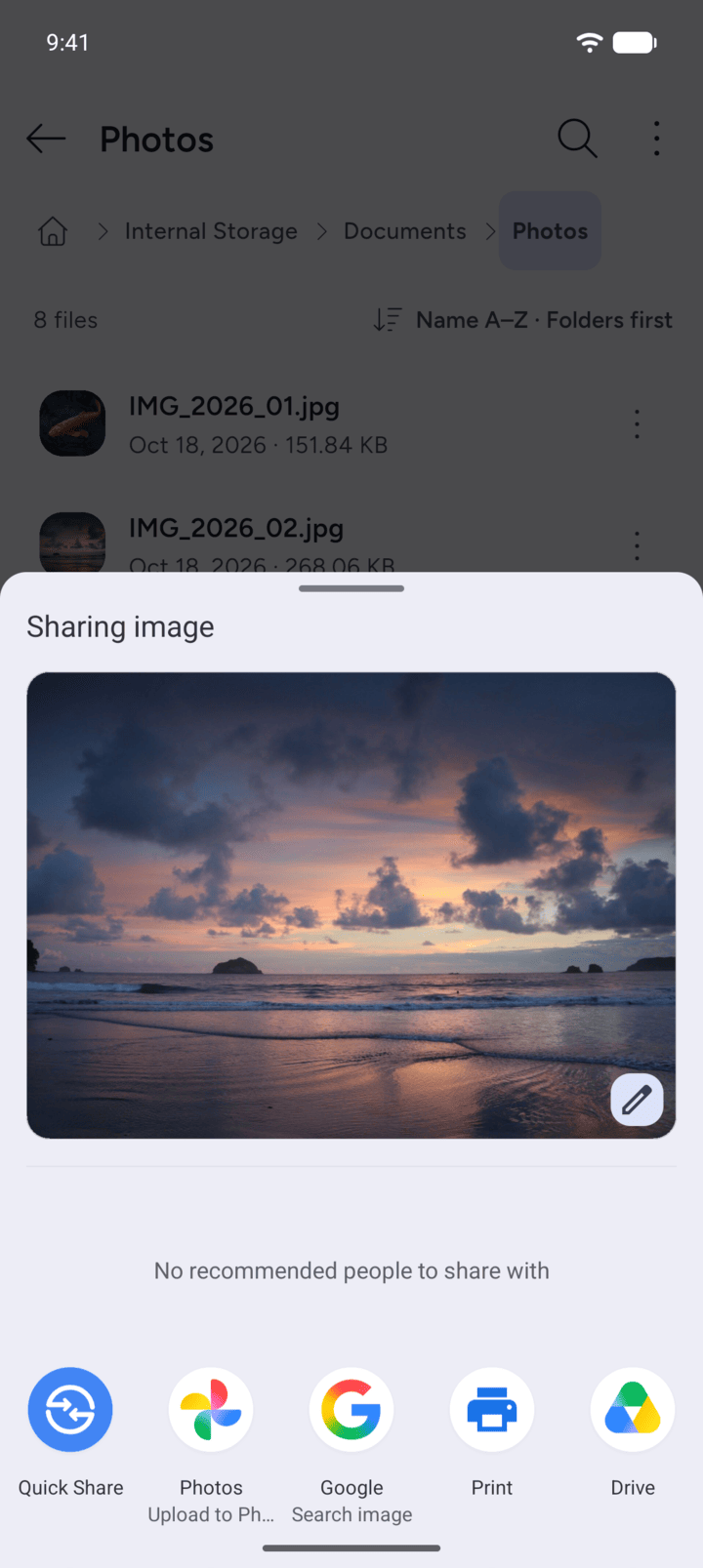
Android's share sheet opens. Choose the app or person to share with.
-
Step 4
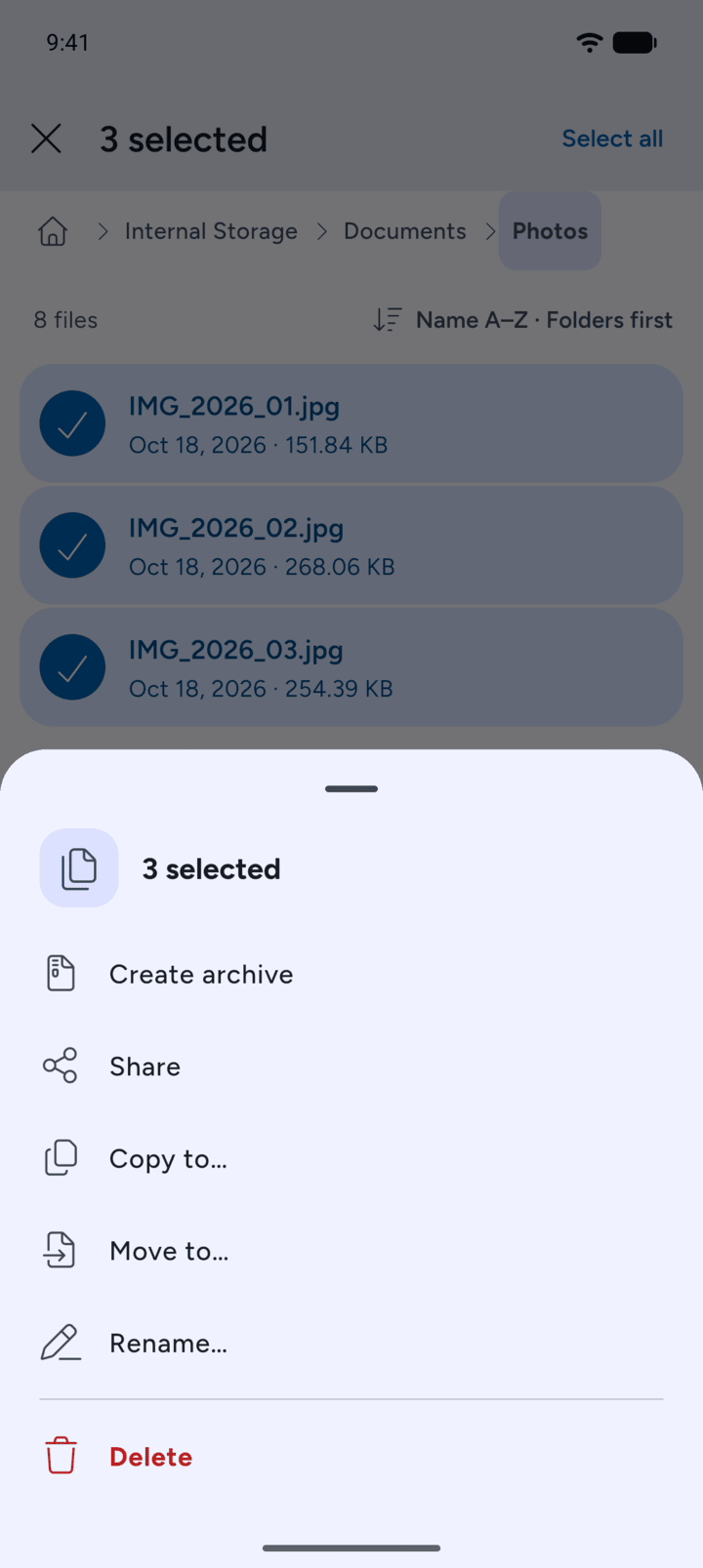
To share several files, tap and hold one to select it, tap the others, then tap More and Share.
-
Folders can't be shared. Archive them first, then share the archive.
- Open the folder that holds the file.
- Tap the three dots next to the file and tap Share.
- Android's share sheet opens. Choose the app or person to share with.
- To share several files, tap and hold one to select it, tap the others, then tap More and Share.
Folders can't be shared. Archive them first, then share the archive.