 7Z
7Z
In this guide 4 steps
-
Step 1
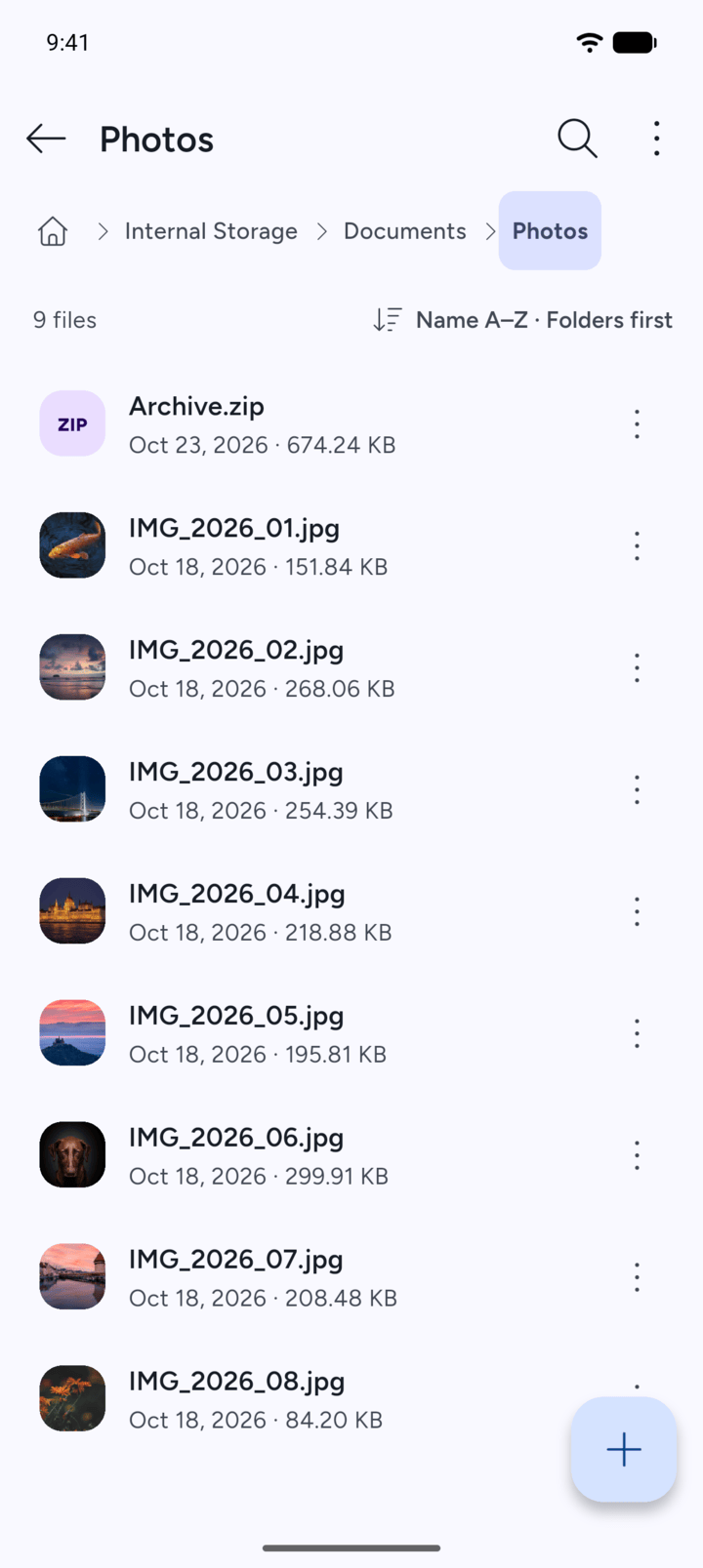
Open the folder that holds the file or folder.
-
Step 2
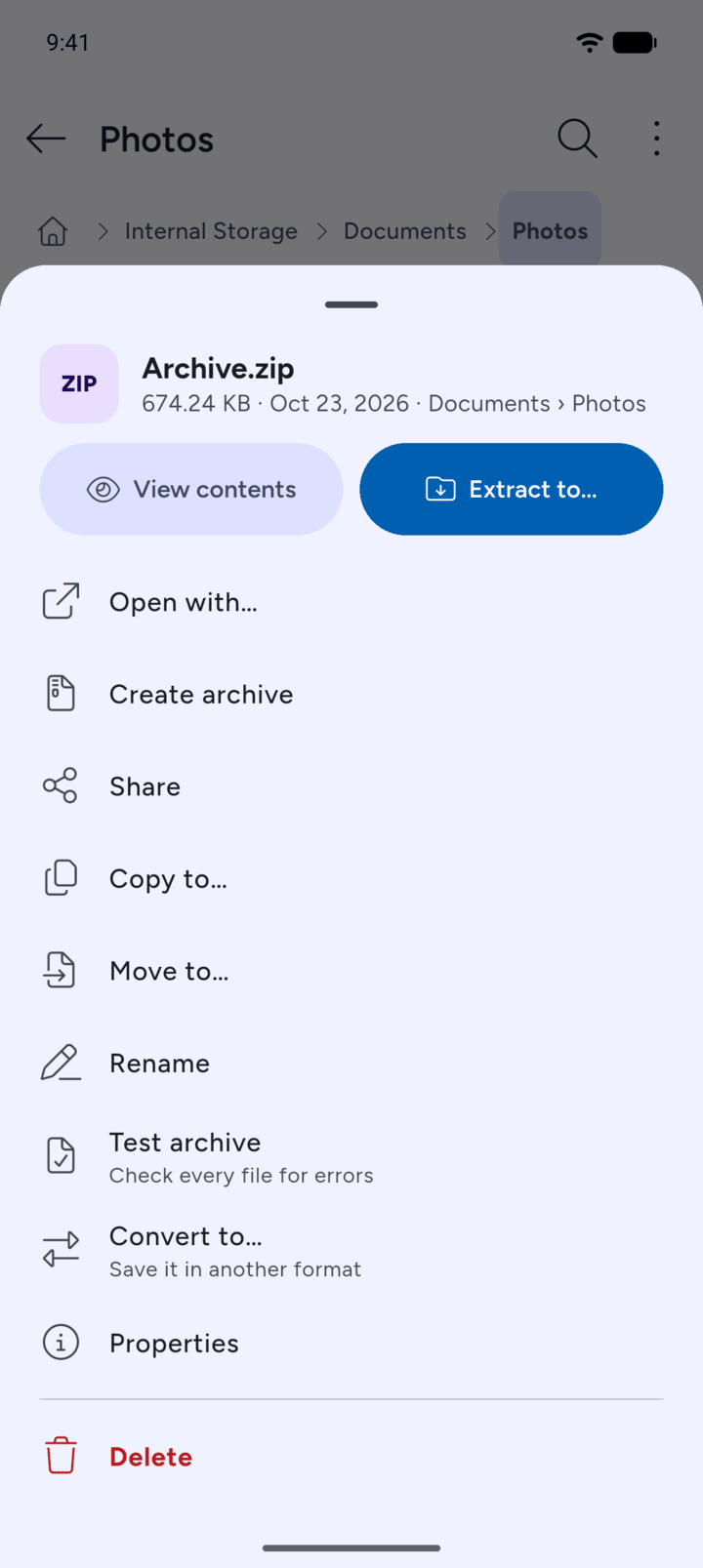
Tap the three dots next to it and tap Rename.
-
Step 3
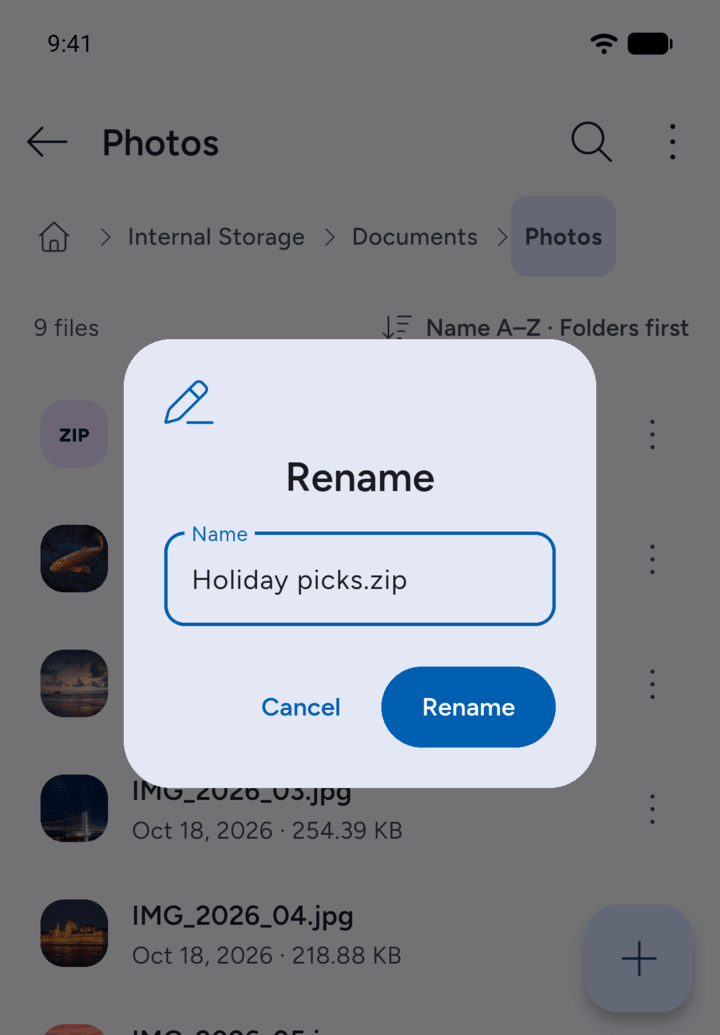
Type the new name and tap Rename.
-
Step 4
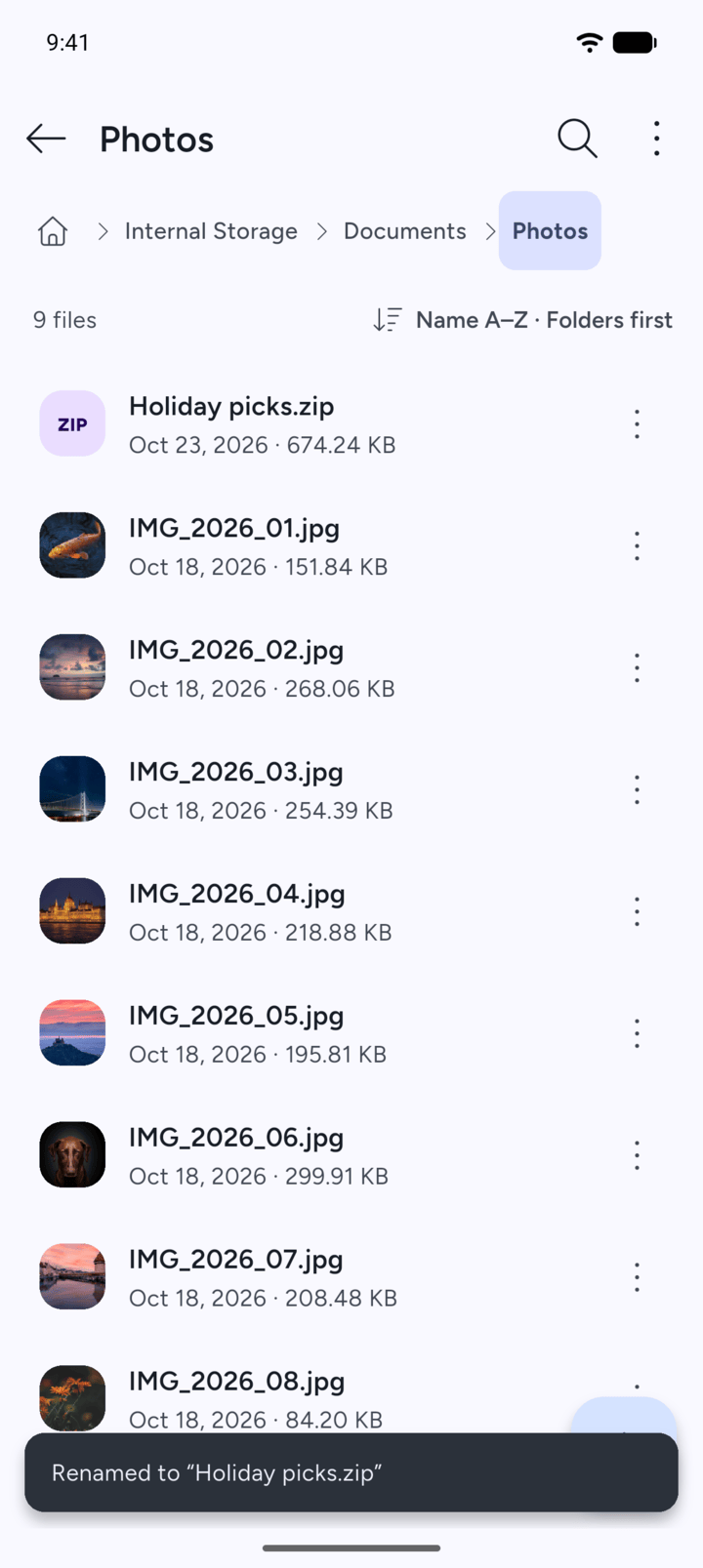
7Z shows Renamed to with the new name.
- Open the folder that holds the file or folder.
- Tap the three dots next to it and tap Rename.
- Type the new name and tap Rename.
- 7Z shows Renamed to with the new name.