 7Z
7Z
In this guide 4 steps
-
Overview
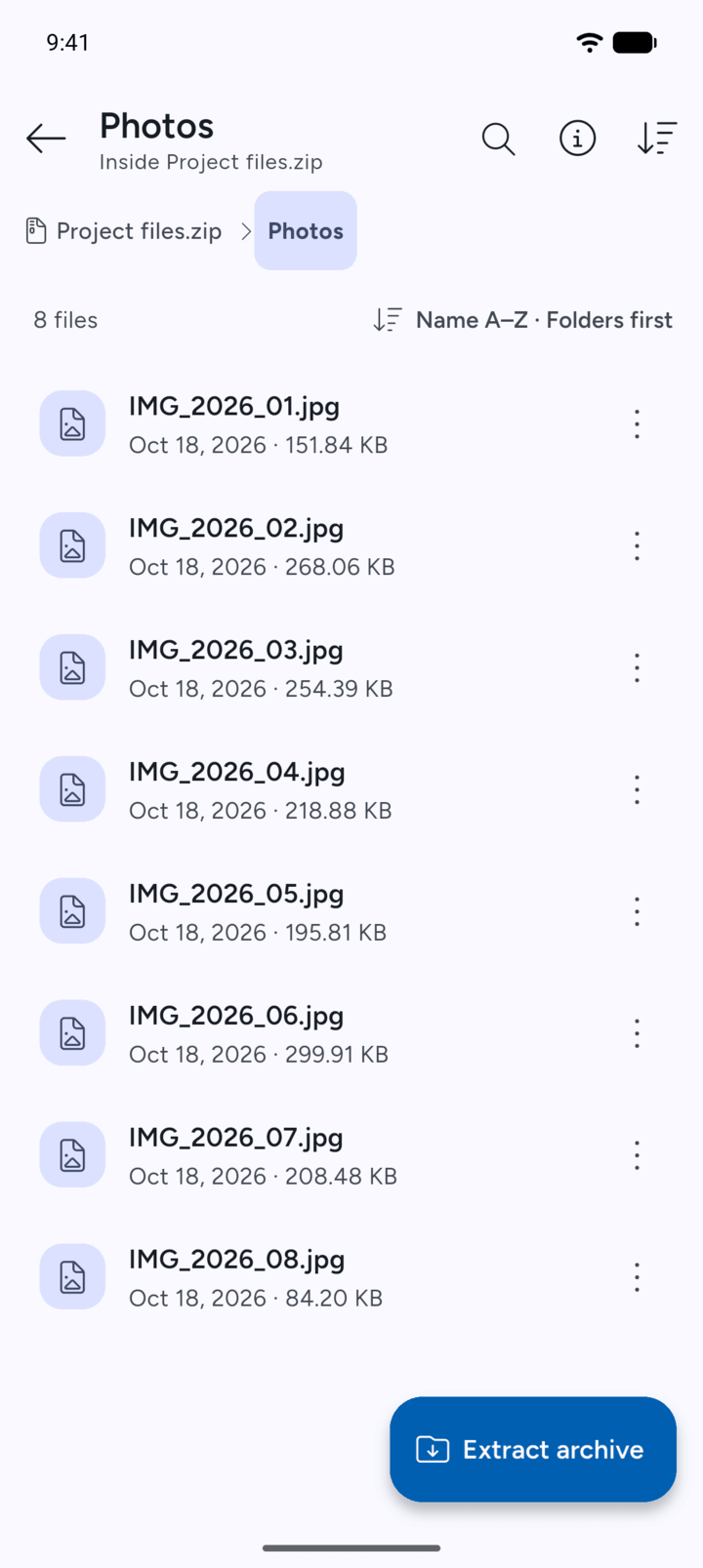
You can open one file from an archive without extracting the whole archive. To edit or keep the file, extract it.
-
Step 1
View the archive's contents and open the folder that holds the file.
-
Step 2
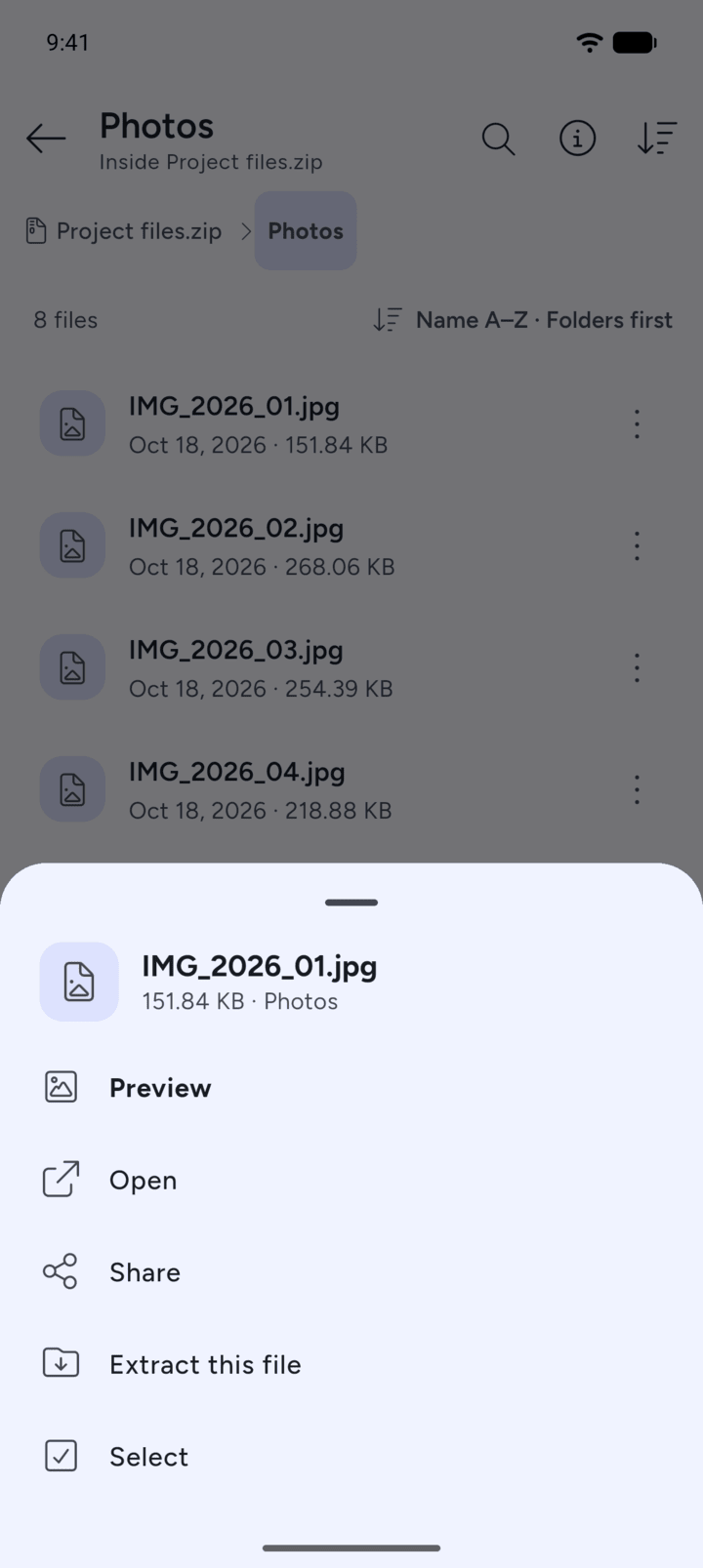
Tap the file. Choose Preview, Open, Share, Extract this file or Select.
-
Step 3
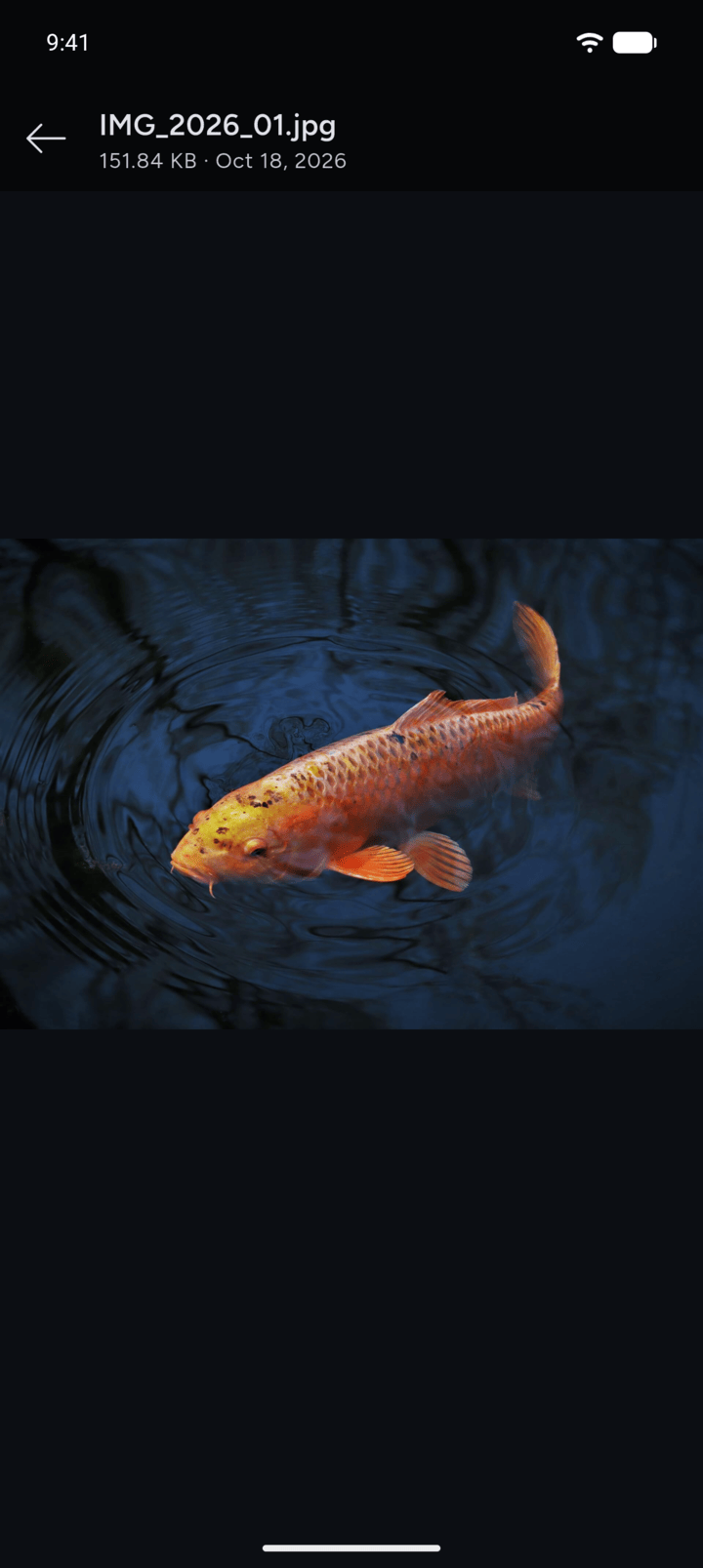
Preview shows an image inside 7Z. Pinch or double-tap to zoom.
-
Step 4
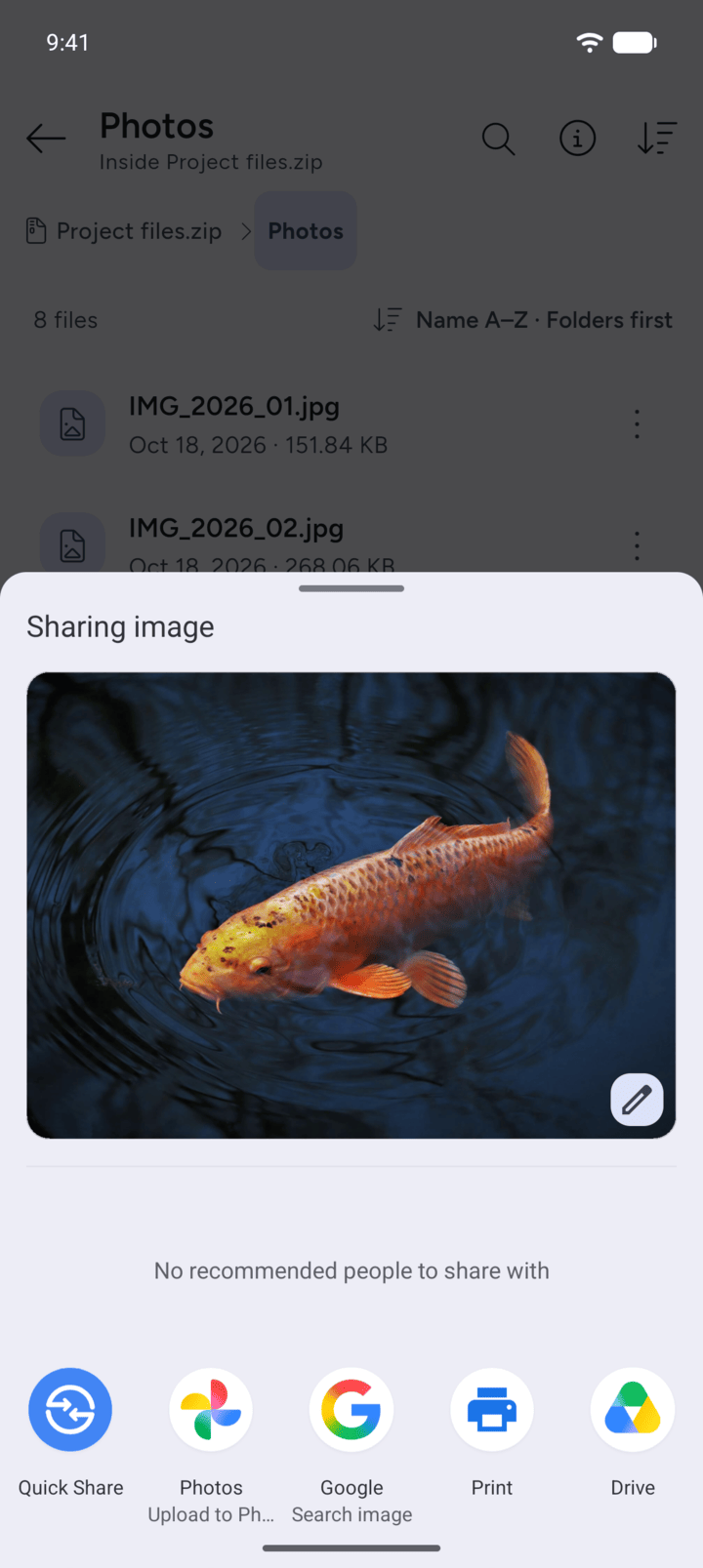
Share opens Android's share sheet, so you can send the file to another app.
-
Open opens the file in another app on your phone. Extract this file saves only that file to a folder you choose.
You can open one file from an archive without extracting the whole archive. To edit or keep the file, extract it.
- View the archive's contents and open the folder that holds the file.
- Tap the file. Choose Preview, Open, Share, Extract this file or Select.
- Preview shows an image inside 7Z. Pinch or double-tap to zoom.
- Share opens Android's share sheet, so you can send the file to another app.
Open opens the file in another app on your phone. Extract this file saves only that file to a folder you choose.