 7Z
7Z
In this guide 3 steps
-
Overview
Test an archive to check that every file in it can be read, without extracting anything.
-
Step 1
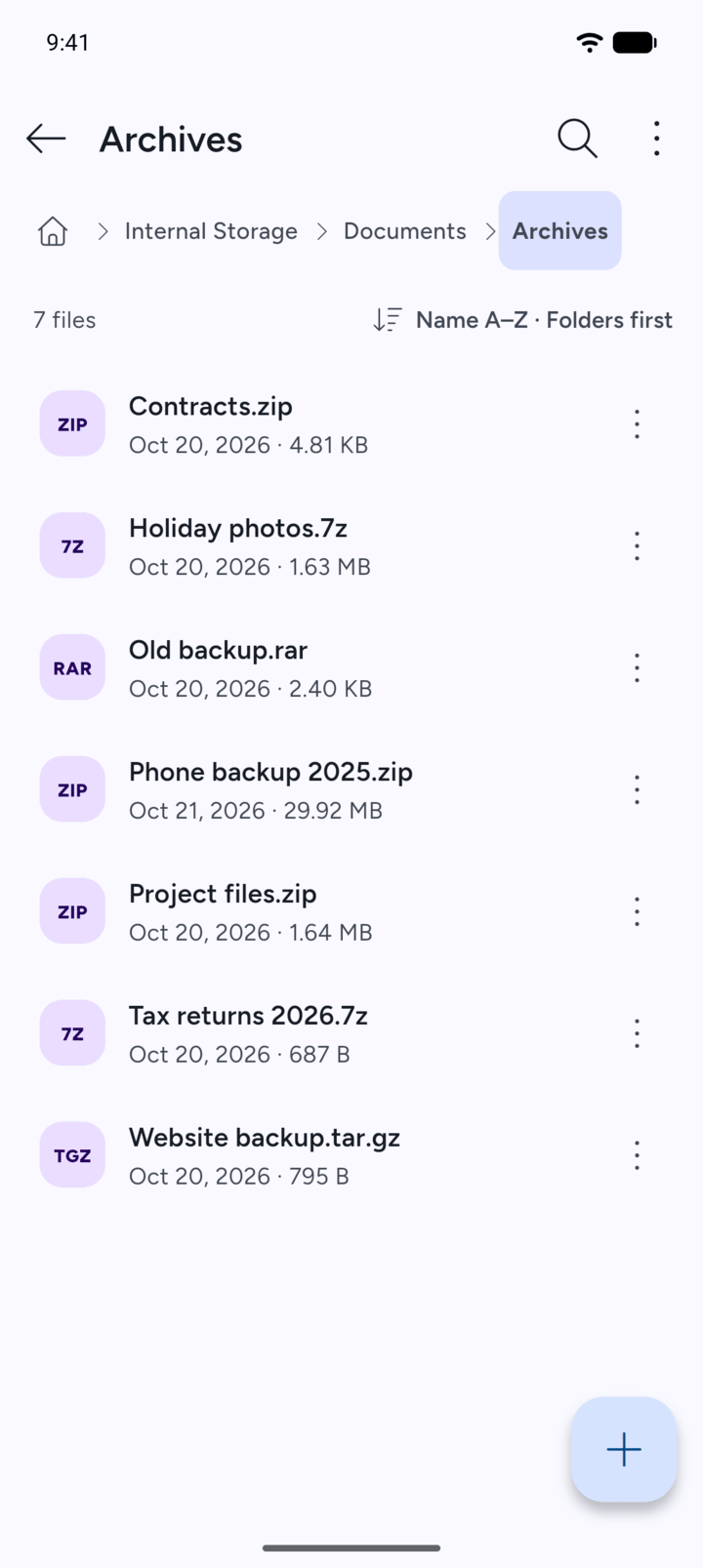
Open the folder that holds the archive.
-
Step 2
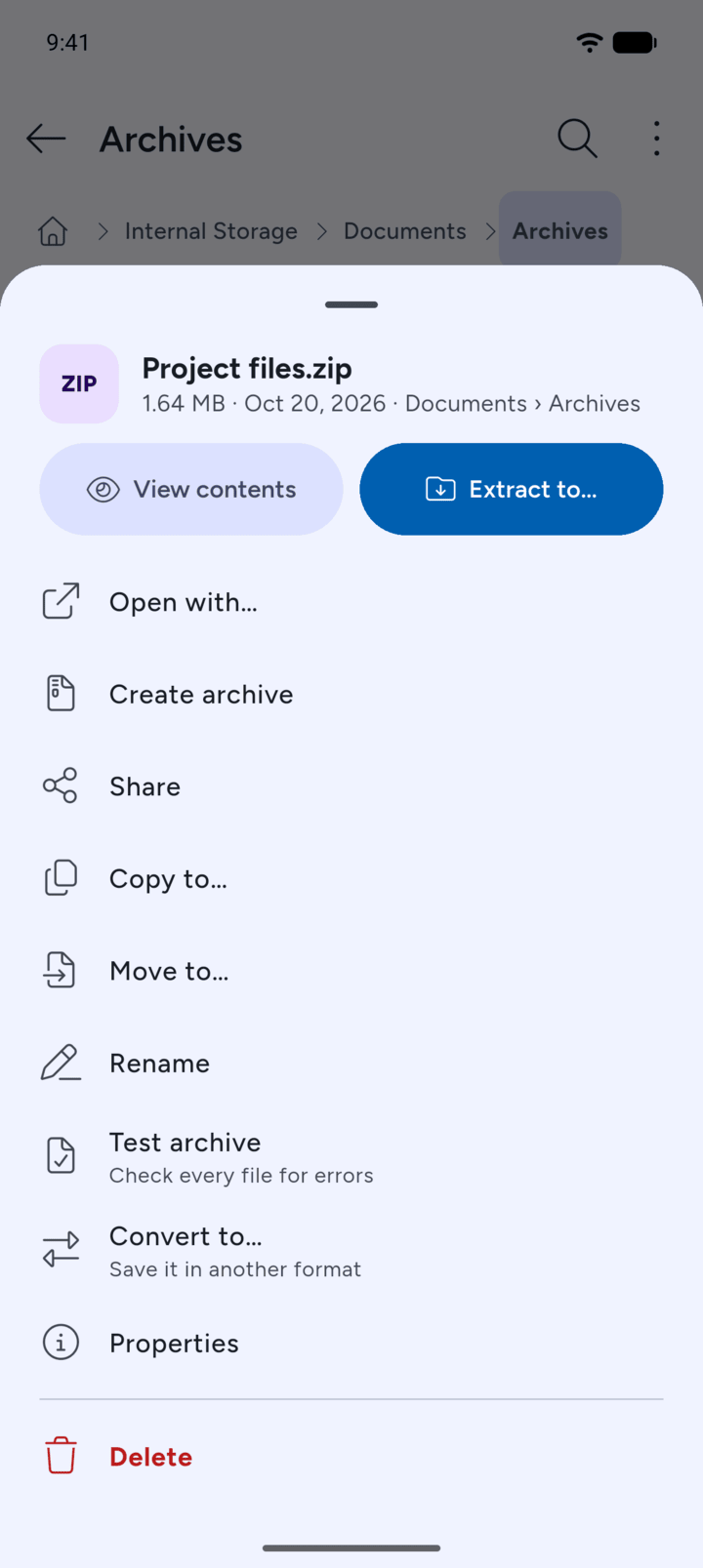
Tap the archive and tap Test archive.
-
Step 3
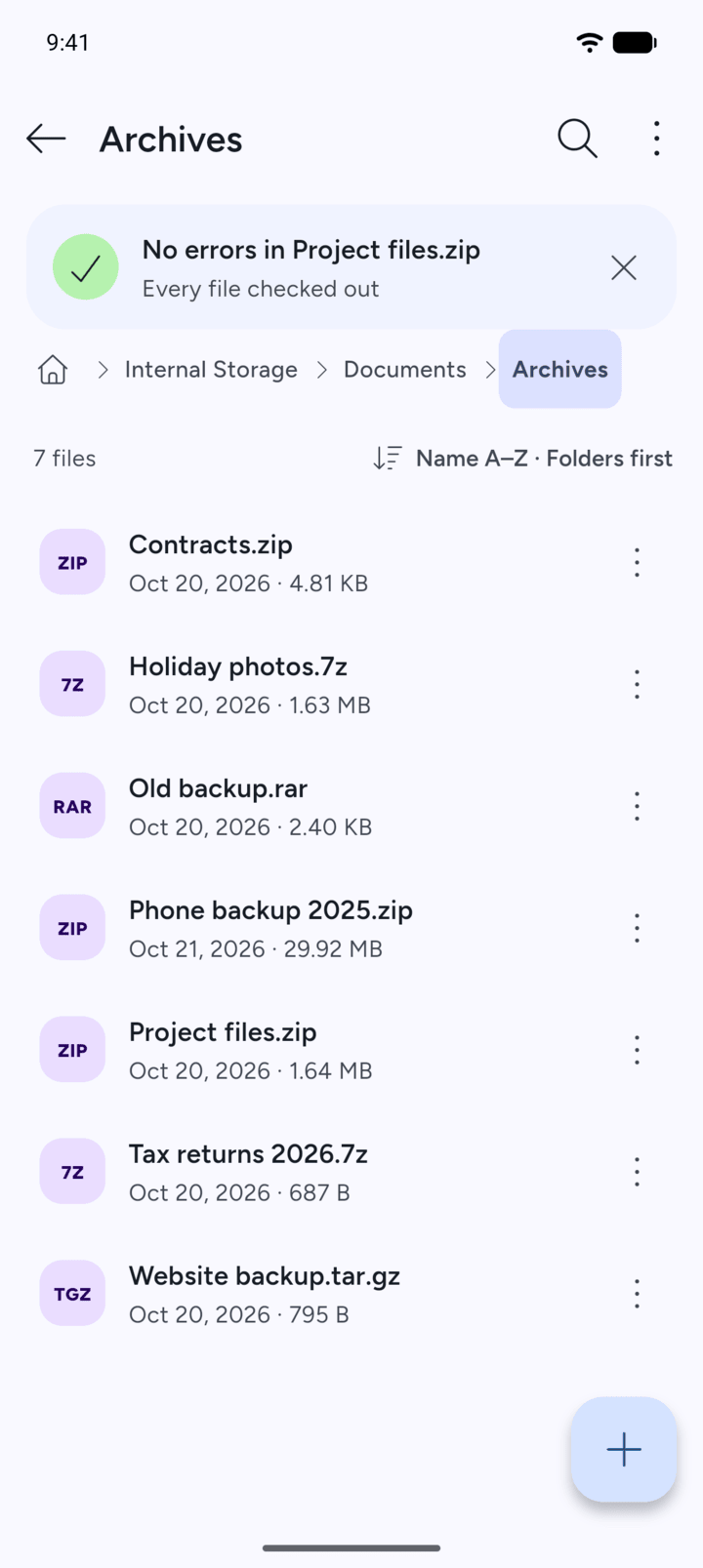
7Z checks every file. If nothing is wrong, it shows No errors in and the archive's name, with Every file checked out.
-
If a file is damaged, 7Z shows Errors in and the archive's name.
Test an archive to check that every file in it can be read, without extracting anything.
- Open the folder that holds the archive.
- Tap the archive and tap Test archive.
- 7Z checks every file. If nothing is wrong, it shows No errors in and the archive's name, with Every file checked out.
If a file is damaged, 7Z shows Errors in and the archive's name.