 7Z
7Z
In this guide 3 steps
-
Step 1
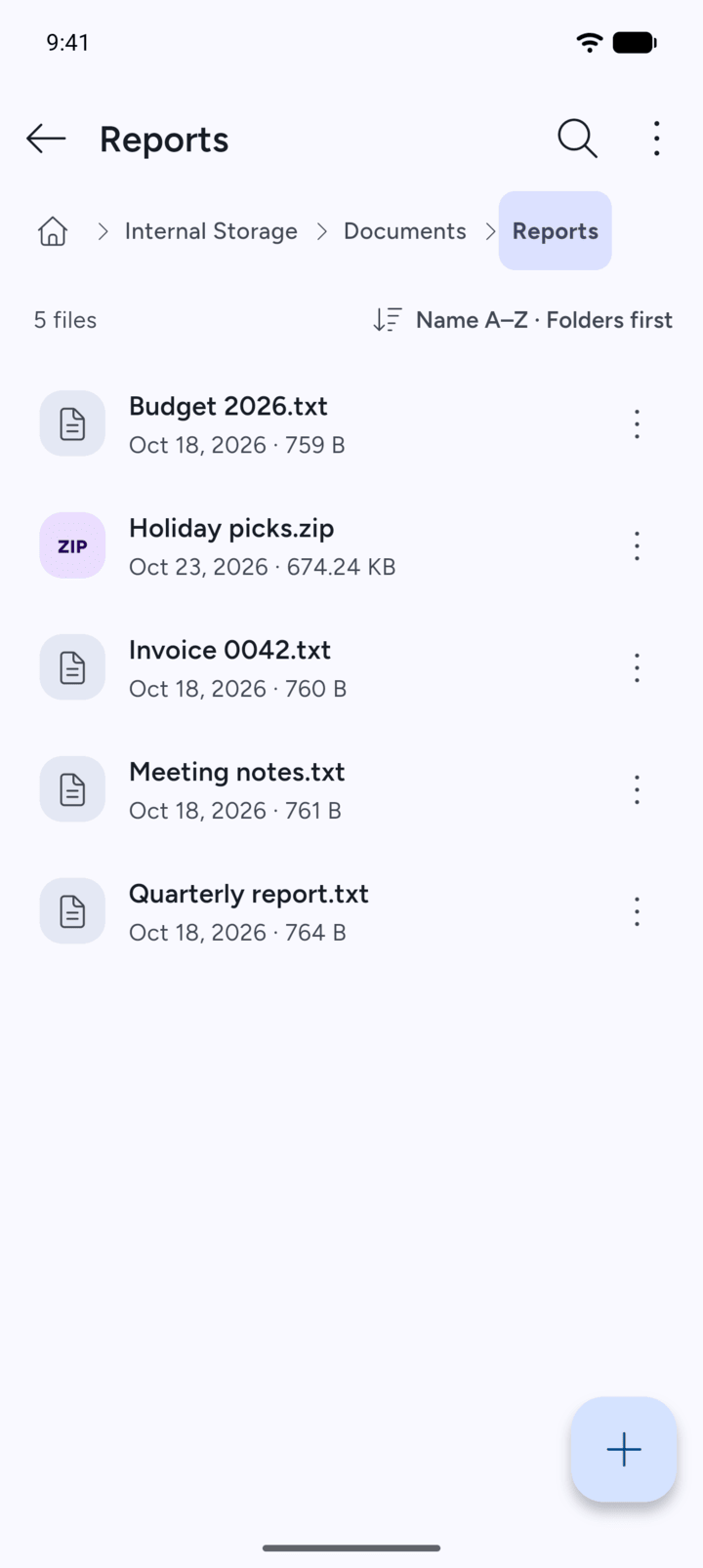
Open the folder that holds the file or folder.
-
Step 2
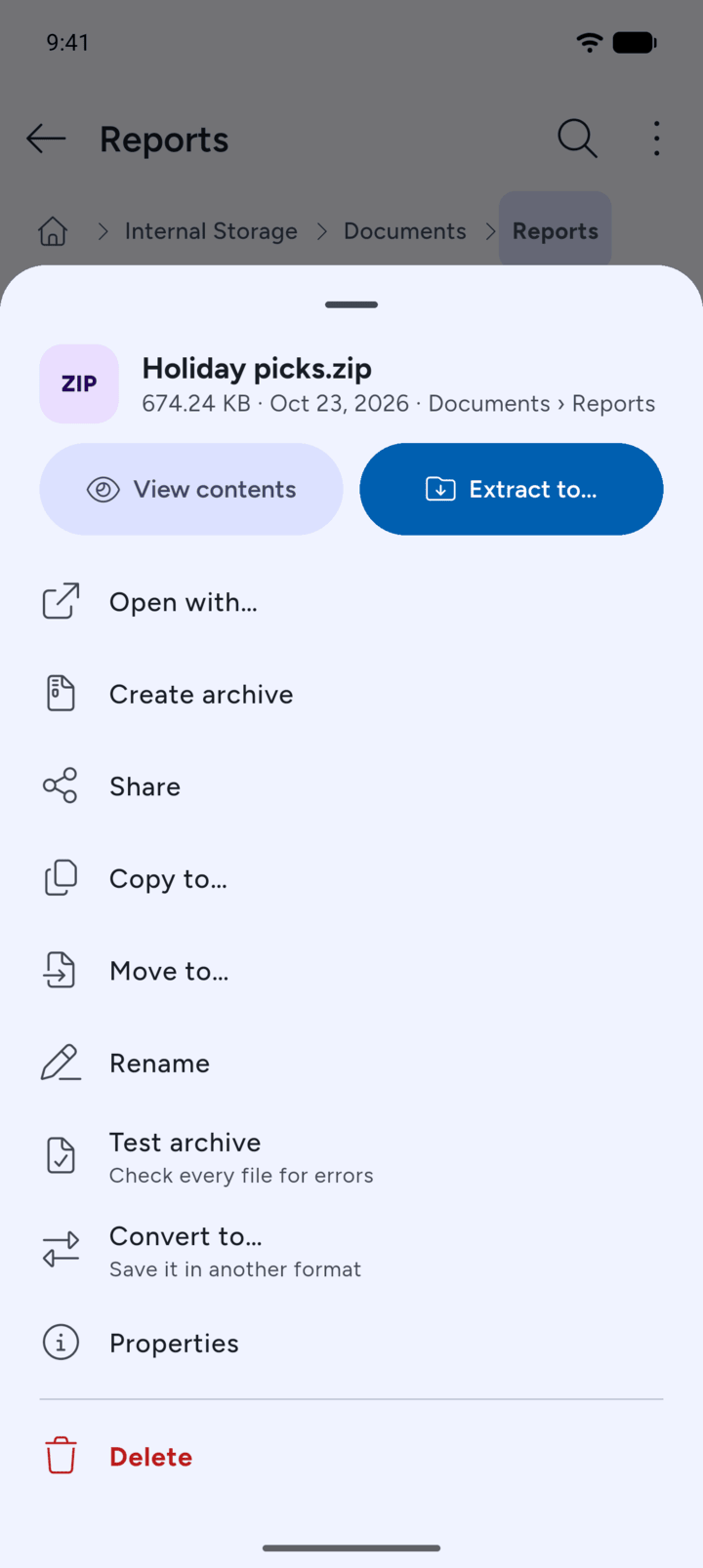
Tap the three dots next to it and tap Properties.
-
Step 3
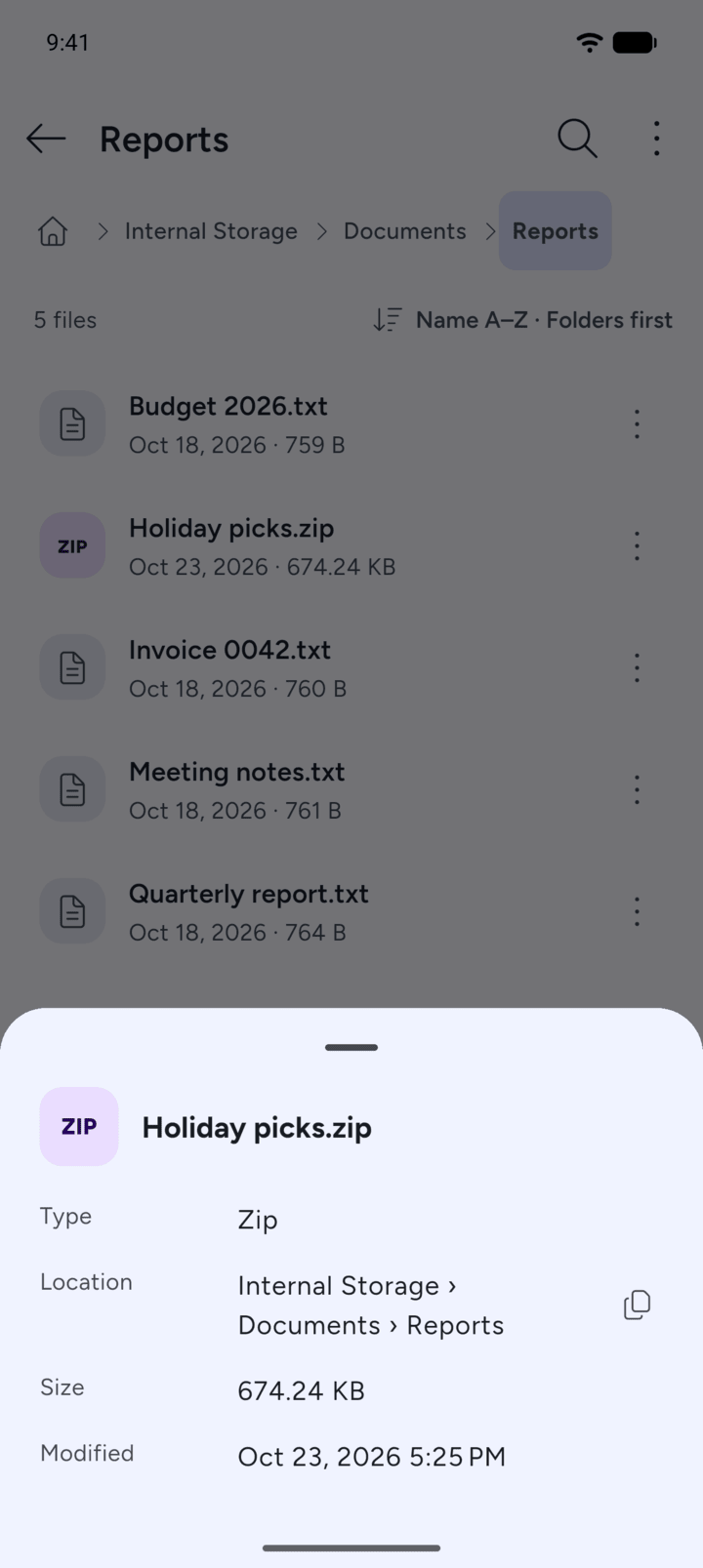
7Z shows the Type, Location, Size and when it was Modified. For a folder it also shows what it Contains. Tap the copy icon next to the location to copy it.
- Open the folder that holds the file or folder.
- Tap the three dots next to it and tap Properties.
- 7Z shows the Type, Location, Size and when it was Modified. For a folder it also shows what it Contains. Tap the copy icon next to the location to copy it.