 Sober Time
In this guide 4 steps
-
Overview
You can change Sober Time's color, move the options button, and choose between three layouts.
-
Step 1
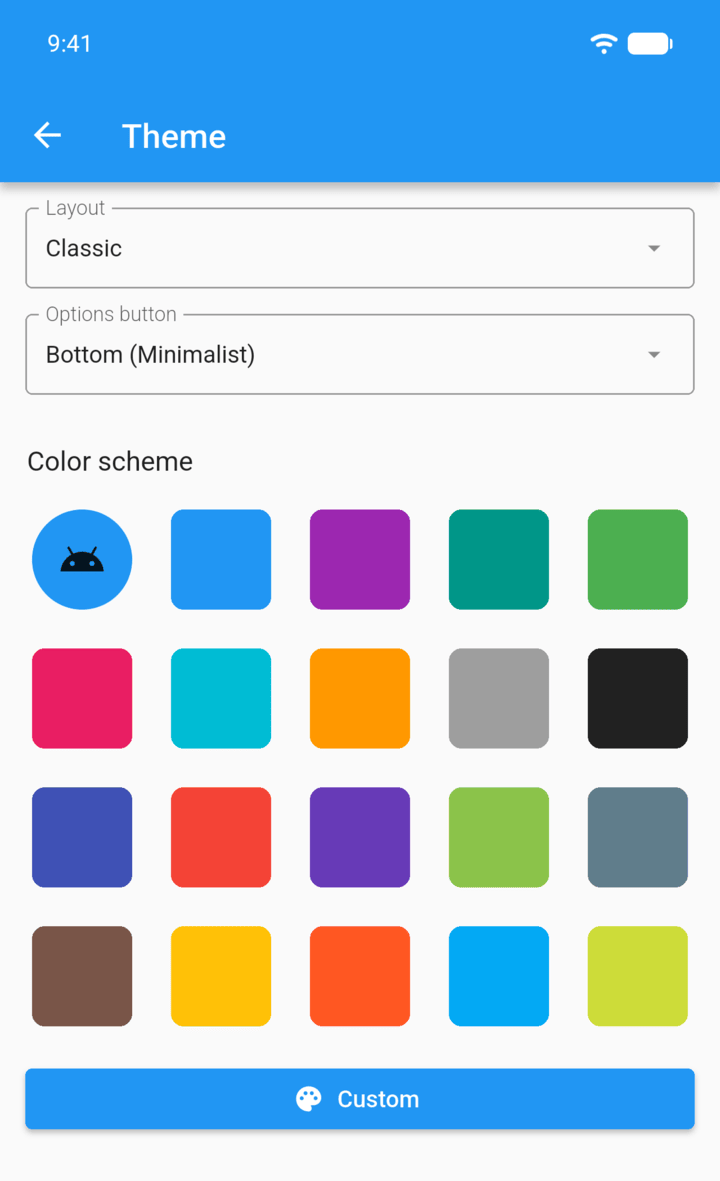
Tap the menu button ☰ in the top-left corner, then tap Settings › Theme.
-
Step 2
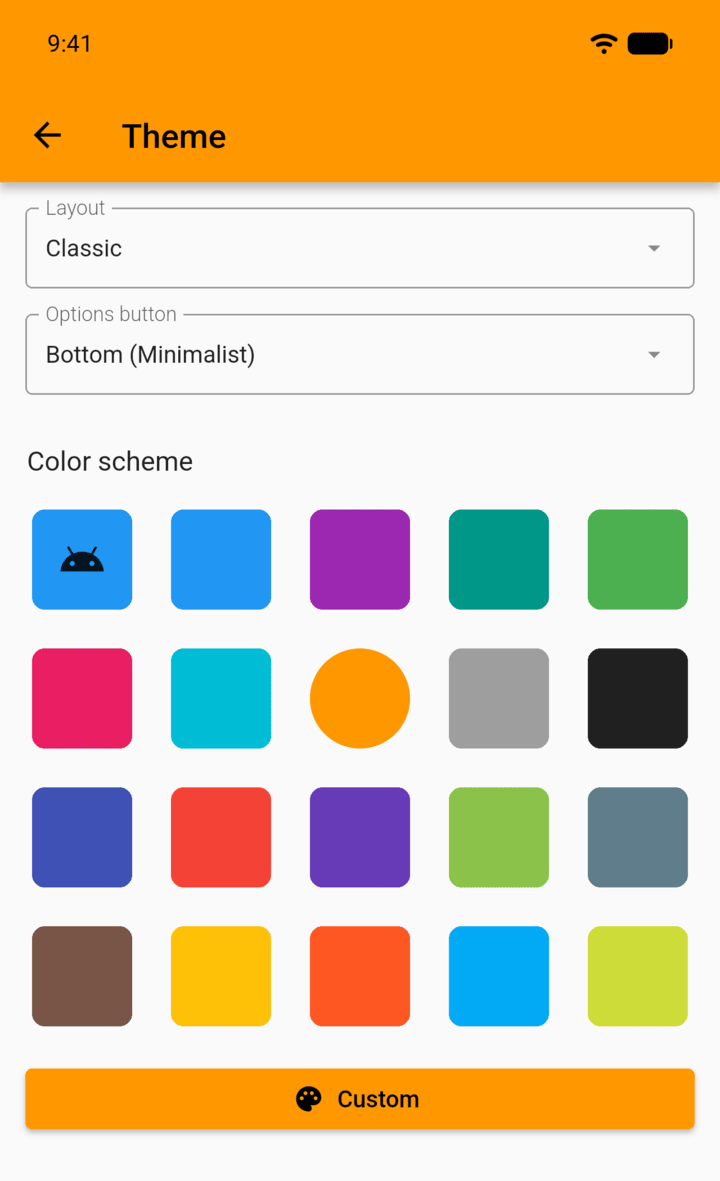
Under Color scheme, tap a color. The first tile follows your device's theme. Tap Custom to pick any color.
-
Step 3
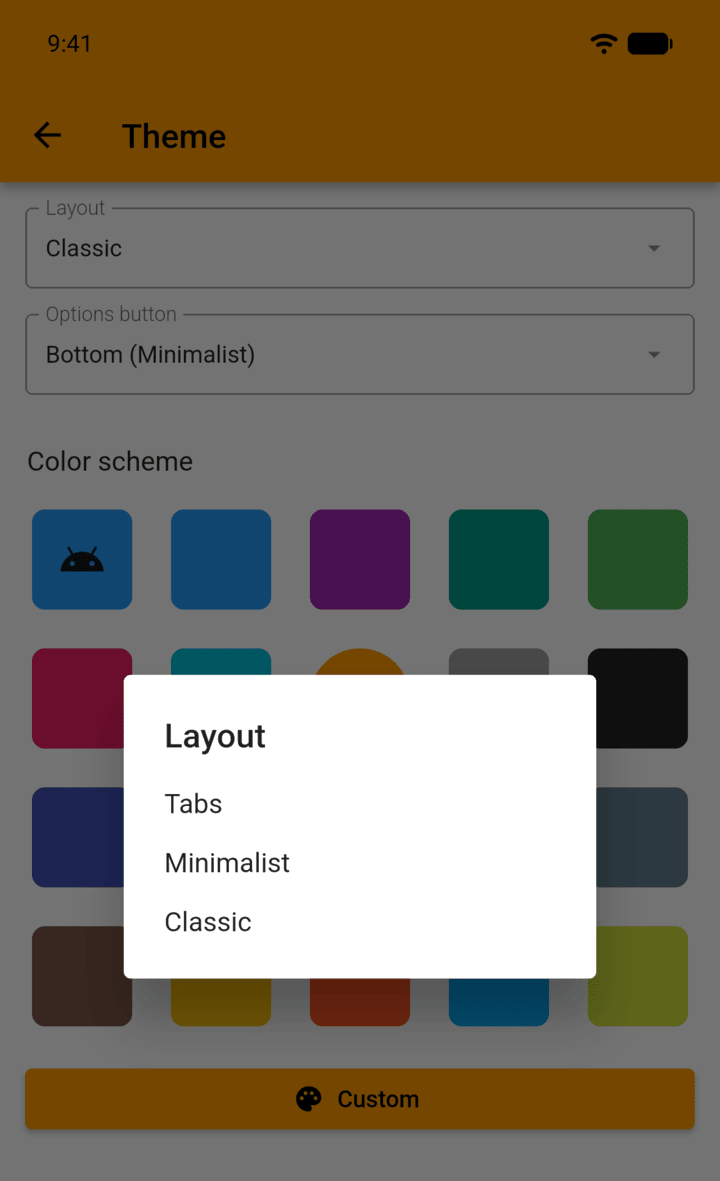
Tap Layout to choose Tabs, Minimalist or Classic. Tabs and Minimalist add a bar at the bottom of the screen.
-
Step 4
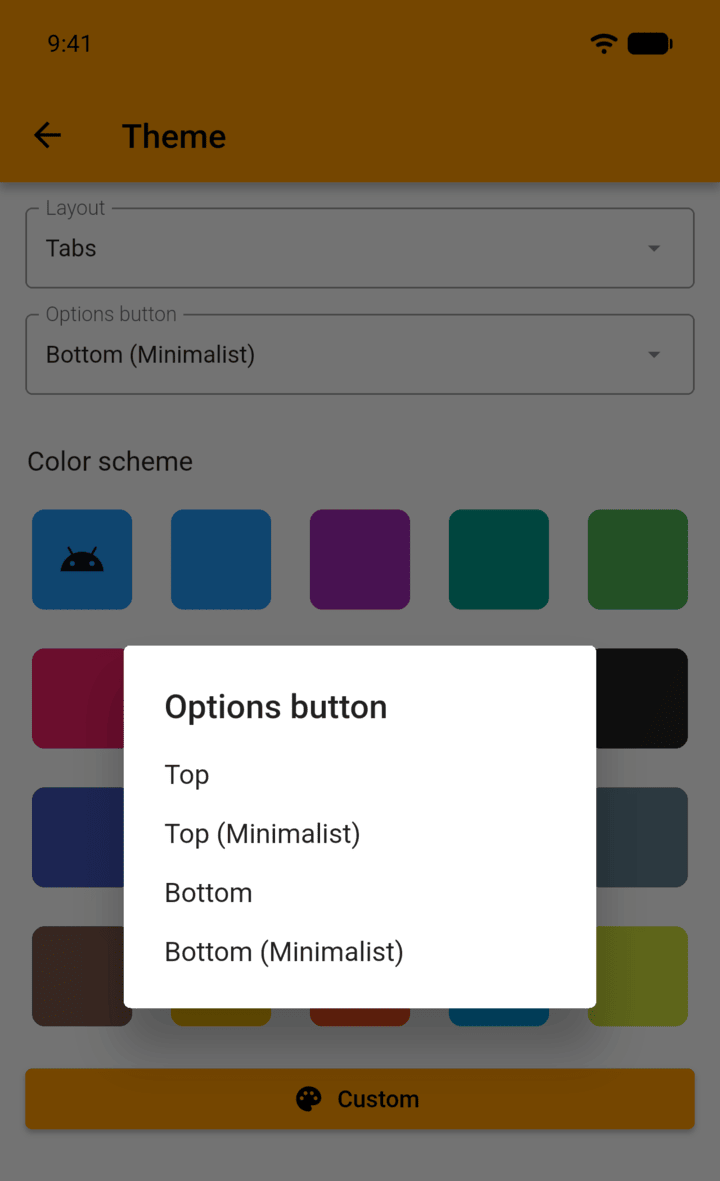
Tap Options button to choose where the tracker's options button appears.
-
Top and Top (Minimalist) are only offered with the Tabs and Minimalist layouts.
You can change Sober Time's color, move the options button, and choose between three layouts.
- Tap the menu button ☰ in the top-left corner, then tap Settings › Theme.
- Under Color scheme, tap a color. The first tile follows your device's theme. Tap Custom to pick any color.
- Tap Layout to choose Tabs, Minimalist or Classic. Tabs and Minimalist add a bar at the bottom of the screen.
- Tap Options button to choose where the tracker's options button appears.
Top and Top (Minimalist) are only offered with the Tabs and Minimalist layouts.