 7Z
7Z
In this guide 4 steps
-
Overview
Removing a folder takes away 7Z's access to it. Nothing in the folder is deleted.
-
Step 1
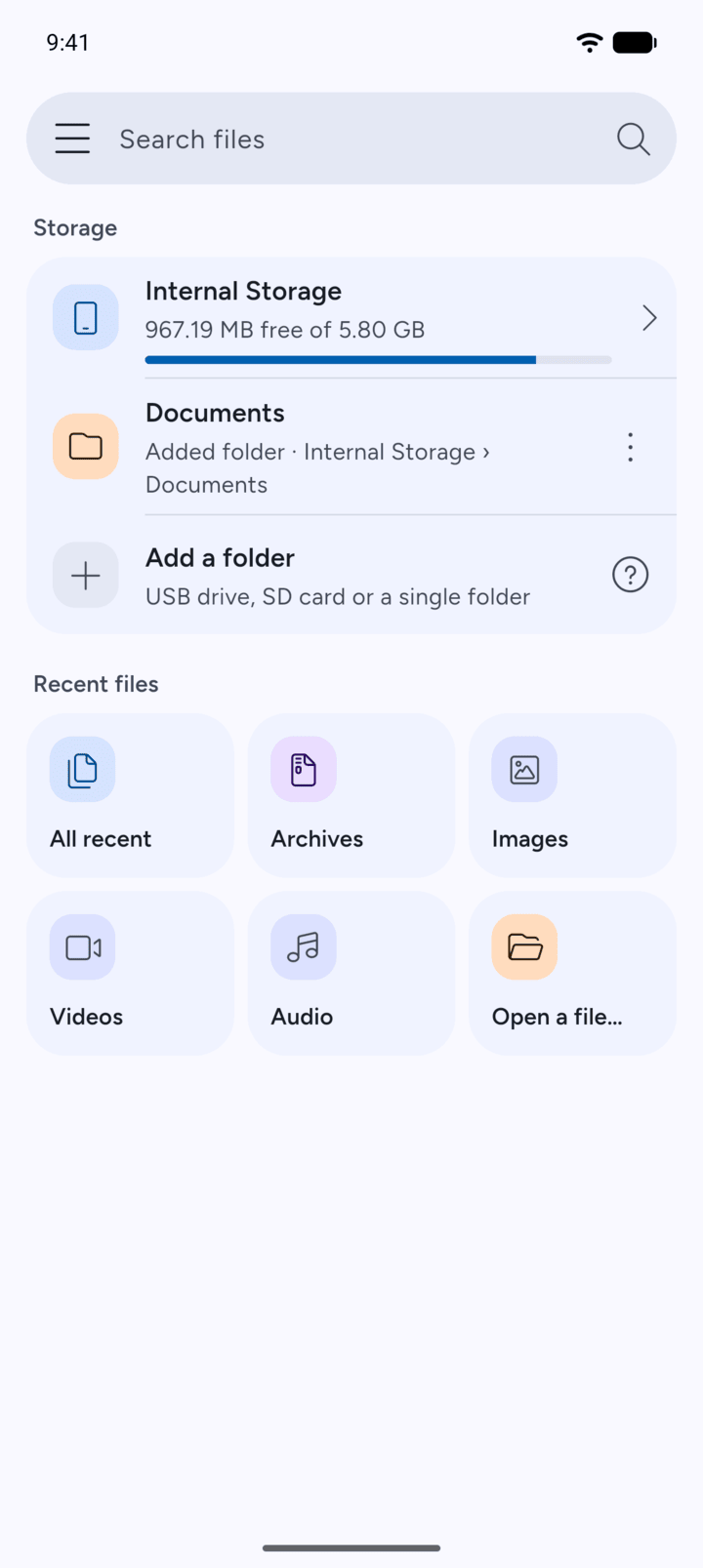
On Home, tap the three dots next to the folder you added.
-
Step 2
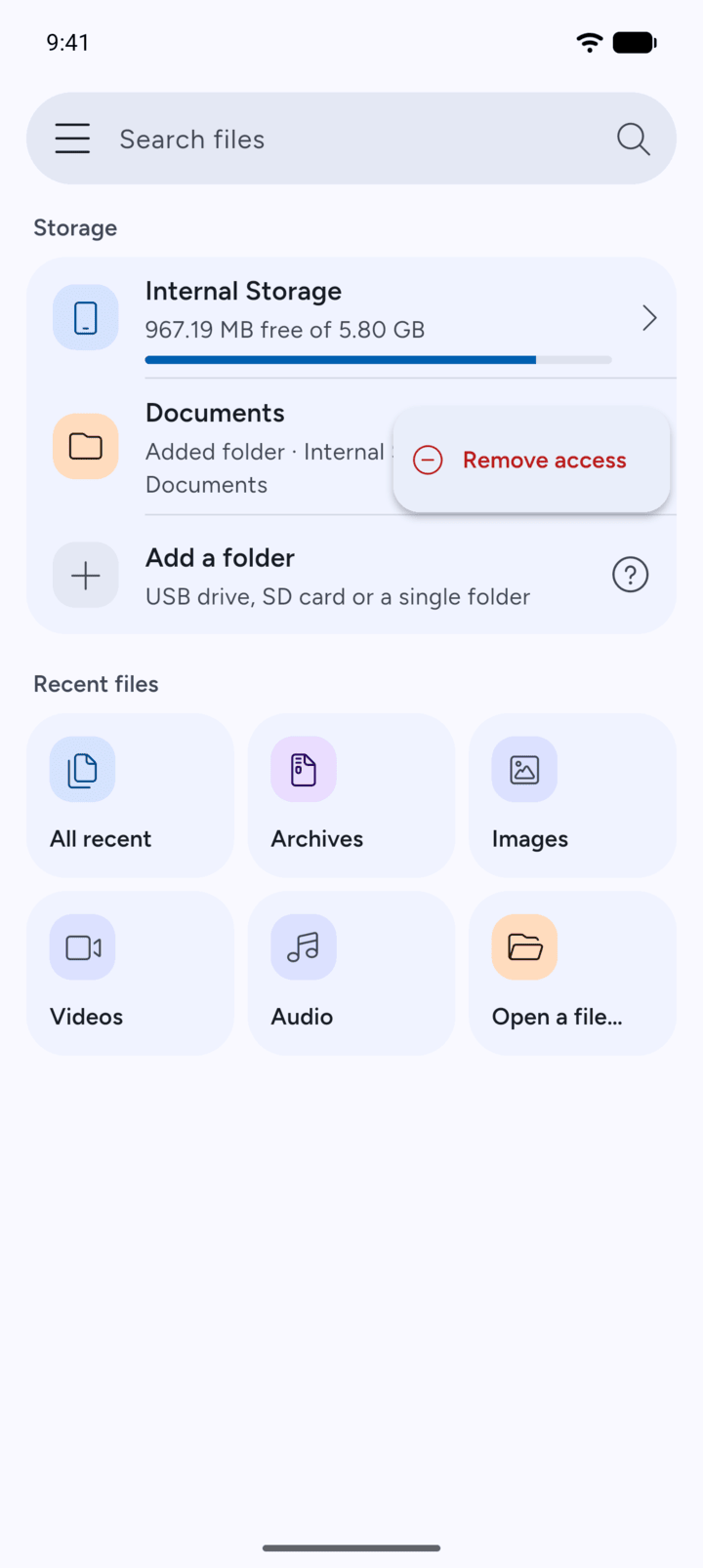
Tap Remove access.
-
Step 3
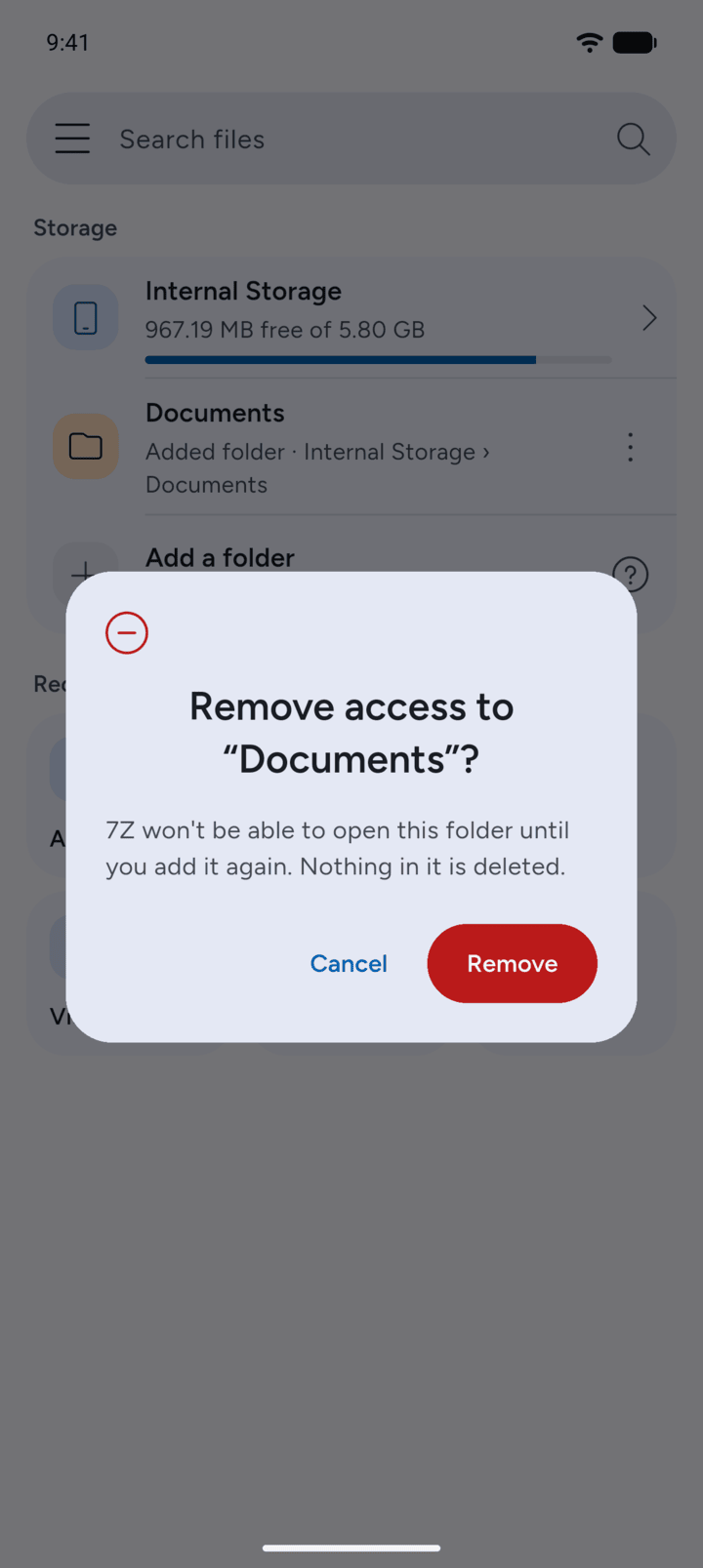
Tap Remove to confirm.
-
Step 4
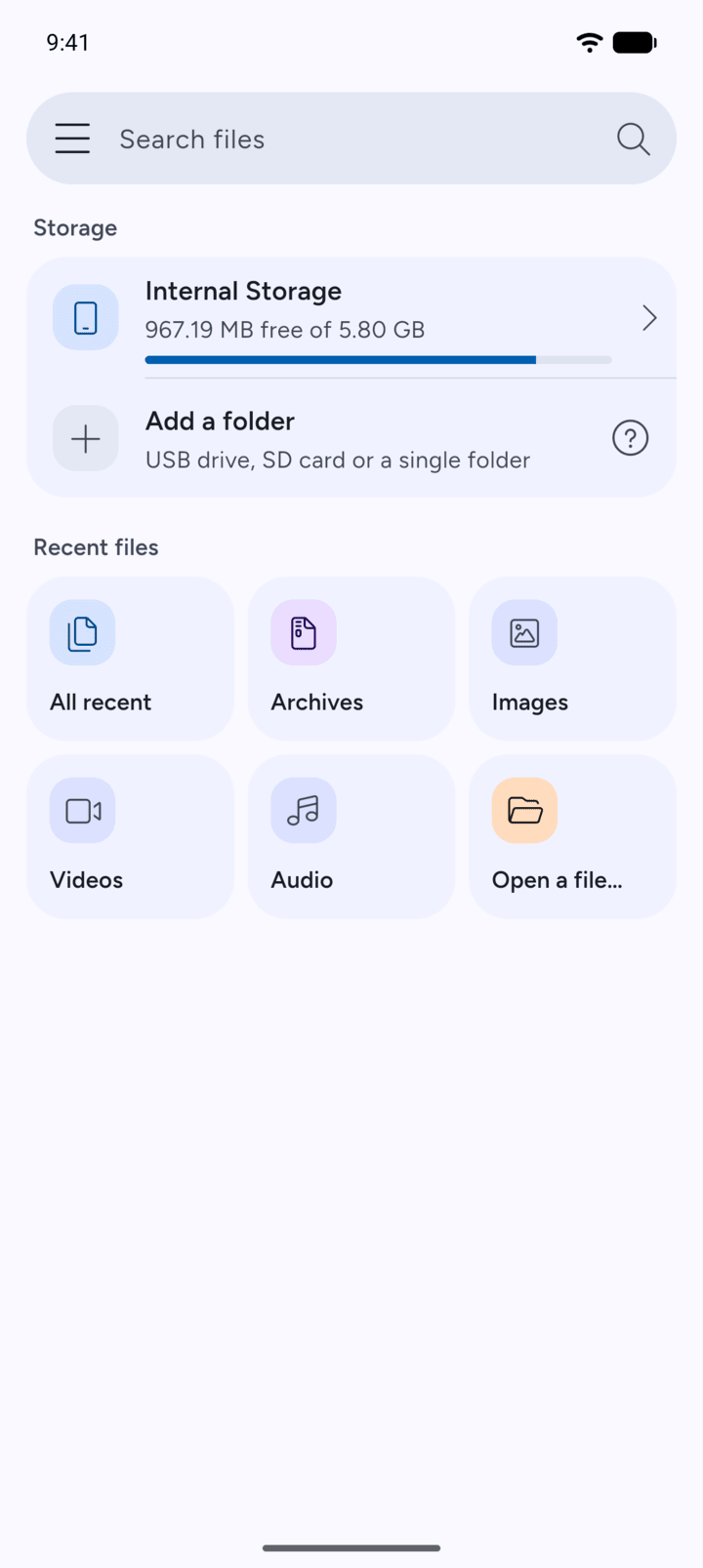
The folder is no longer on Home. To use it again, add it again with Add a folder.
Removing a folder takes away 7Z's access to it. Nothing in the folder is deleted.
- On Home, tap the three dots next to the folder you added.
- Tap Remove access.
- Tap Remove to confirm.
- The folder is no longer on Home. To use it again, add it again with Add a folder.