 Sober Time
In this guide 4 steps
-
Overview
You can track as many things as you like. Each one gets its own tracker and tab on the Home screen.
-
Step 1
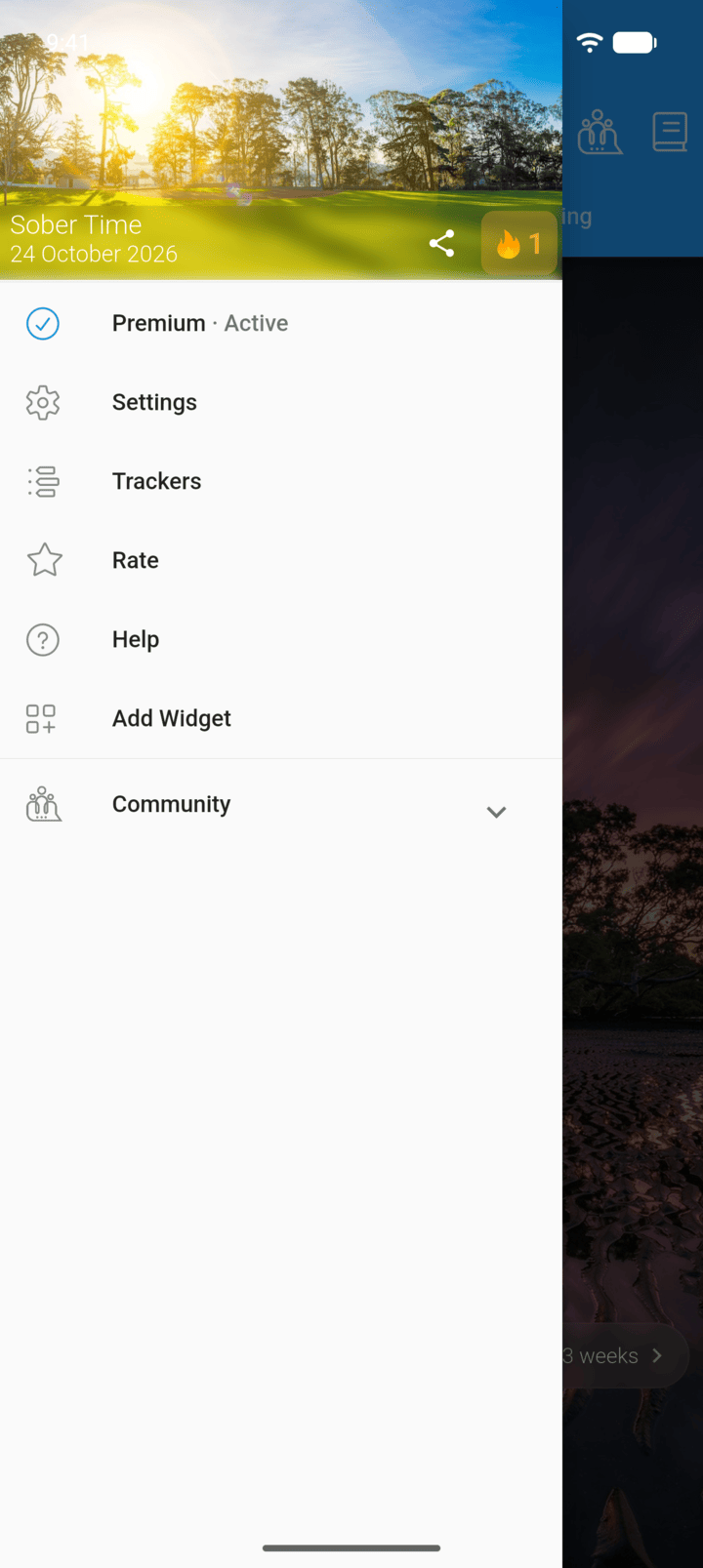
Tap the menu button ☰ in the top-left corner, then tap Trackers.
-
Step 2
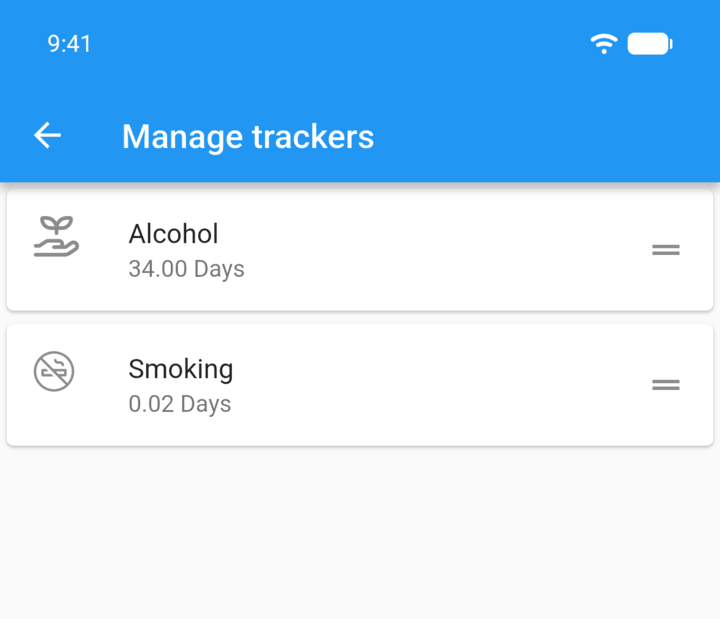
Tap the + button in the bottom-right corner.
-
Step 3
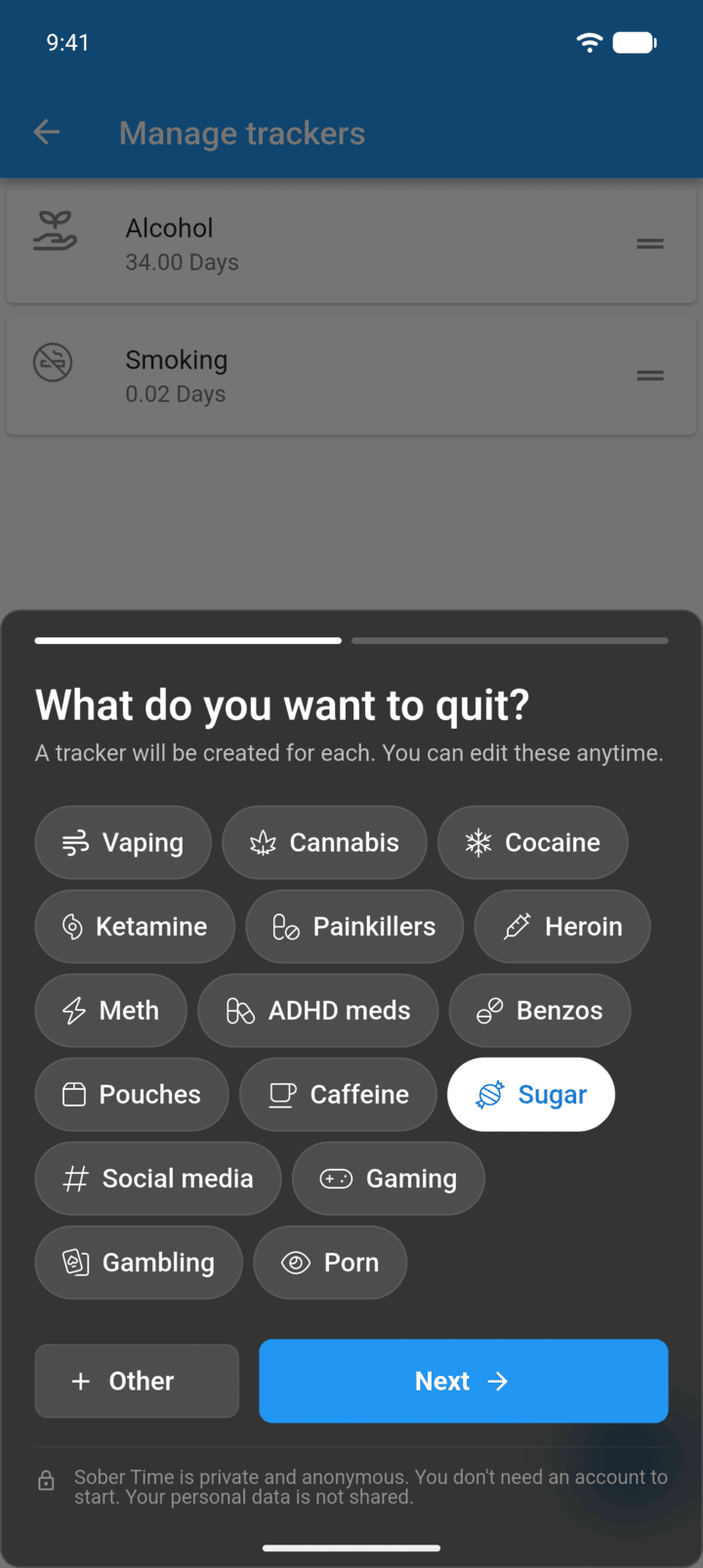
Tap what you want to quit, or + Other for your own, then tap Next.
-
Step 4
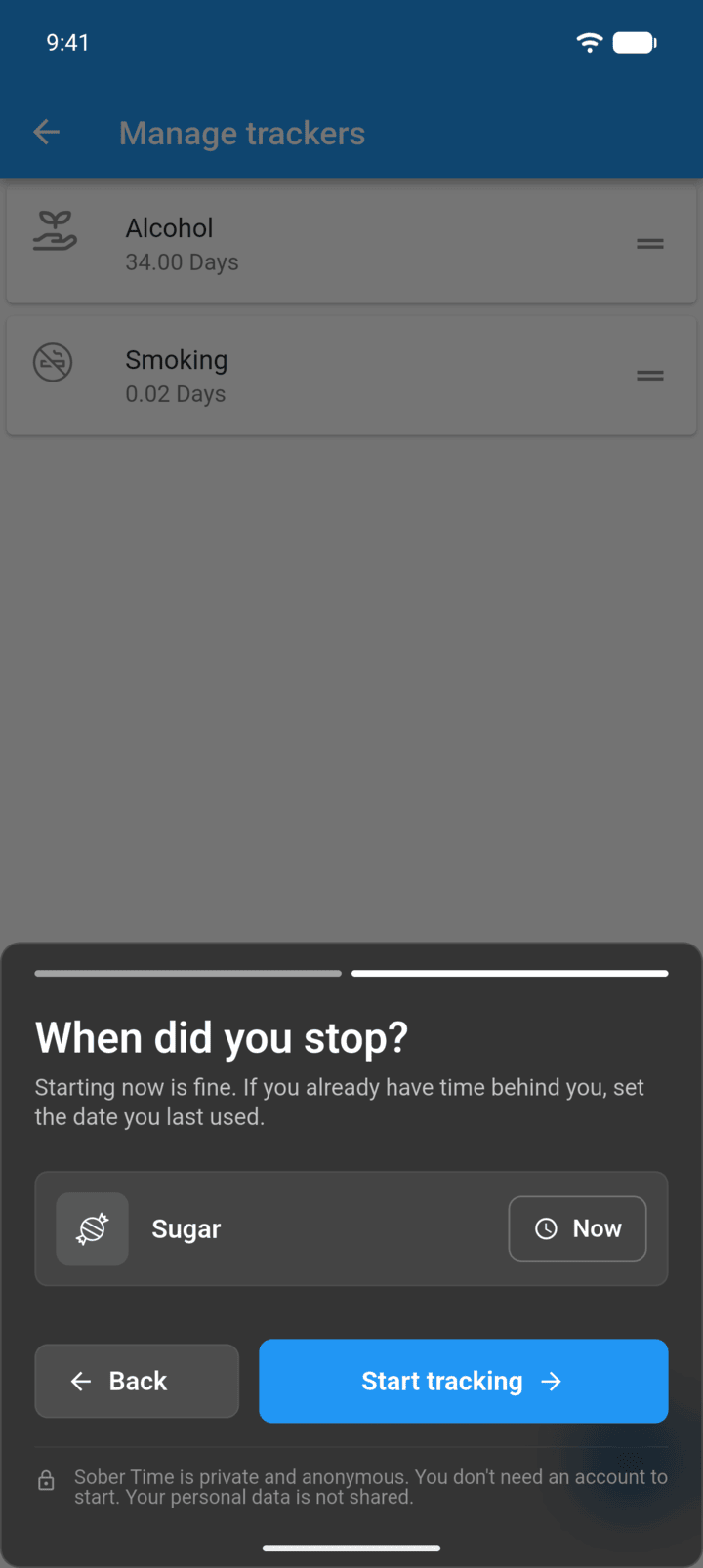
Set when you stopped, then tap Start tracking.
-
When you only have one tracker, you can also open its options and tap Add tracker.
You can track as many things as you like. Each one gets its own tracker and tab on the Home screen.
- Tap the menu button ☰ in the top-left corner, then tap Trackers.
- Tap the + button in the bottom-right corner.
- Tap what you want to quit, or + Other for your own, then tap Next.
- Set when you stopped, then tap Start tracking.
When you only have one tracker, you can also open its options and tap Add tracker.