 Sober Time
In this guide 6 steps
-
Overview
The clean date is when the tracker started counting. Change it if you set the wrong date or want to count from an earlier date.
-
Step 1
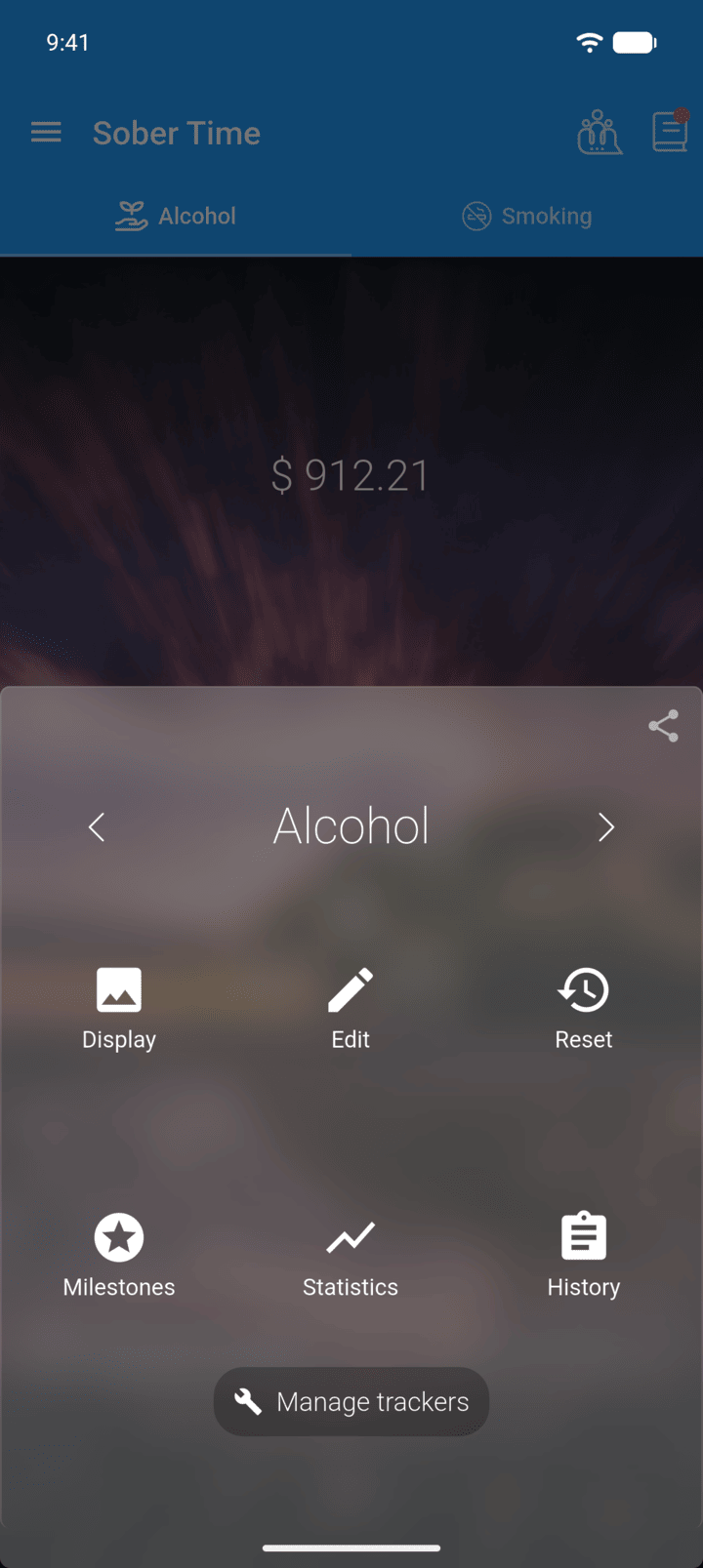
On the Home screen, swipe to the tracker you want. Tap the round arrow button at the bottom of the screen to open its options. Tap Edit.
-
Step 2
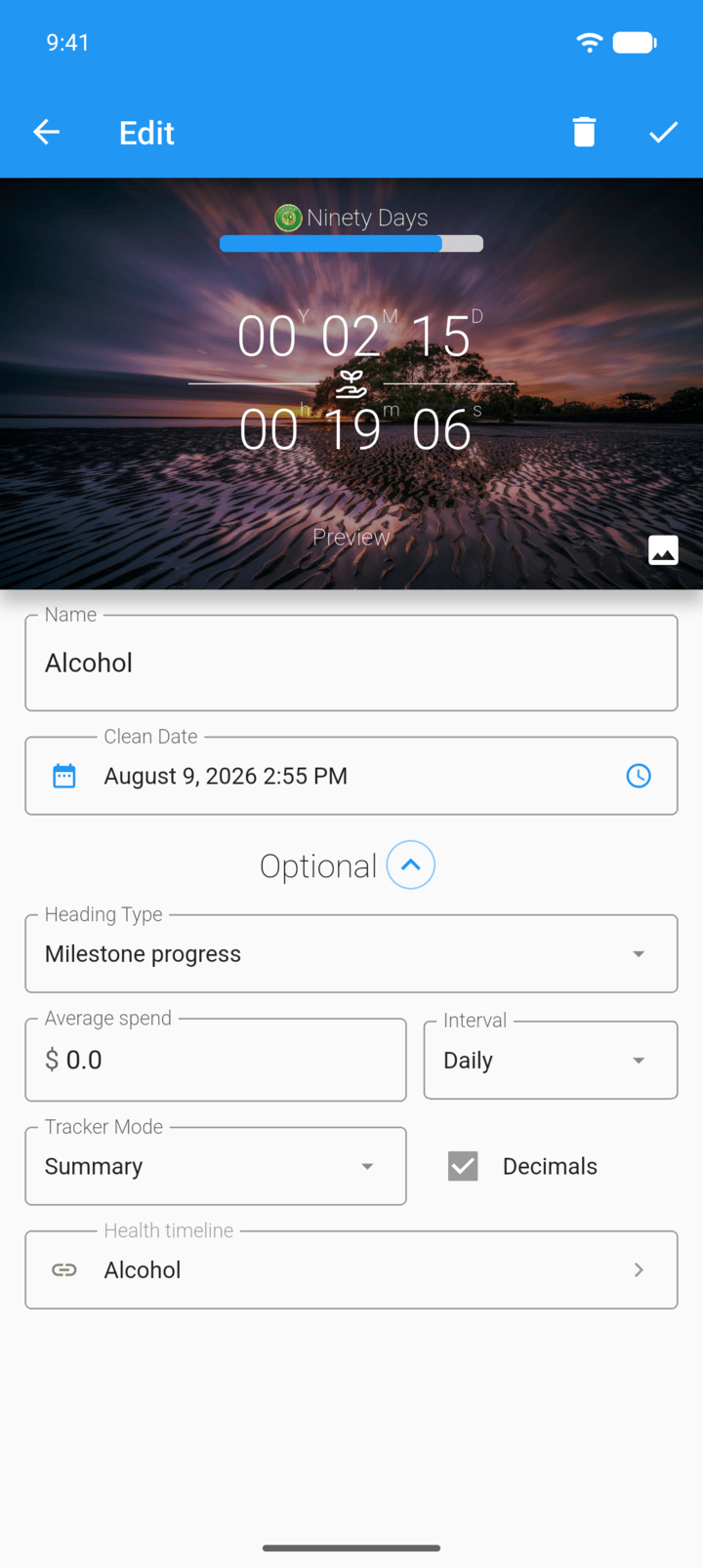
Tap Clean Date.
-
Step 3
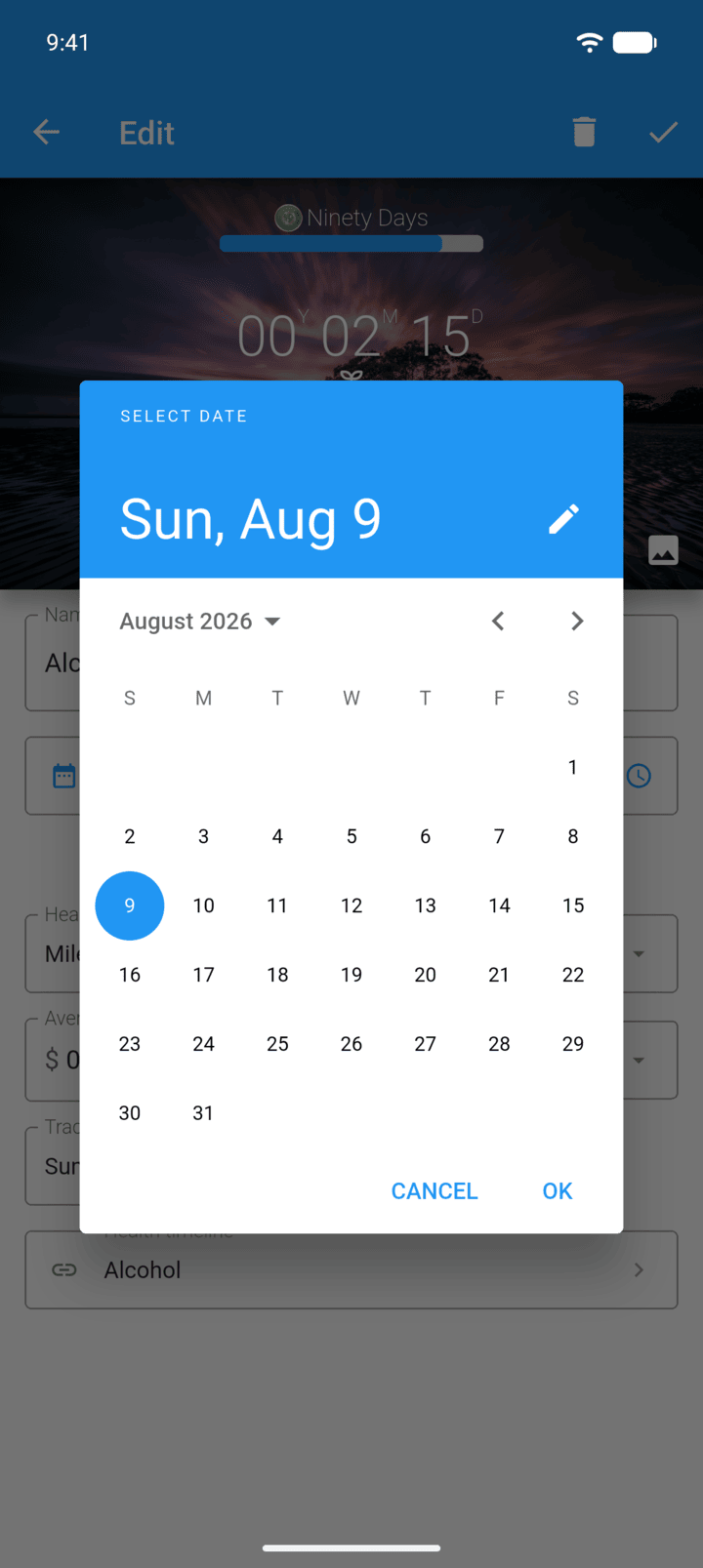
To change the year, tap the month and year at the top of the calendar.
-
Step 4
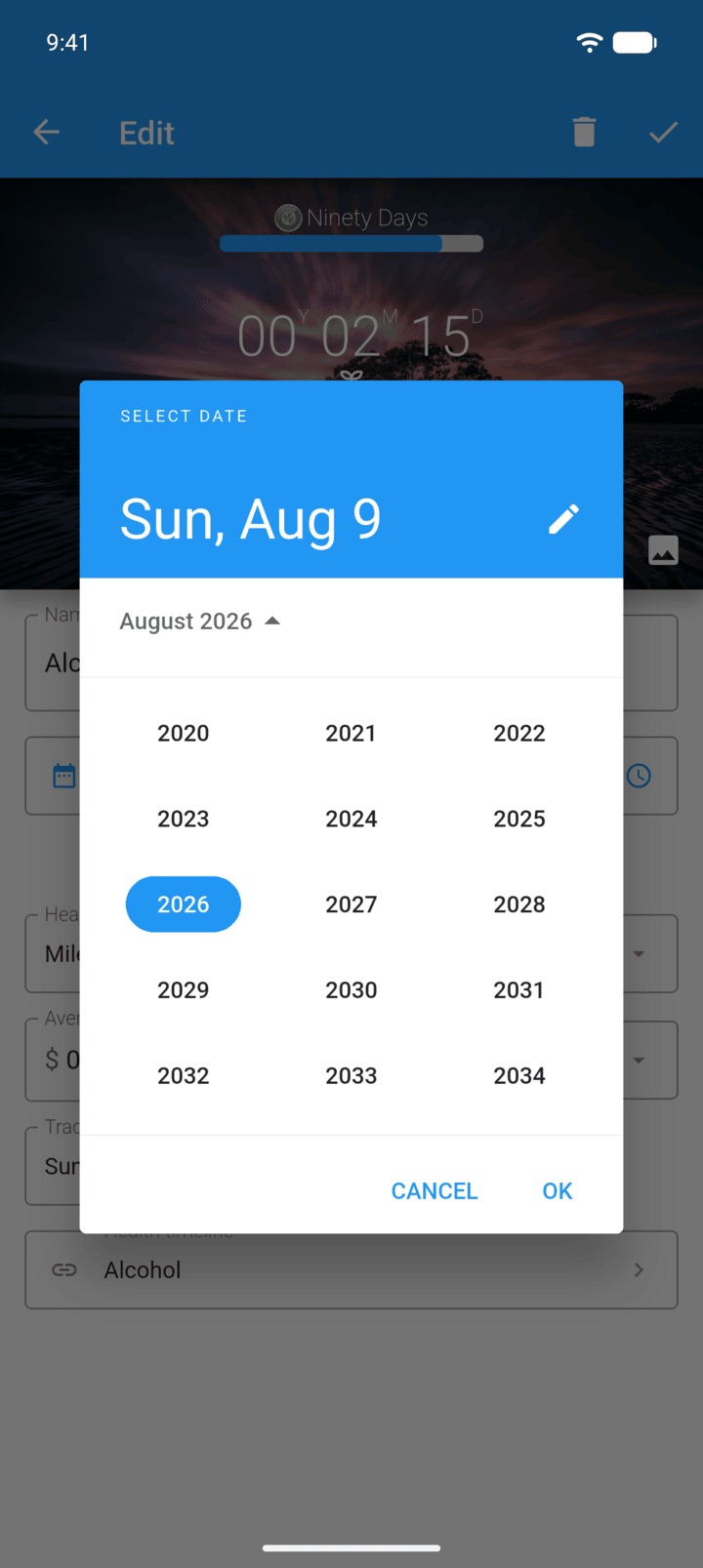
Tap the year you want, then tap the day and OK.
-
Step 5
To change the time, tap the clock icon on the right of Clean Date.
-
Step 6
Tap the check mark in the top-right corner to save.
You can also tap the pencil icon in the calendar to type the date. Every date picker in Sober Time works the same way.
The clean date is when the tracker started counting. Change it if you set the wrong date or want to count from an earlier date.
- On the Home screen, swipe to the tracker you want. Tap the round arrow button at the bottom of the screen to open its options. Tap Edit.
- Tap Clean Date.
- To change the year, tap the month and year at the top of the calendar.
- Tap the year you want, then tap the day and OK.
- To change the time, tap the clock icon on the right of Clean Date.
- Tap the check mark in the top-right corner to save.
You can also tap the pencil icon in the calendar to type the date. Every date picker in Sober Time works the same way.