 Sober Time
In this guide 3 steps
-
Step 1
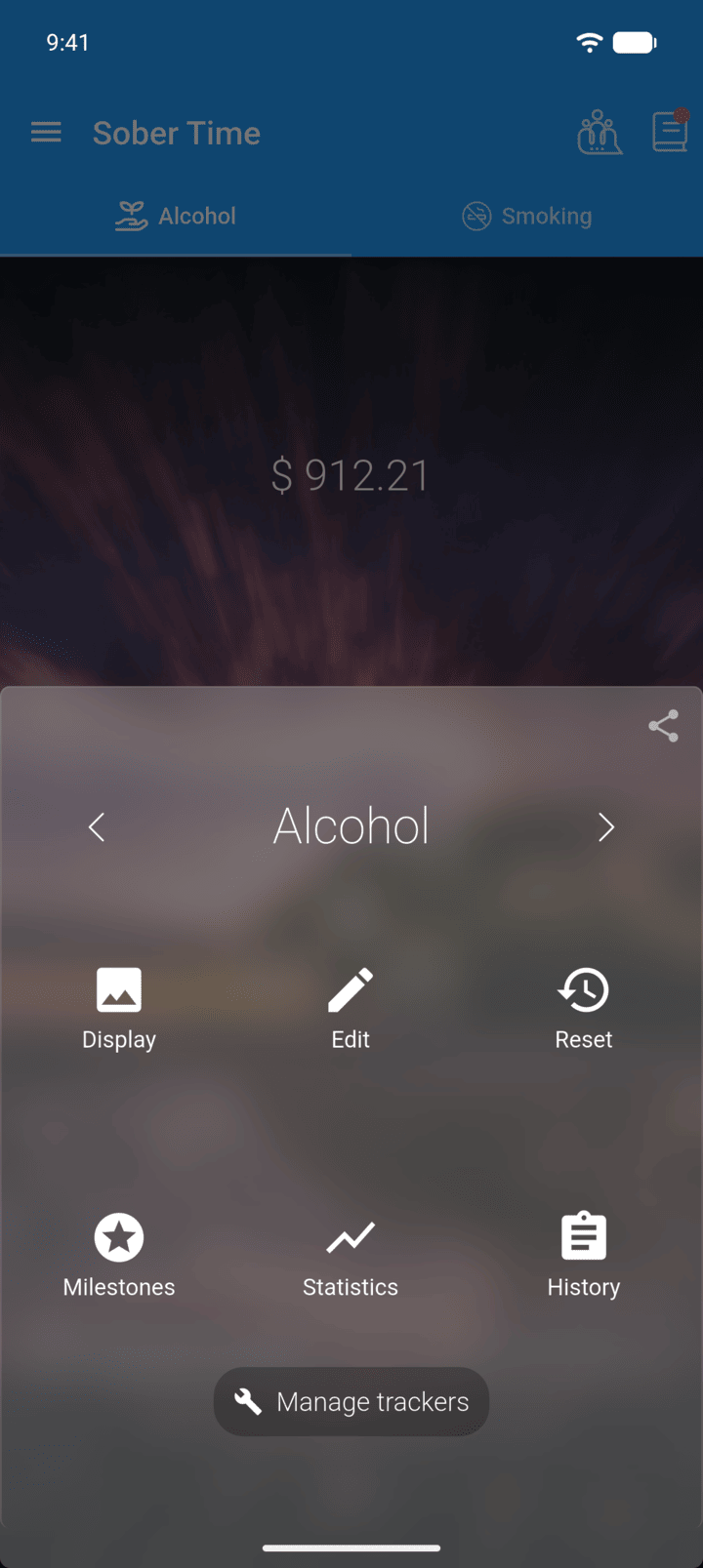
On the Home screen, swipe to the tracker you want. Tap the round arrow button at the bottom of the screen to open its options. Tap Edit.
-
Step 2
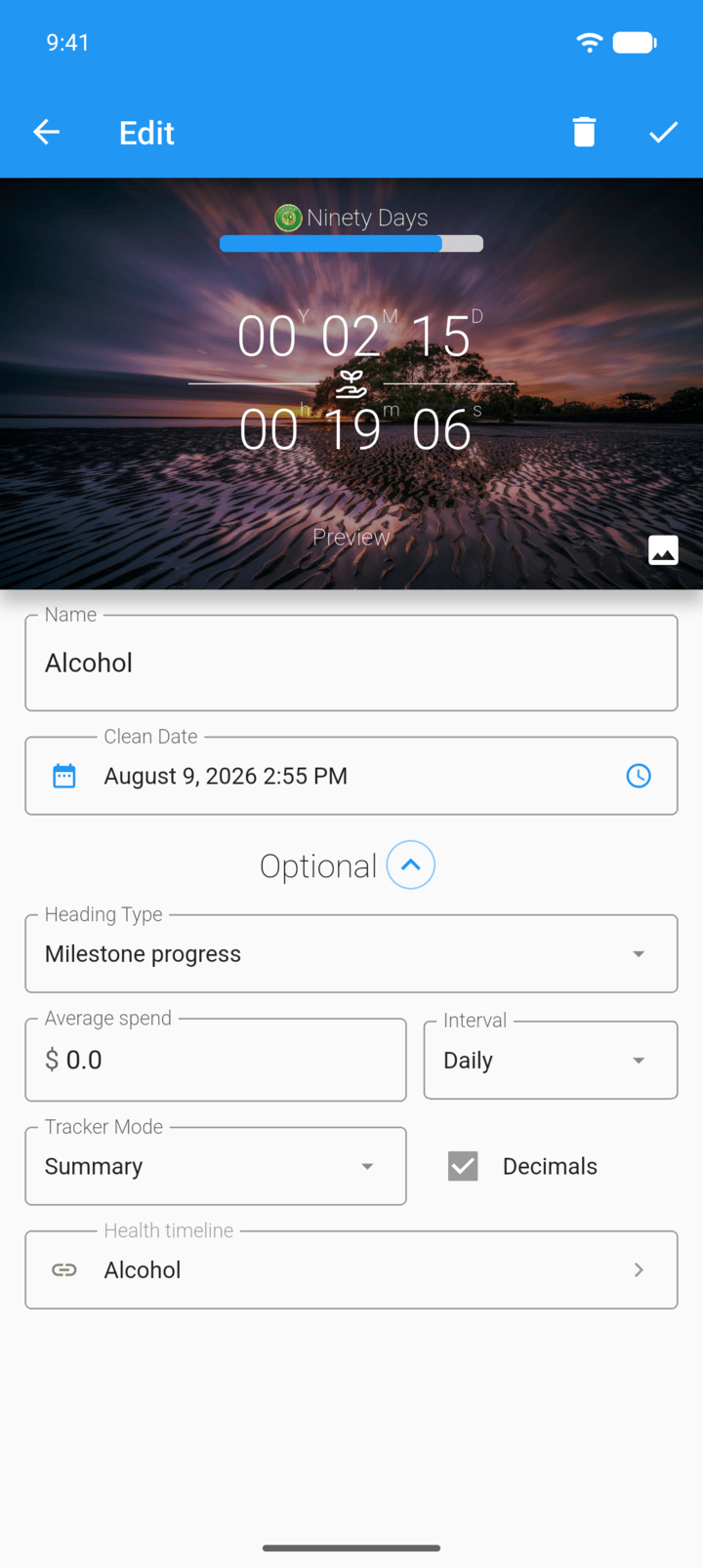
Change the text in Name.
-
Step 3
Tap the check mark in the top-right corner to save.
- On the Home screen, swipe to the tracker you want. Tap the round arrow button at the bottom of the screen to open its options. Tap Edit.
- Change the text in Name.
- Tap the check mark in the top-right corner to save.