 Sober Time
In this guide 5 steps
-
Overview
The tracker mode sets how your time is shown, for example as days, weeks, a summary, or the number of heartbeats.
-
Step 1
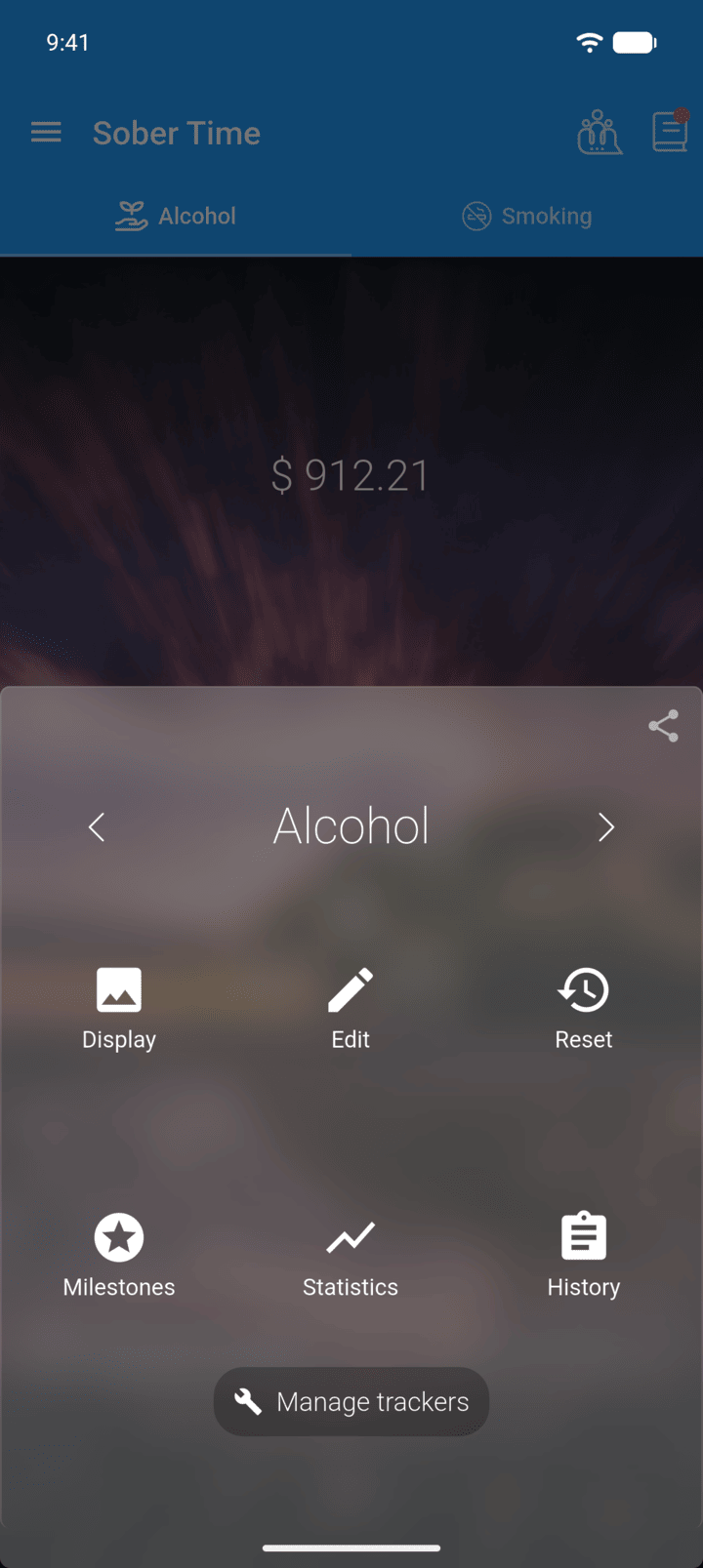
On the Home screen, swipe to the tracker you want. Tap the round arrow button at the bottom of the screen to open its options. Tap Edit.
-
Step 2
Tap Optional if the extra fields are hidden, then tap Tracker Mode.
-
Step 3
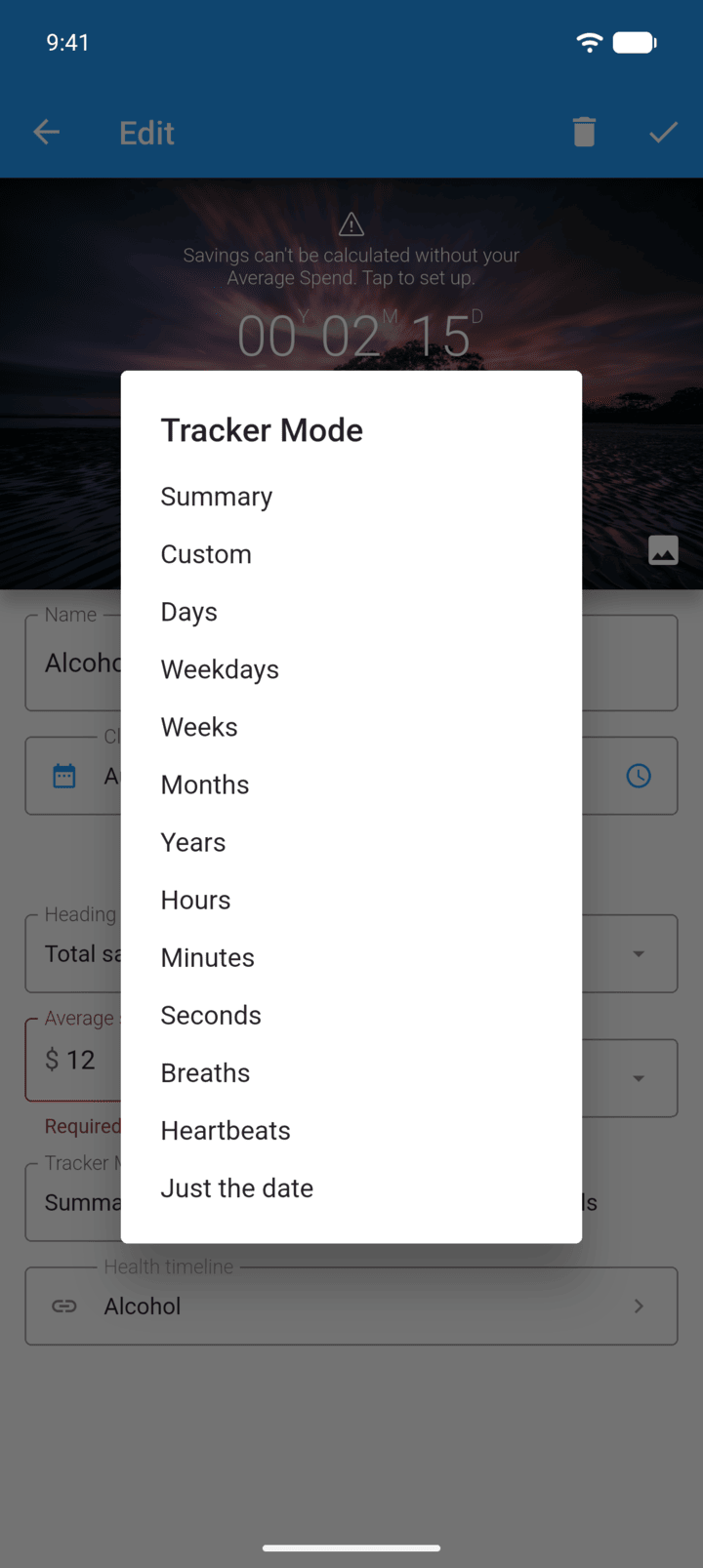
Choose a mode. Custom lets you pick which units to show.
-
Step 4
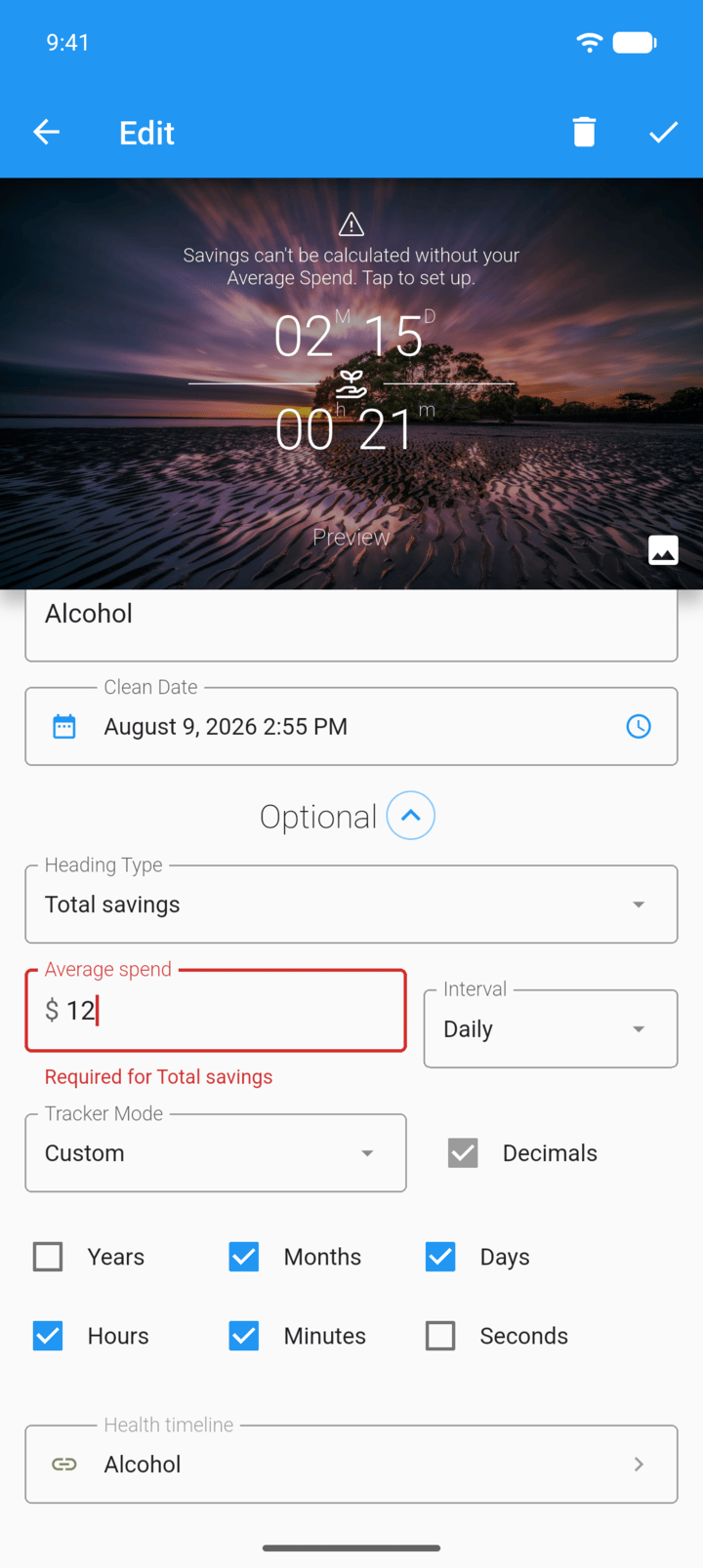
For Custom, tick the units you want. The preview at the top updates.
-
Step 5
Tap the check mark in the top-right corner to save.
On the Home screen, you can also tap the left or right edge of the tracker to switch mode.
Breaths and Heartbeats use the rates in Settings › Units.
The tracker mode sets how your time is shown, for example as days, weeks, a summary, or the number of heartbeats.
- On the Home screen, swipe to the tracker you want. Tap the round arrow button at the bottom of the screen to open its options. Tap Edit.
- Tap Optional if the extra fields are hidden, then tap Tracker Mode.
- Choose a mode. Custom lets you pick which units to show.
- For Custom, tick the units you want. The preview at the top updates.
- Tap the check mark in the top-right corner to save.
On the Home screen, you can also tap the left or right edge of the tracker to switch mode.
Breaths and Heartbeats use the rates in Settings › Units.