 Sober Time
In this guide 3 steps
-
Overview
Deleting a tracker removes its history, milestones and display settings. This can't be undone.
-
Step 1
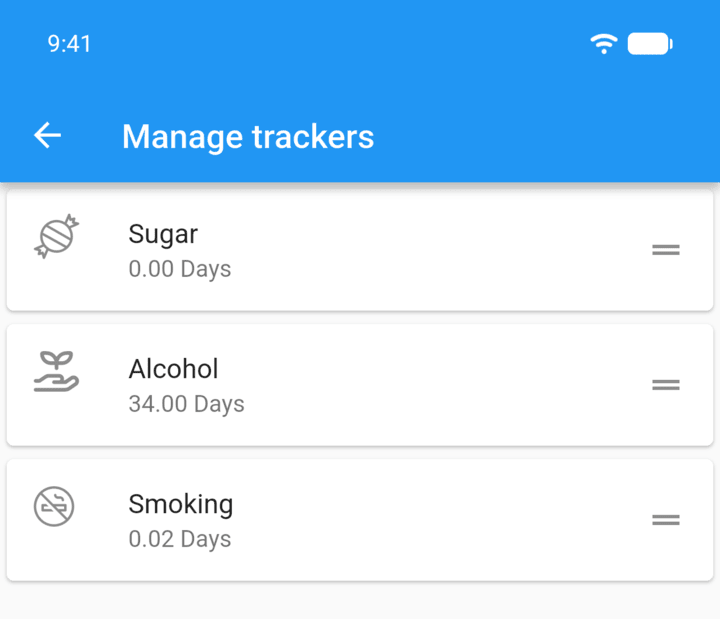
Tap the menu button ☰ in the top-left corner, then tap Trackers, and tap the tracker you want to delete.
-
Step 2
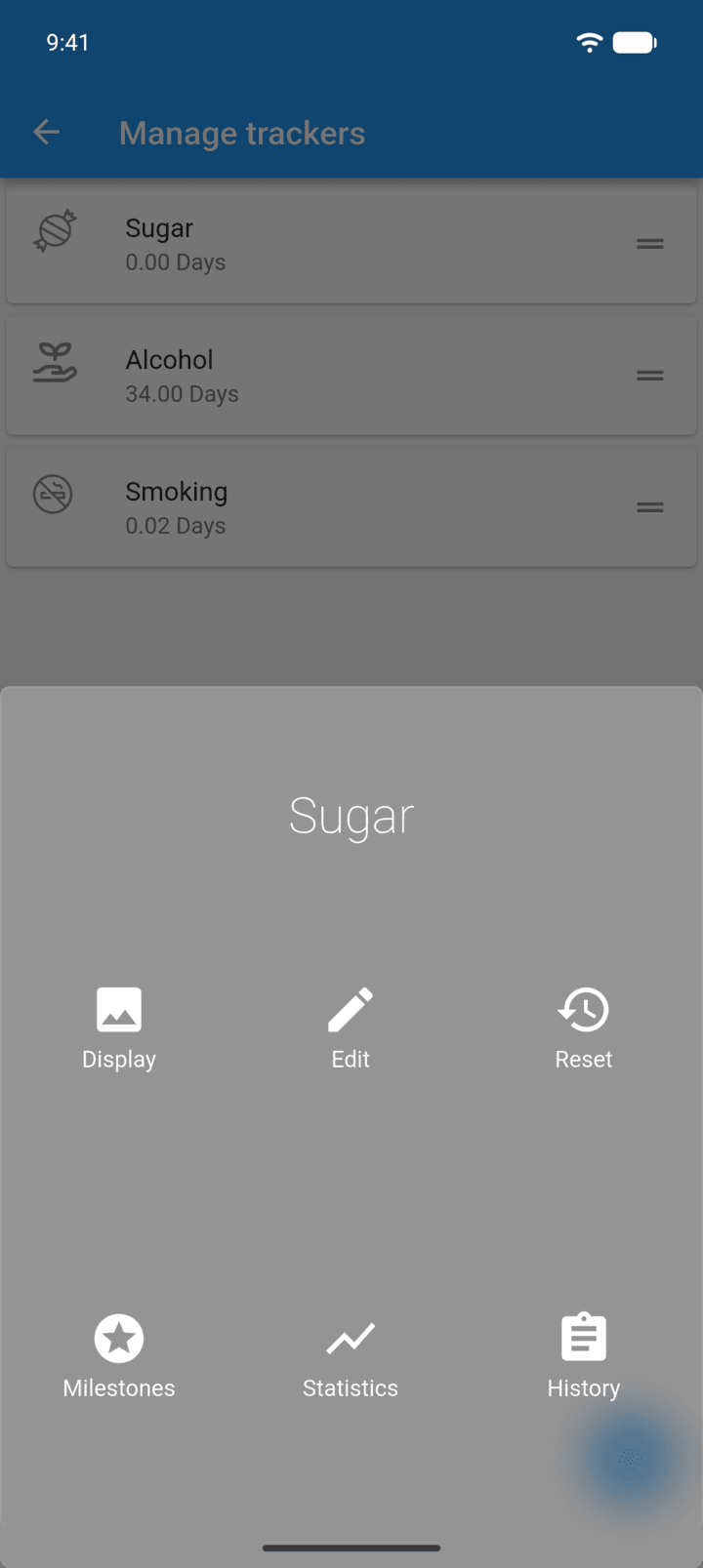
Tap Edit.
-
Step 3
Tap the trash icon in the top-right corner, then tap Delete.
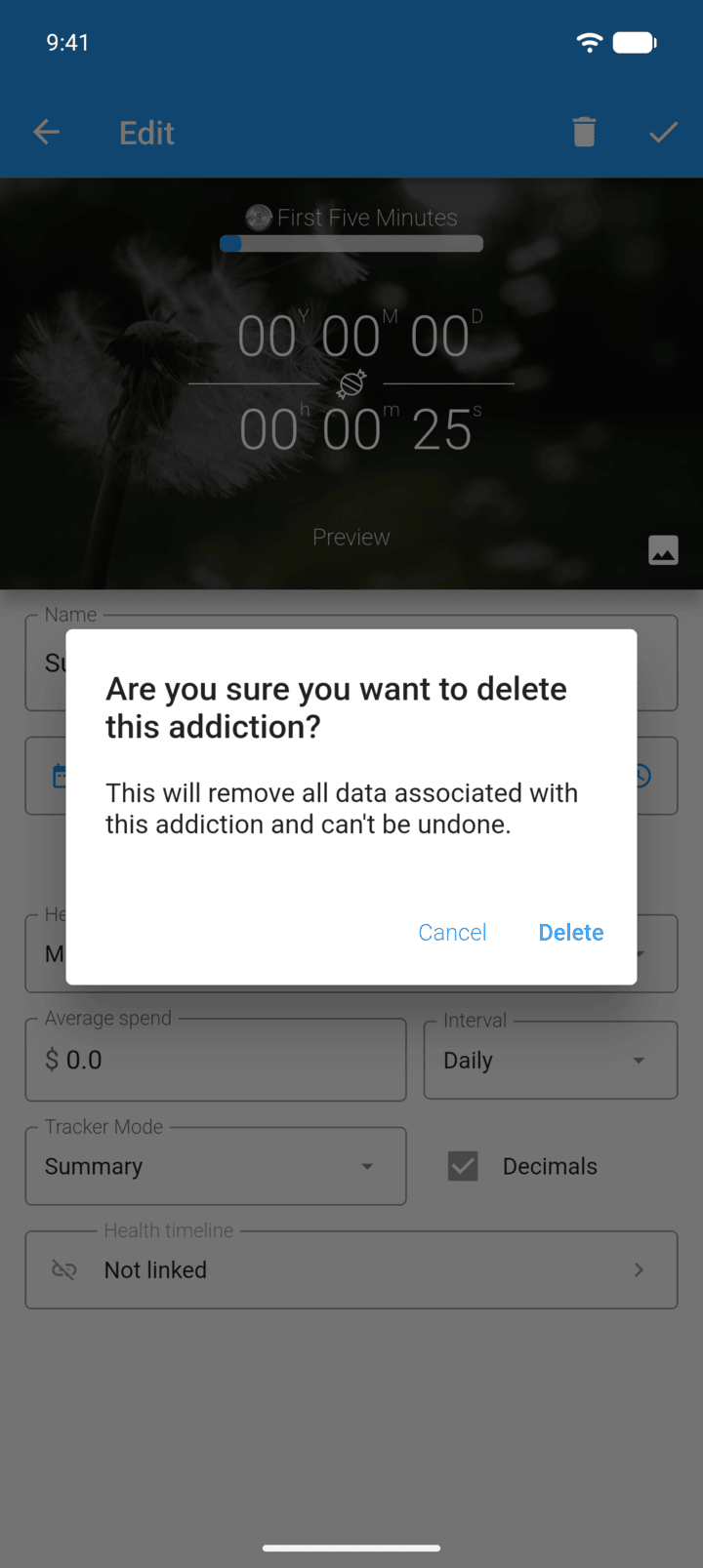
Deleting a tracker removes its history, milestones and display settings. This can't be undone.
- Tap the menu button ☰ in the top-left corner, then tap Trackers, and tap the tracker you want to delete.
- Tap Edit.
- Tap the trash icon in the top-right corner, then tap Delete.