 Sober Time
In this guide 5 steps
-
Overview
The heading is the line above the tracker. It can show your next milestone, your savings, your clean date or your own text.
-
Step 1
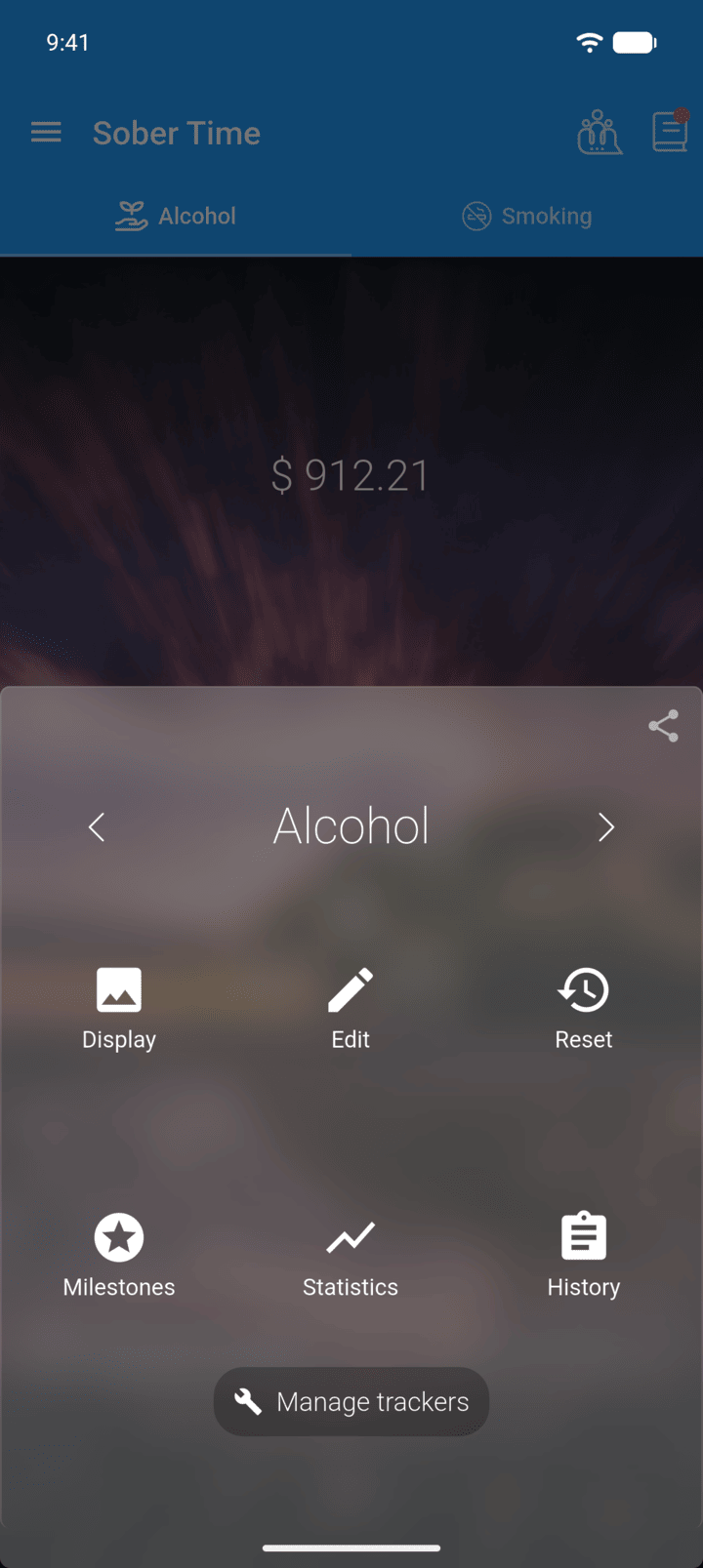
On the Home screen, swipe to the tracker you want. Tap the round arrow button at the bottom of the screen to open its options. Tap Edit.
-
Step 2
Tap Heading Type.
-
Step 3
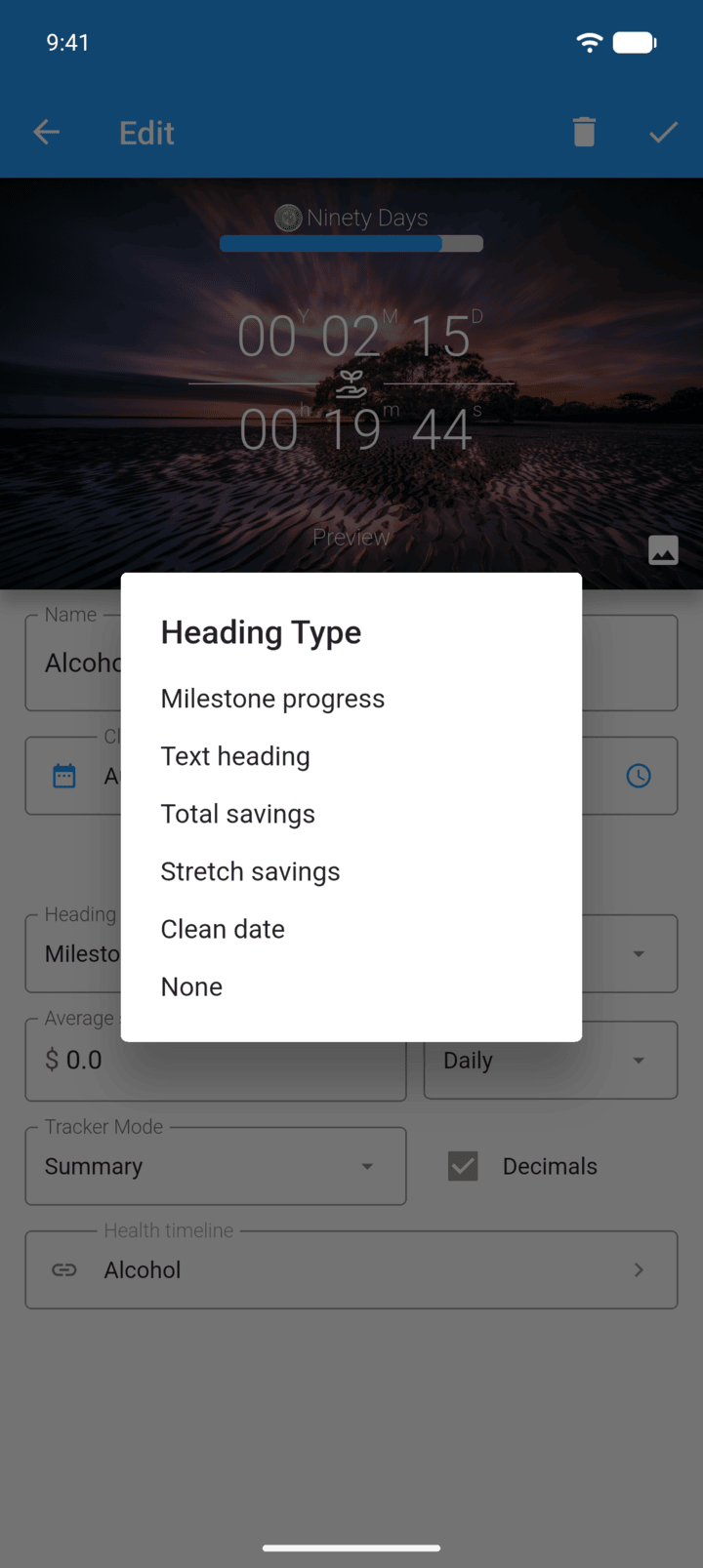
Choose Milestone progress, Text heading, Total savings, Stretch savings, Clean date or None.
-
Step 4
For Text heading, type your text in Heading. For the savings headings, also fill in Average spend.
-
Step 5
Tap the check mark in the top-right corner to save.
Total savings counts all of your clean time. Stretch savings only counts the time since your last reset.
The heading is the line above the tracker. It can show your next milestone, your savings, your clean date or your own text.
- On the Home screen, swipe to the tracker you want. Tap the round arrow button at the bottom of the screen to open its options. Tap Edit.
- Tap Heading Type.
- Choose Milestone progress, Text heading, Total savings, Stretch savings, Clean date or None.
- For Text heading, type your text in Heading. For the savings headings, also fill in Average spend.
- Tap the check mark in the top-right corner to save.
Total savings counts all of your clean time. Stretch savings only counts the time since your last reset.