 Sober Time
In this guide 4 steps
-
Overview
Enter how much you used to spend, and Sober Time works out how much you've saved.
-
Step 1
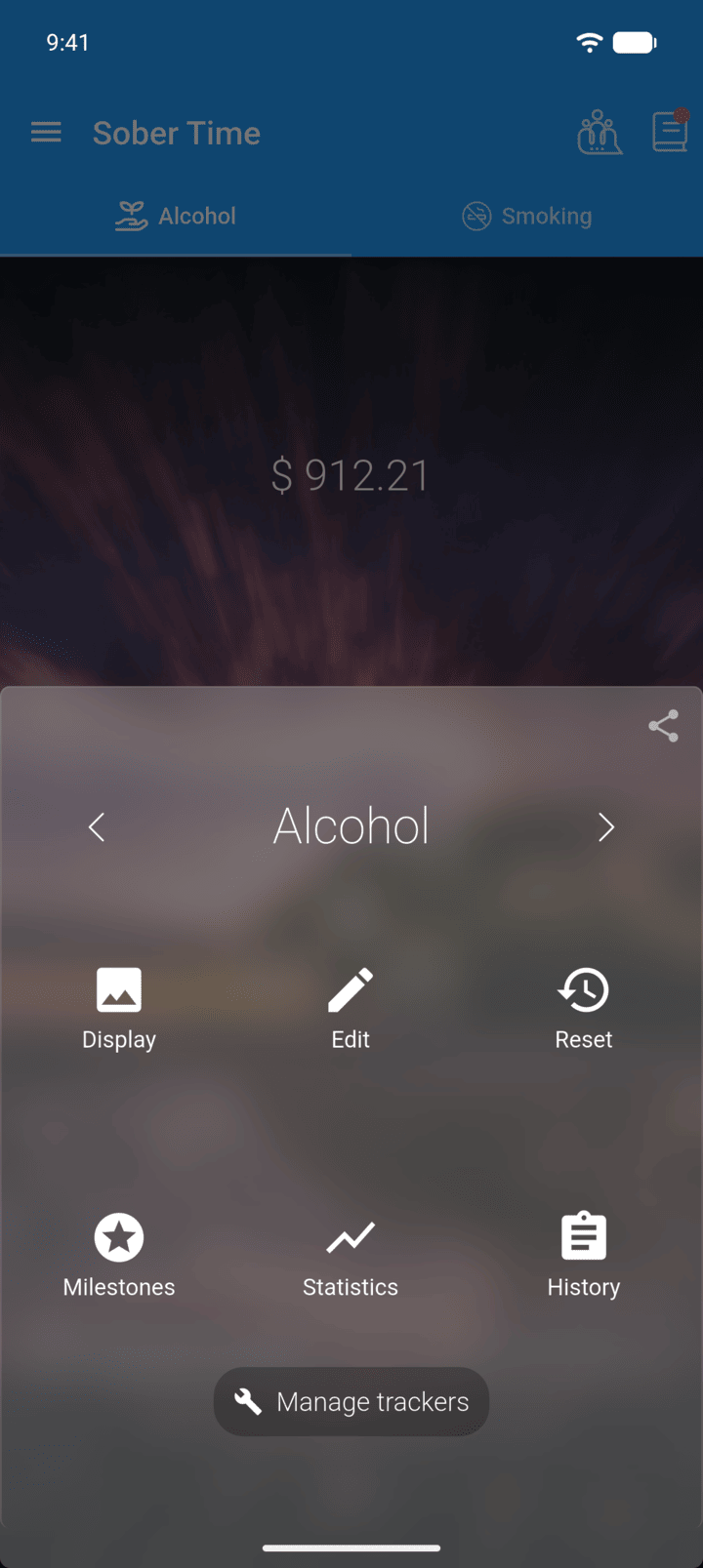
On the Home screen, swipe to the tracker you want. Tap the round arrow button at the bottom of the screen to open its options. Tap Edit.
-
Step 2
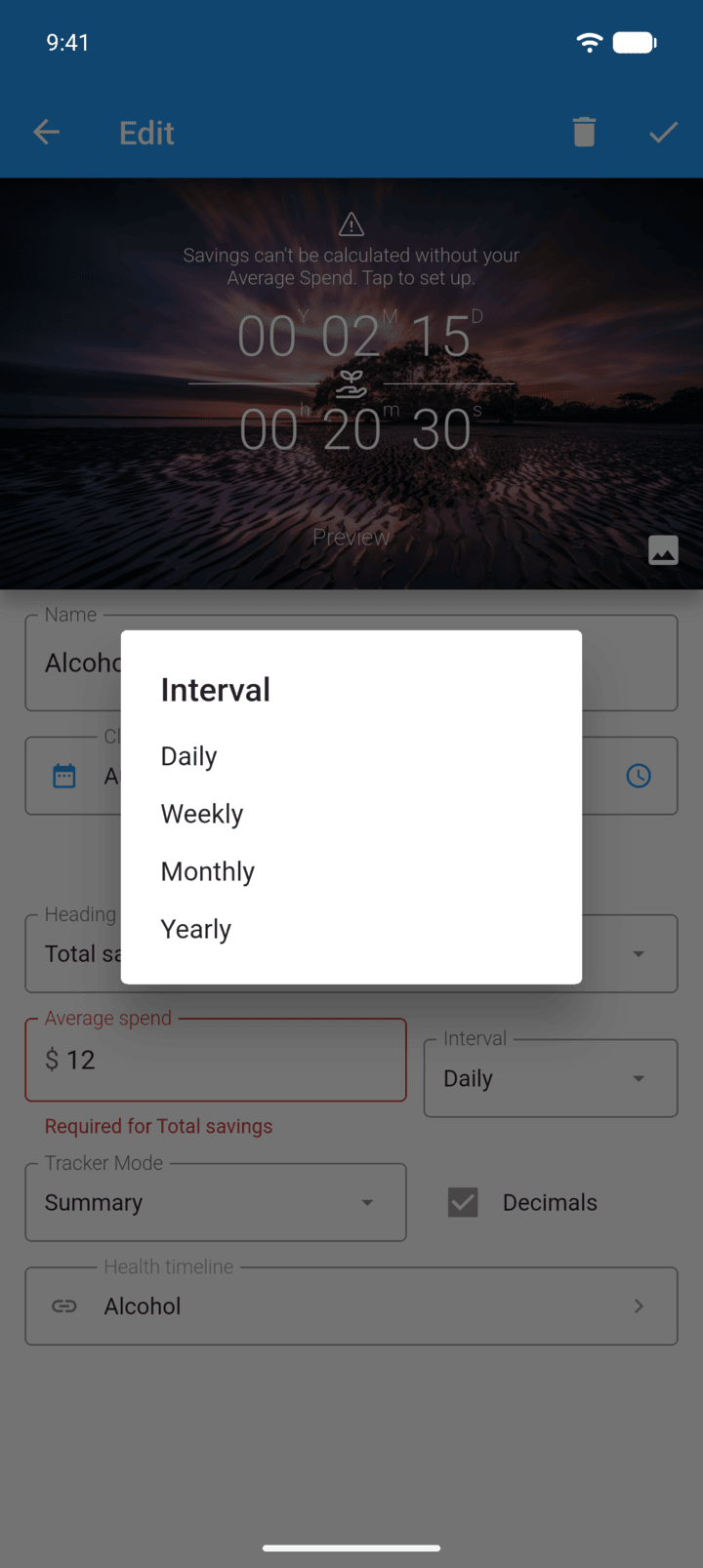
Enter the amount in Average spend, then tap Interval and choose Daily, Weekly, Monthly or Yearly.
-
Step 3
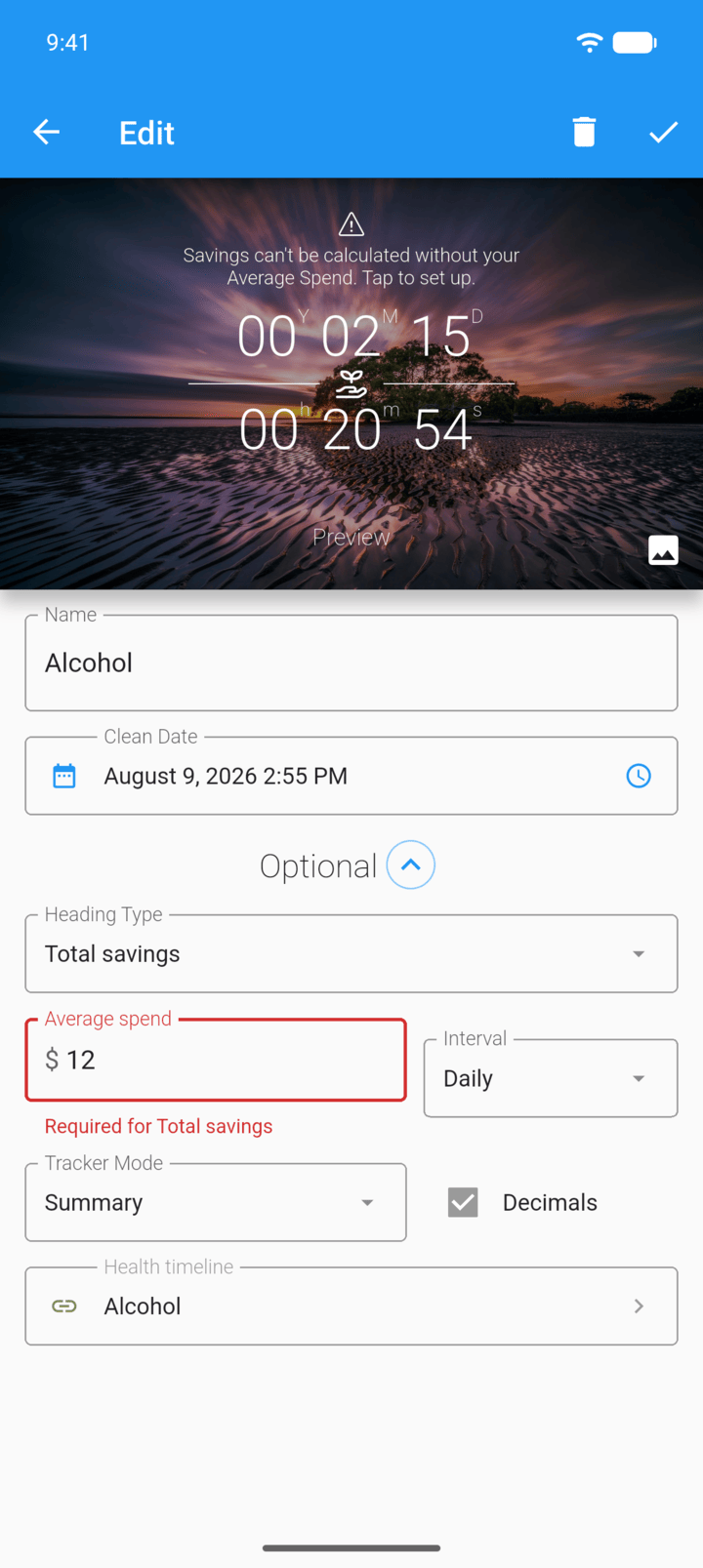
To show your savings above the tracker, set Heading Type to Total savings.
-
Step 4
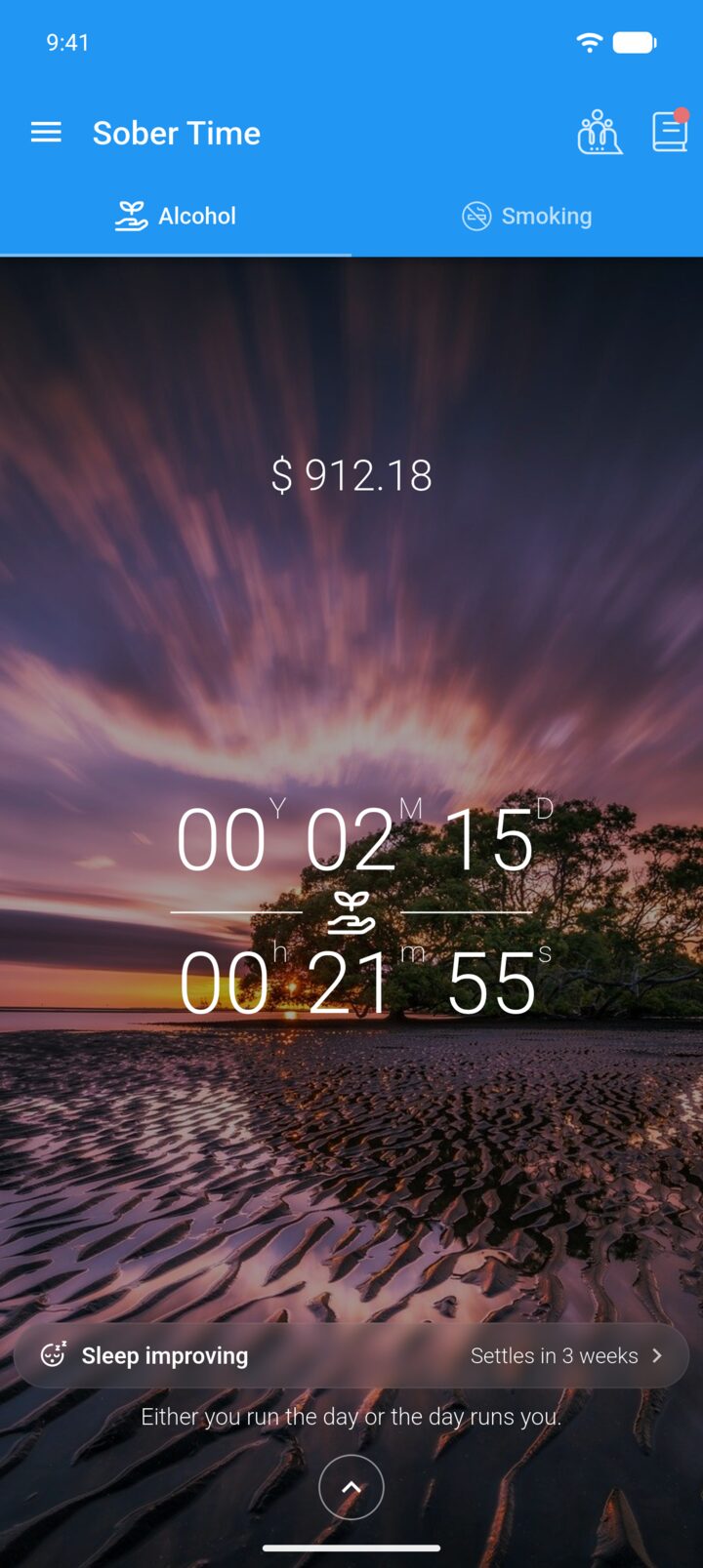
Tap the check mark in the top-right corner to save.
-
You can see a breakdown on the Savings tab of Statistics. To change the currency symbol, see Change the currency and other units.
Enter how much you used to spend, and Sober Time works out how much you've saved.
- On the Home screen, swipe to the tracker you want. Tap the round arrow button at the bottom of the screen to open its options. Tap Edit.
- Enter the amount in Average spend, then tap Interval and choose Daily, Weekly, Monthly or Yearly.
- To show your savings above the tracker, set Heading Type to Total savings.
- Tap the check mark in the top-right corner to save.
You can see a breakdown on the Savings tab of Statistics. To change the currency symbol, see Change the currency and other units.