 Sober Time
In this guide 4 steps
-
Overview
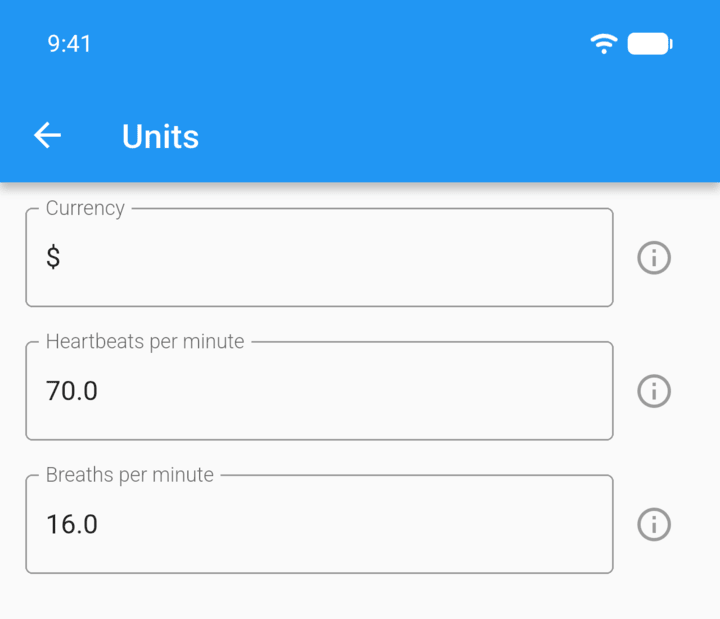
Units set the currency symbol for your savings and the rates used by the Heartbeats and Breaths tracker modes.
-
Step 1
Tap the menu button ☰ in the top-left corner, then tap Settings › Units.
-
Step 2
In Currency, type the symbol you want, such as €, £ or R.
-
Step 3
Change Heartbeats per minute or Breaths per minute if you use those tracker modes.
-
Step 4
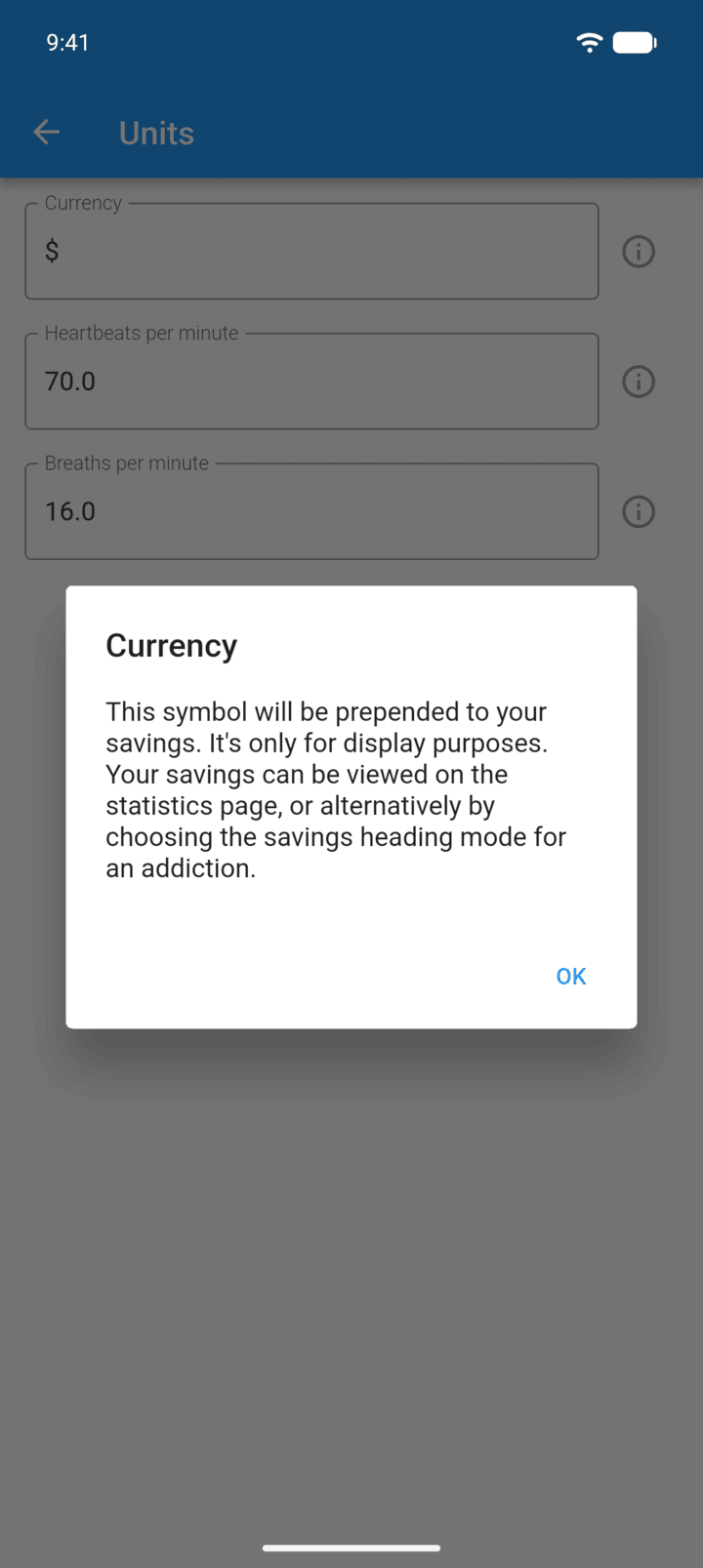
Tap the info icon next to a field for more detail.
-
The currency is only a symbol. Sober Time doesn't convert amounts.
Units set the currency symbol for your savings and the rates used by the Heartbeats and Breaths tracker modes.
- Tap the menu button ☰ in the top-left corner, then tap Settings › Units.
- In Currency, type the symbol you want, such as €, £ or R.
- Change Heartbeats per minute or Breaths per minute if you use those tracker modes.
- Tap the info icon next to a field for more detail.
The currency is only a symbol. Sober Time doesn't convert amounts.